
Integration with the ServiceNow instance
As a NetScaler administrator, you might use ServiceNow as the primary IT request and support system. You need to raise tickets or incidents for the critical NetScaler events to investigate, track, and troubleshoot them.
You can automate the ticket creation in ServiceNow using NetScaler Console and Citrix ITSM connector for ServiceNow. To start this automation, onboard Citrix ITSM adapter service to receive events and create relevant incidents in ServiceNow. For more information about preparation and integration steps, see Get started in Citrix ITSM Adapter Service.
After the successful integration, configure auto-generate ServiceNow incidents in NetScaler Console. Follow the steps to verify whether ServiceNow tickets are getting auto generated.
-
Log in to NetScaler Console.
-
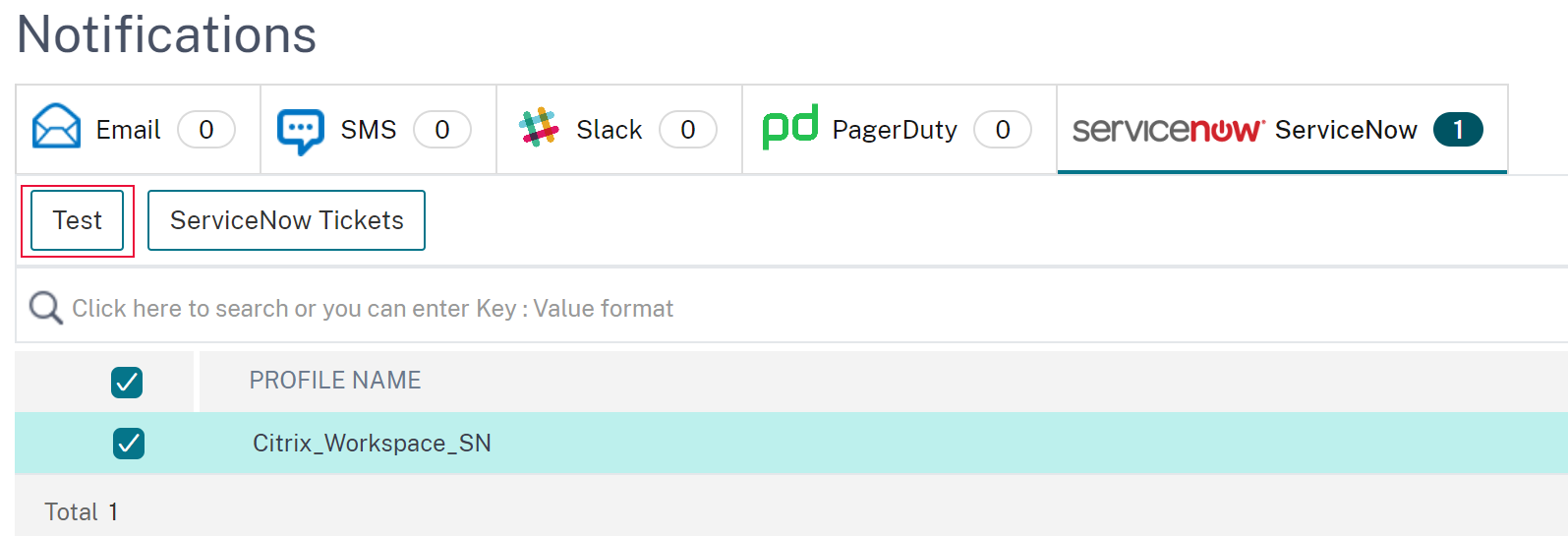
Navigate to Settings > Notifications and select ServiceNow.
-
Select the ServiceNow profile from the list.
-
Click Test to auto-generate a ServiceNow ticket and verify the configuration.if you want to view ServiceNow tickets in the NetScaler Console GUI, select ServiceNow Tickets.
When you integrate NetScaler Console with ServiceNow, you can automate the generation of ServiceNow incidents for the following:
-
Any NetScaler events
-
SSL Certificates that are about to expire
-
The NetScaler Console license expiry events
And, you can also customize the NetScaler Console event policies.
Related information
Generate ServiceNow incidents for any NetScaler events
In NetScaler Console, you can configure rules to automatically raise a ticket in ServiceNow for specific events. NetScaler Console auto generates a ServiceNow ticket for events like:
-
Virtual servers go down or out of service.
-
Resource consumption crosses the threshold value.
-
License expires on a NetScaler instance.
The auto generated ticket in ServiceNow has the required details to track and troubleshoot the issue. You can manage the notifications across one or more network devices from a single ServiceNow console. Then, assign to the administrator for further analysis.
You can create an event rule on the NetScaler Console by navigating to Infrastructure > Events > Rules. For more information, see Send ServiceNow notifications.
Generate ServiceNow incidents for SSL certificates that are about to expire
When an SSL certificate on NetScaler instances is about to expire, NetScaler Console auto generates a ServiceNow ticket. This way you can check the upcoming SSL certificate expiry tickets in advance on your ServiceNow dashboard.
To send ServiceNow notifications for an SSL certificate expiry, see SSL certificate expiry.
Generate ServiceNow incidents for NetScaler Console license expiry
In NetScaler Console, you can configure the rules to automatically raise a ticket in ServiceNow for specific NetScaler Console license expiry events.
To send ServiceNow notifications for the NetScaler Console license expiry, see NetScaler Console license expiry.
Customize NetScaler Console event policies
You can define policies to control how ServiceNow processes the NetScaler Console events based on event attributes. Set the NetScaler Console event policies in the Citrix ITSM connector. You can decide how an incident must be generated, processed, and reported in ADM. Then, do the following actions through ITSM:
-
Ignore incidents
-
Display incidents on the dashboard
-
Create incidents
For more information, see Customize NetScaler Console event policies.