A+ SSL rating analytics
Note:
For bulk upgrade of non-complaint SSL certificates, you can use the SSL A+ rating upgrade in Tasks.
An application must use secure ciphers and protocols for SSL transactions. Otherwise, it can impact the privacy, data integrity, and security of the users accessing the application. NetScaler Console reviews the application's virtual server SSL settings with the NetScaler secure front-end profile. The settings required for an A+ rating is preloaded into the secure front-end profile.
As an application owner, you can assess whether your application has an A+ rating. You can also view the protocol and cipher suite scores of an application. If your application has no A+ rating, you can upgrade to A+ rating.
To view the application's SSL rating:
-
Go to Applications > Dashboard.
-
Filter applications based on their SSL ratings.
 If an application has no rating, it is categorized under NA.
 -
Select the required application grid from the GUI.
-
Select the SSL tab. This tab displays the SSL rating of the application.
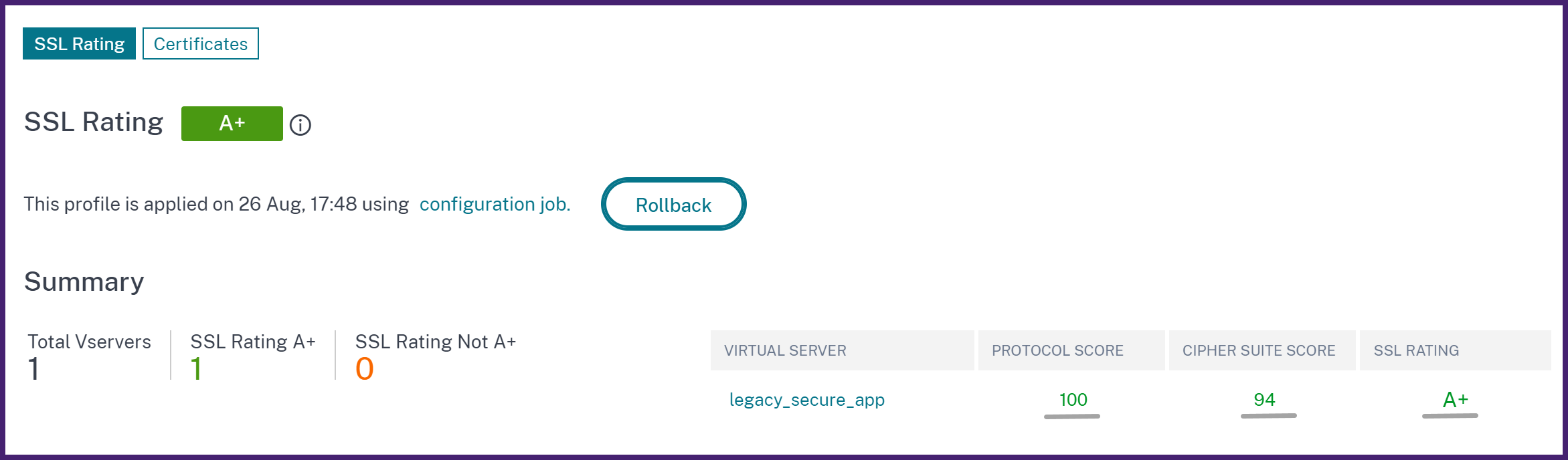
The SSL tab provides one of the following options to change or upgrade your application's rating:
Related information
Upgrade to A+ SSL rating
When you upgrade an application to A+ SSL rating, the following changes occur depending on the state of a default SSL profile on a NetScaler instance:
-
If the default SSL profile is disabled, NetScaler Console modifies to the recommended SSL settings on the SSL virtual server.
-
If the default SSL profile is enabled, NetScaler Console creates a new SSL profile with the recommended A+ settings based on a secure profile.
The application without A+ rating displays the details affected virtual servers in the SSL tab.
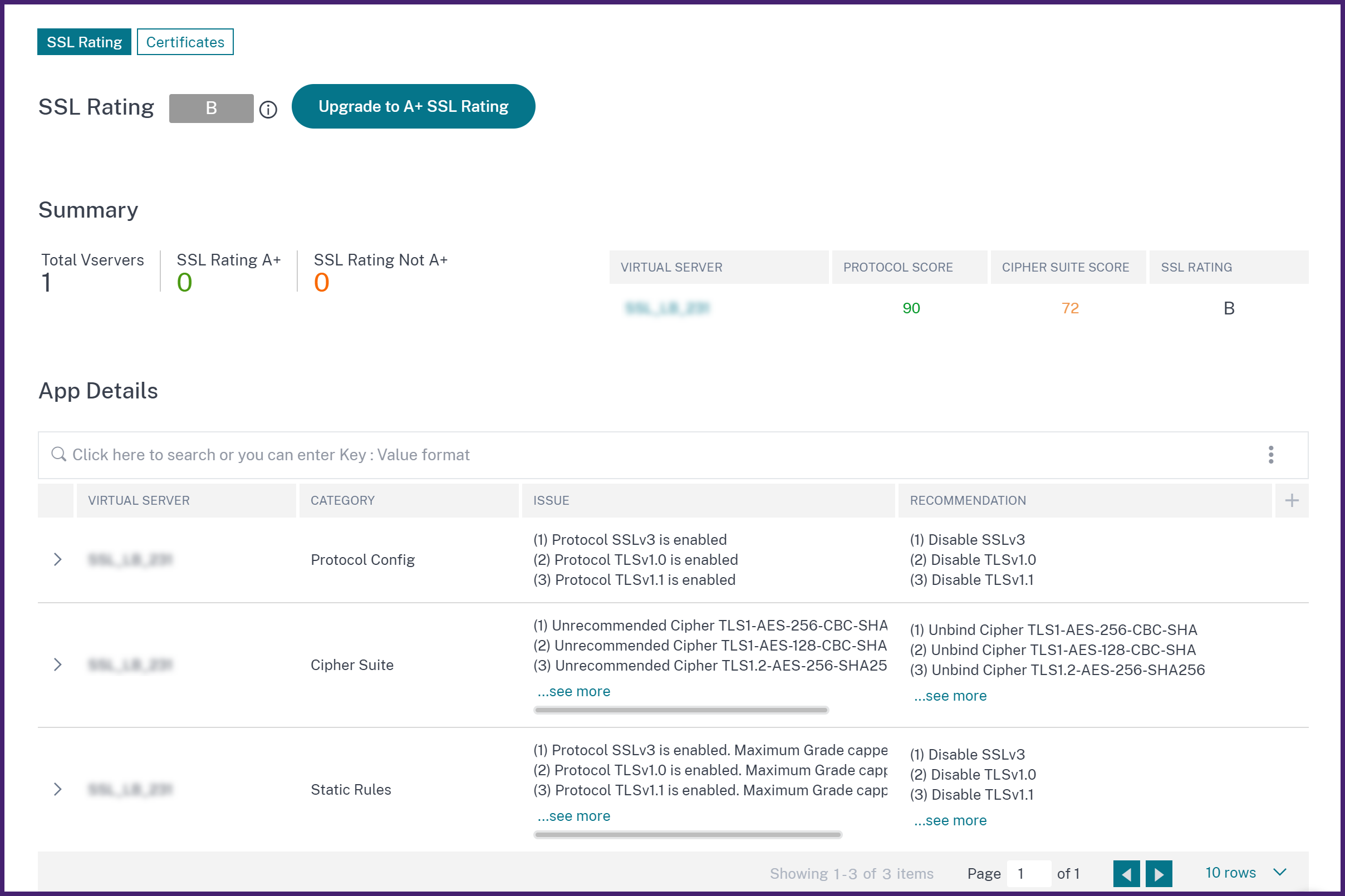
In App Details, you can review the virtual server details whose configuration is not compliant with the secure front-end profile. Also, it displays the remediation measures in the Recommendation column. These measures are given to make your application compliant with the secure front-end profile.
In this example, the virtual server has a few security issues. Protocol TLSv1.0 enabled is one of such issues. The App Details section recommends an appropriate action to solve this issue. To solve all such issues with the respective recommendations, do the following:
-
Click Upgrade to A+ rating.
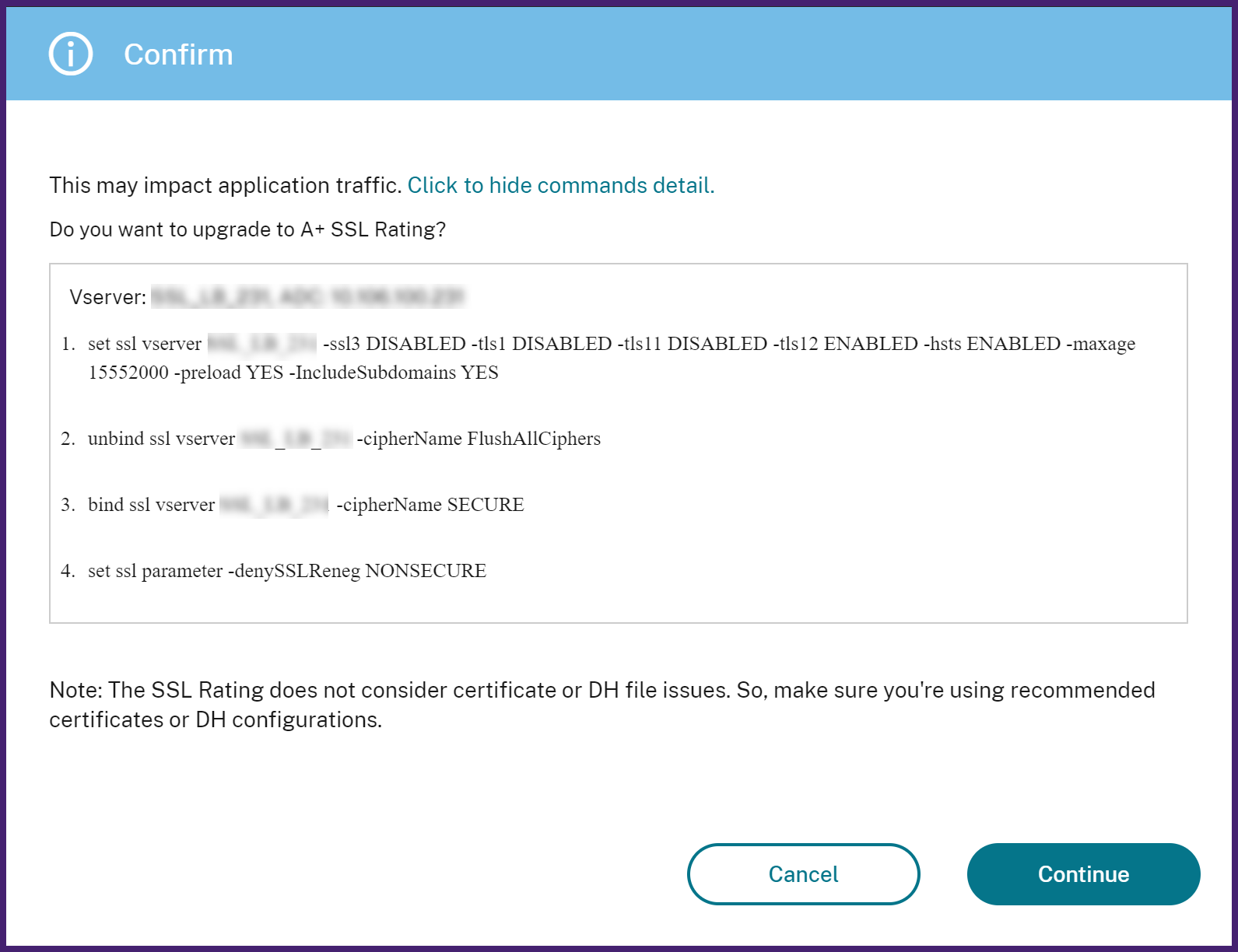 The confirmation message displays the commands that run on a virtual server. These commands might affect your application traffic.
 -
Review the commands and click Confirm.
Roll back SSL rating
Note:
If you upgrade an application to A+ SSL rating, you can revert to its original rating only within 7 days after the upgrade.
After you upgrade the application to A+ rating, you can analyze the incoming traffic in SSL insight. This page displays the ciphers and protocols on which SSL transactions are negotiated.
However, if you observe some legitimate traffic are dropped, you can roll back the secure front-end profile configured on your application. This action changes the SSL rating to the earlier rating.
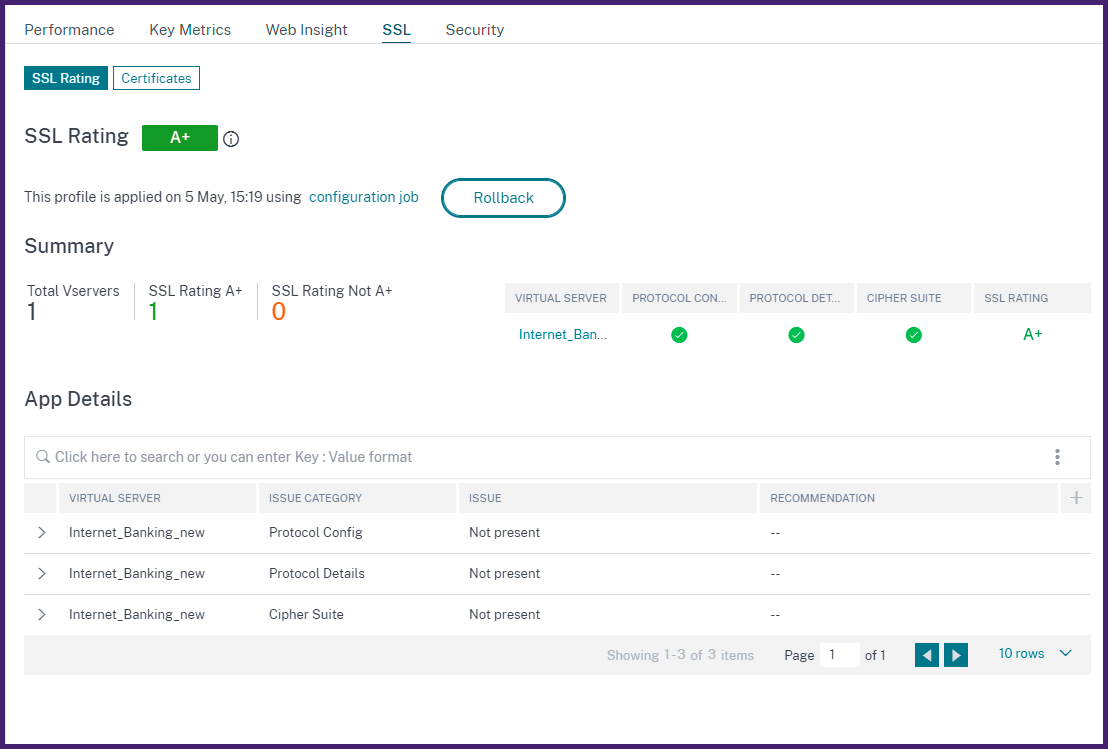
To roll back an SSL rating, do the following:
-
Click Rollback.
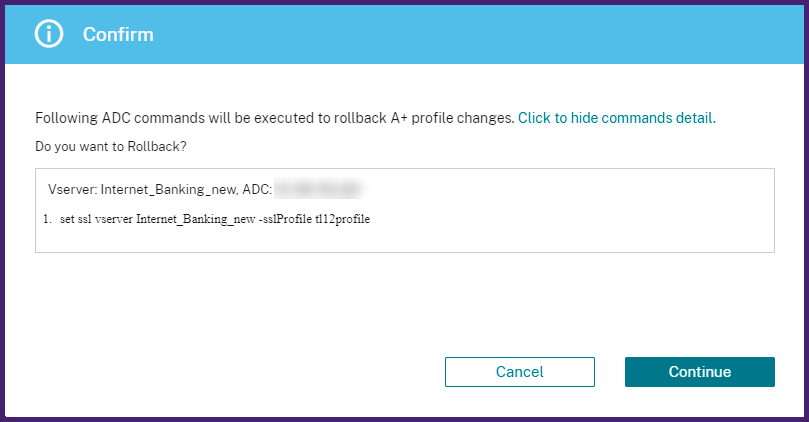 The confirmation message displays the commands that run on a virtual server.
 -
Review the commands and click Confirm.
Determine the impact of SSL-rating on the application traffic
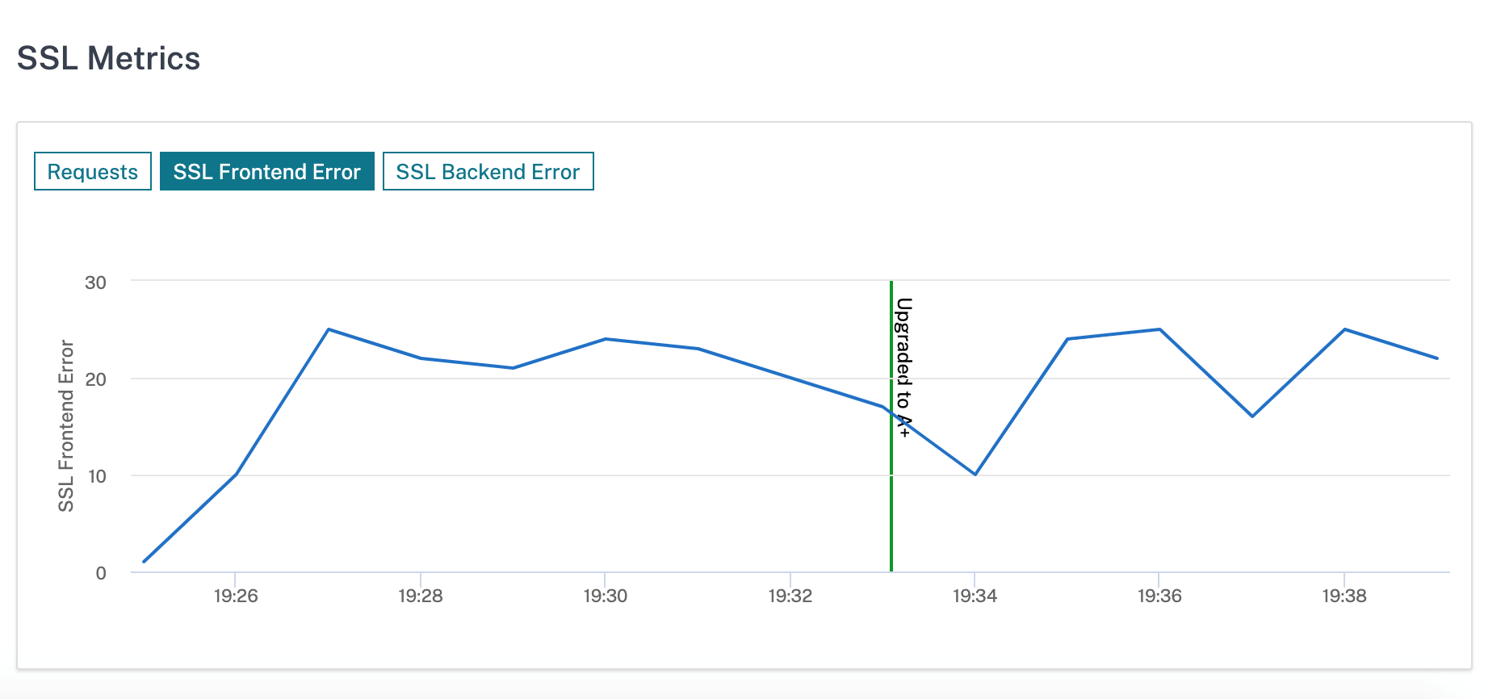
The application traffic might be affected when you upgrade the SSL-rating. In SSL Metrics, you can observe whether connections are dropped after the upgrade. With this information, you can decide to continue or roll back the SSL rating.
In the following example graph, some connections are dropped after upgrading the SSL-rating to A+.