
Dual NIC support on NetScaler Console
You can configure two NICs on an agent. Using the Dual NIC architecture, agent will be able to:
-
Establish communication between the agent and NetScaler instances - You can use the first NIC to isolate the traffic that is received and sent through the NetScaler Console and also to communicate between NetScaler Console and its managed NetScaler instances in another network.
-
Establish communication between the agent and the NetScaler Console - You can use the second NIC to manage the NetScaler Console that is on a network and perform administrative tasks.
Note
You cannot interchange the functionality and configuration of both the NICS.
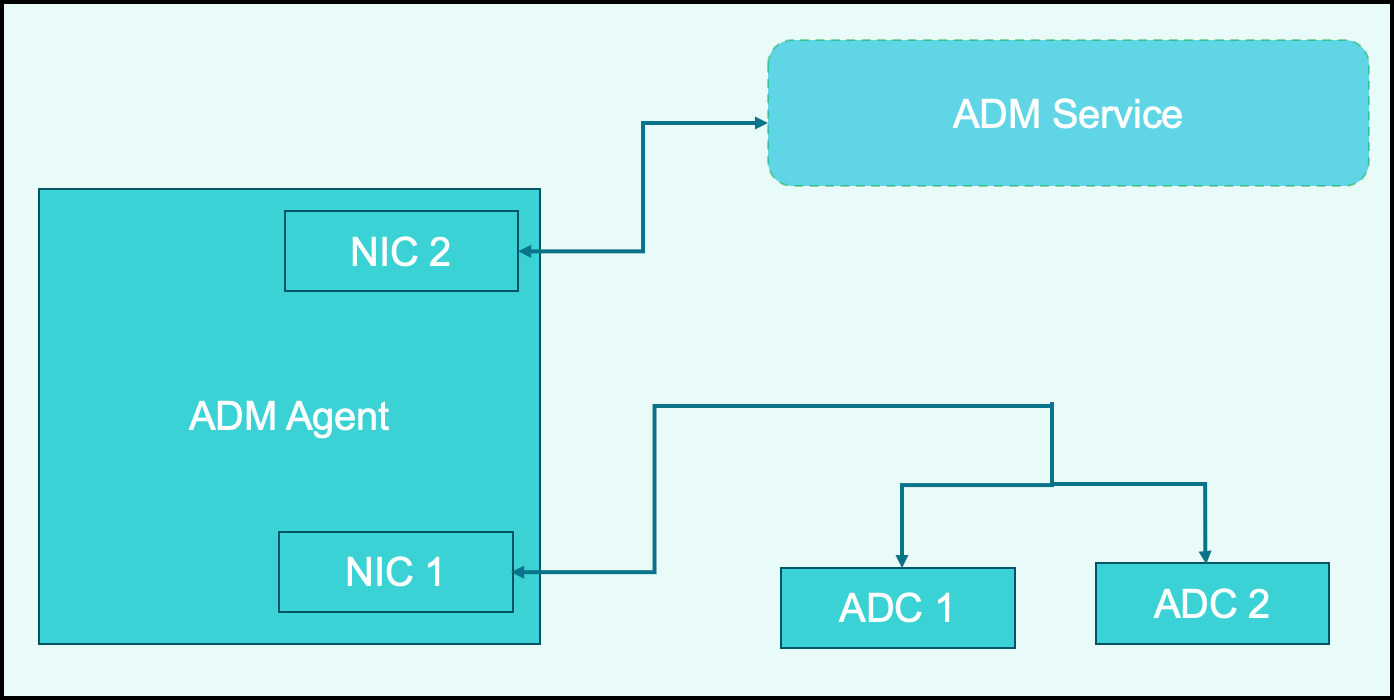
In this scenario, as an administrator, you can:
-
Configure IP address for the traffic between NetScaler Console and its managed NetScaler instances.
-
Configure IP address for managing the NetScaler Console software to perform all administrative tasks in the software.
Note
It is not mandatory to configure Dual NICs for an agent. It is optional and is required only when traffic between agent, NetScaler Console service, and NetScaler instances need to be separated.
Prerequisites
-
Ensure you have deployed and configured NetScaler agent on the hypervisor (Citrix Hypervisor, Microsoft Hyper-V, Linux KVM, or VMware ESXi).
-
Ensure you have added the second NIC on the hypervisor (Citrix Hypervisor™, Microsoft Hyper-V, Linux KVM, or VMware ESXi).
To assign an IP address to a NIC on a Citrix Hypervisor and create a secondary interface, see Assign an IP Address to a NIC.
Modify the IPV4 NIC network addresses
-
Open an SSHconnection to the NetScaler agent console by using an SSH client, such as PuTTY.
-
Log in using the nsrecover/nsroot credentials and switch to the shell prompt.
-
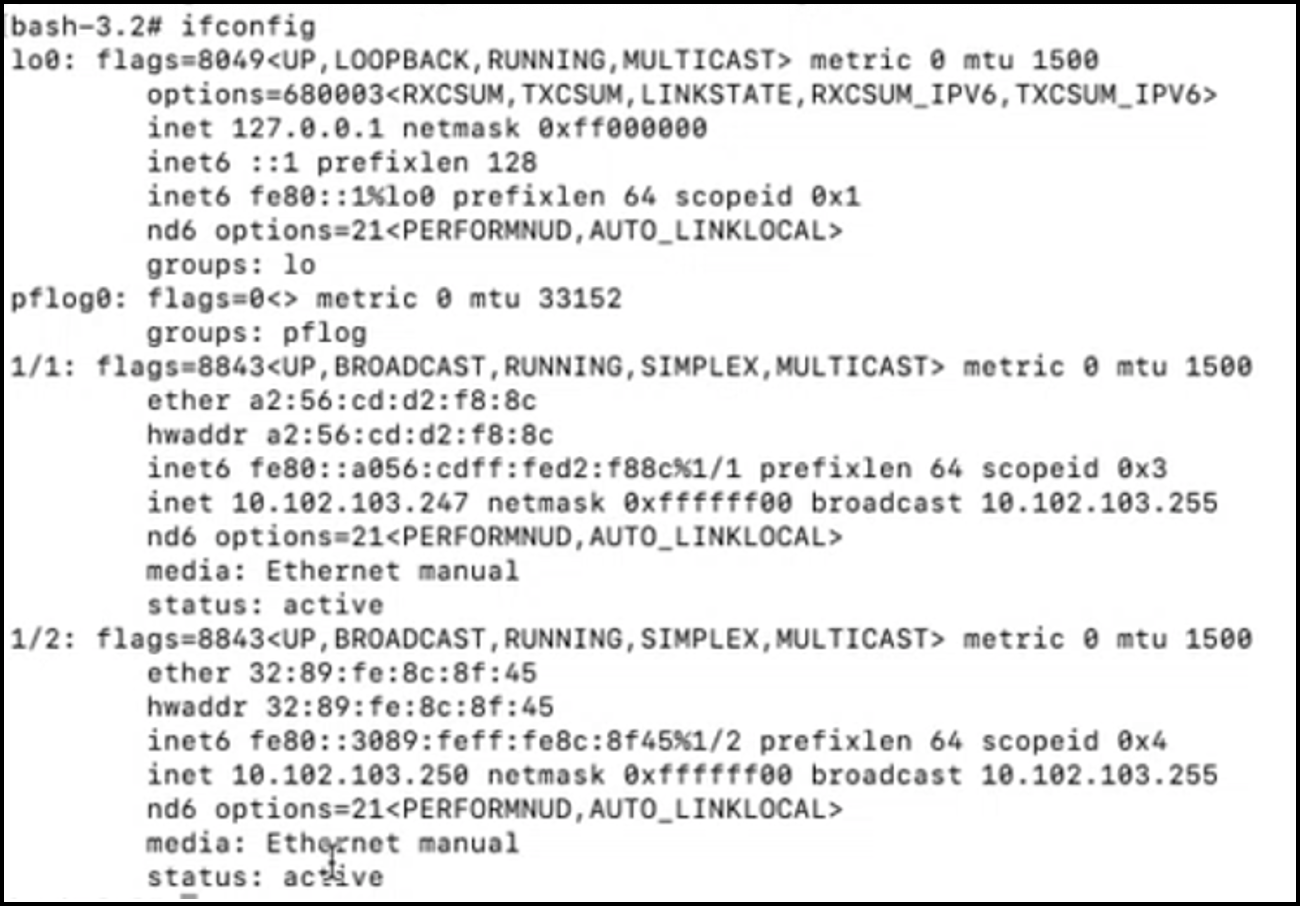
Run the command ifconfig. You can see the details of the two NICs that you have configured -
-
NIC 1 – For communication between agent and NetScaler Communication
-
NIC 2 – For communication between agent and NetScaler Console
-
-
Run the command networkconfig. A menu appears which allows you to set or modify the IPV4 network addresses.
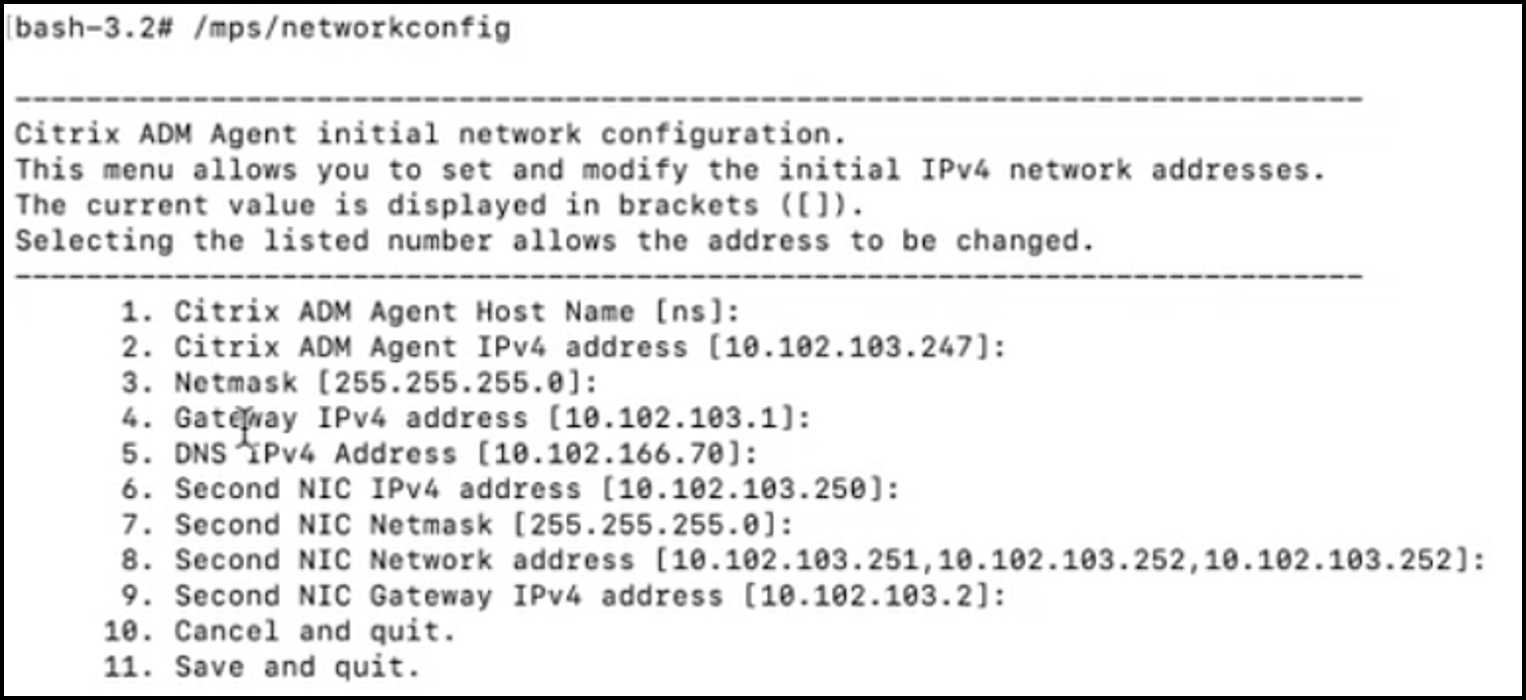 Note:Second NIC Network address can take multiple IP values.
 -
Select a menu item to modify. Save and quit the settings.
Related information