
View and Export syslog messages
You can view syslog messages without logging into NetScaler Console, by scheduling an export of all syslog messages received on the server. You can export syslog messages that are generated on your Citrix Application Delivery Controller (NetScaler) instances in PDF, CSV, PNG, and JPEG formats. Also, you can schedule the export of these reports to specified email addresses at various intervals.
Related information
View syslog messages
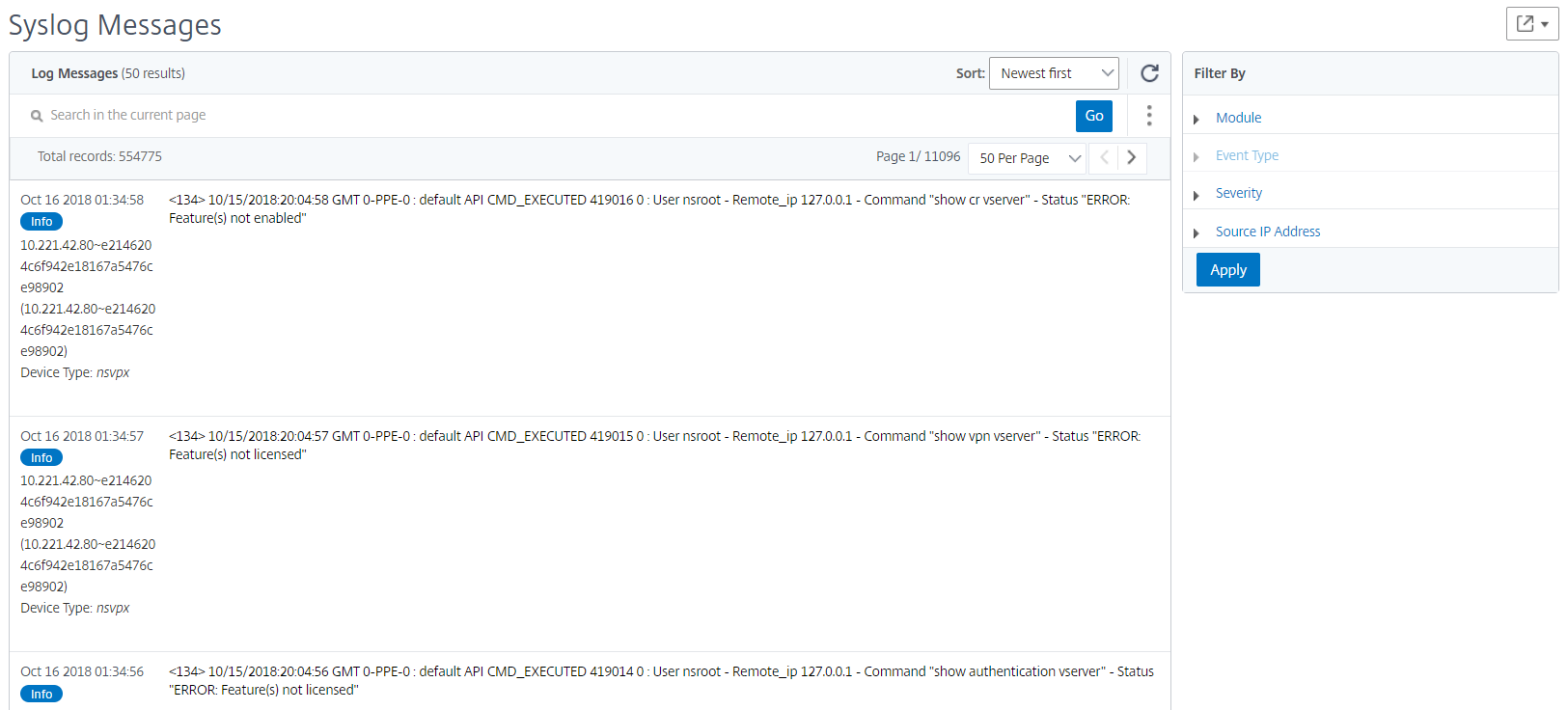
You can view all your syslog messages generated on your managed NetScaler instances. To view the messages you must configure the instances to redirect the syslog messages to the NetScaler Console server. The syslog messages are stored in the database centrally and are available on the Syslog Viewer for auditing purposes. You can combine this logging information and derive reports for analytics from the collected data.
You can also configure syslog to log different types of events.
To view the Syslog Viewer, navigate to Infrastructure > Events > Syslog Messages. Choose the appropriate filters, to view your System Log messages.
Search syslog messages
You can use filters to search syslog messages and audit log messages to narrow down your results and find exactly what you are looking for and in real time.
To search syslog messages for all NetScaler instances present in the NetScaler Console software, from the NetScaler Console GUI, navigate to Infrastructure > Events > Syslog Messages. The new filter categories are instance, module, event, severity, and message. 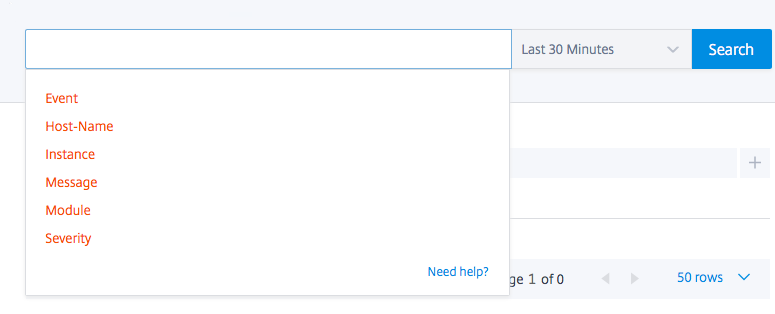
To search all NetScaler Console system audit log messages present in the NetScaler Console software, from the NetScaler Console GUI, navigate to Settings > Audit Log Messages. The new filter categories are instance, module, event, severity, and message.
To search audit log messages for all applications present in the NetScaler Console, from the NetScaler Console GUI, navigate to Infrastructure > Network Functions > Auditing.
To search the audit log messages for a specific application on the NetScaler Console, from the NetScaler Console GUI, navigate to Application > Dashboard and select the virtual server for which you want search the audit log messages. Next, click the Audit Log tab.
After you select a filter category, specify if it equals to or contains the search term.
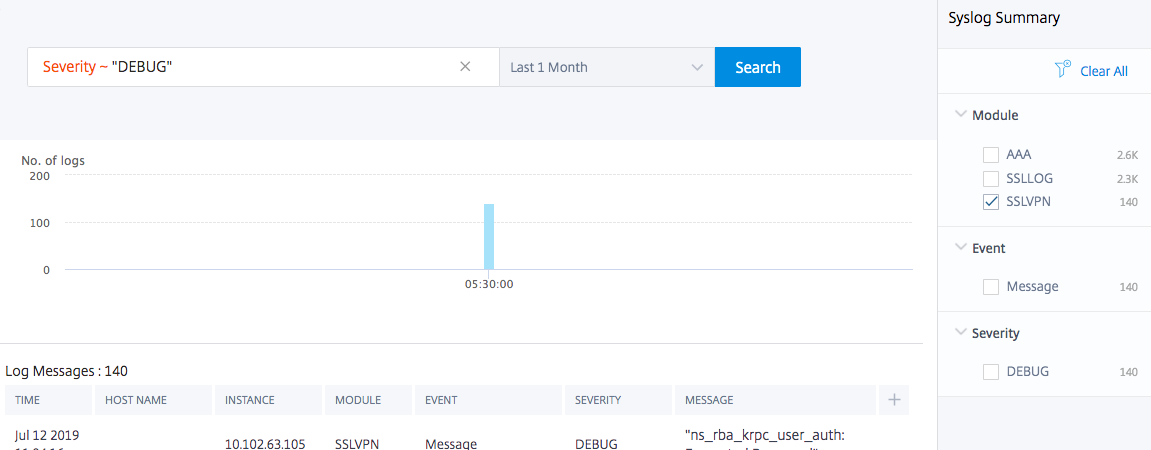
Next, add the search term. For some categories, a prepopulated list of search terms is displayed. By default, the search time is 1 day. You can change the time and date range by clicking the down arrow. You can further narrow down your search by selecting options from the Syslog Summary or Audit Log Summary pane.
Export syslog messages
To export a syslog messages report by using NetScaler Console:
-
Navigate to Infrastructure > Events > Syslog Messages.
-
In the right pane, click the export button at the top right corner of the Syslog Messages page.
-
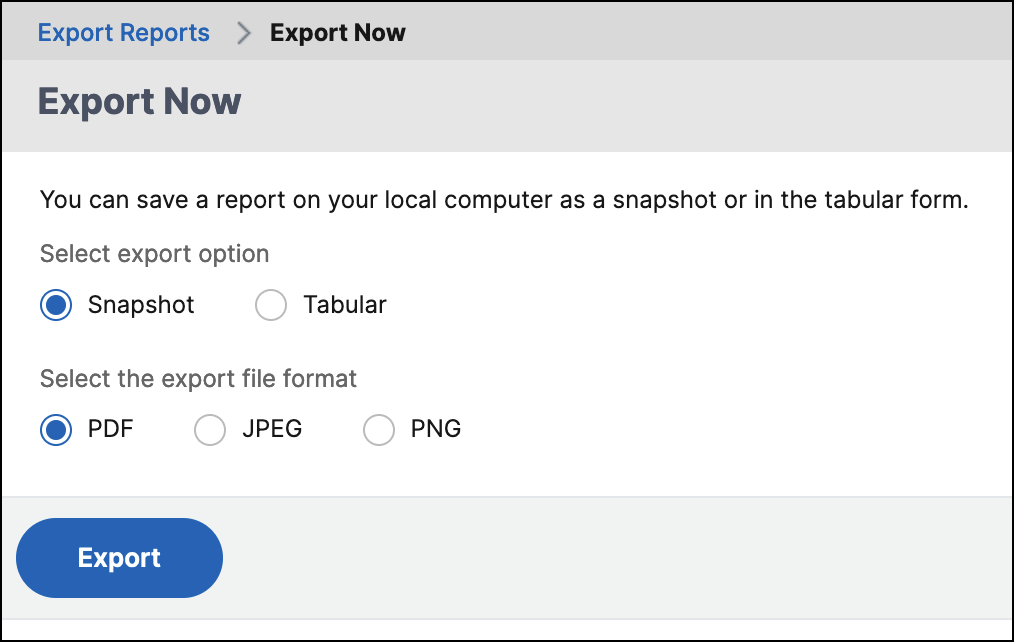
Under Export Now, select the required format, and then click Export.
To schedule the export of syslog messages report by using NetScaler Console:
-
Navigate to Infrastructure > Events > Syslog Messages.
-
On the Syslog Messages page, in the right pane, click Export.
-
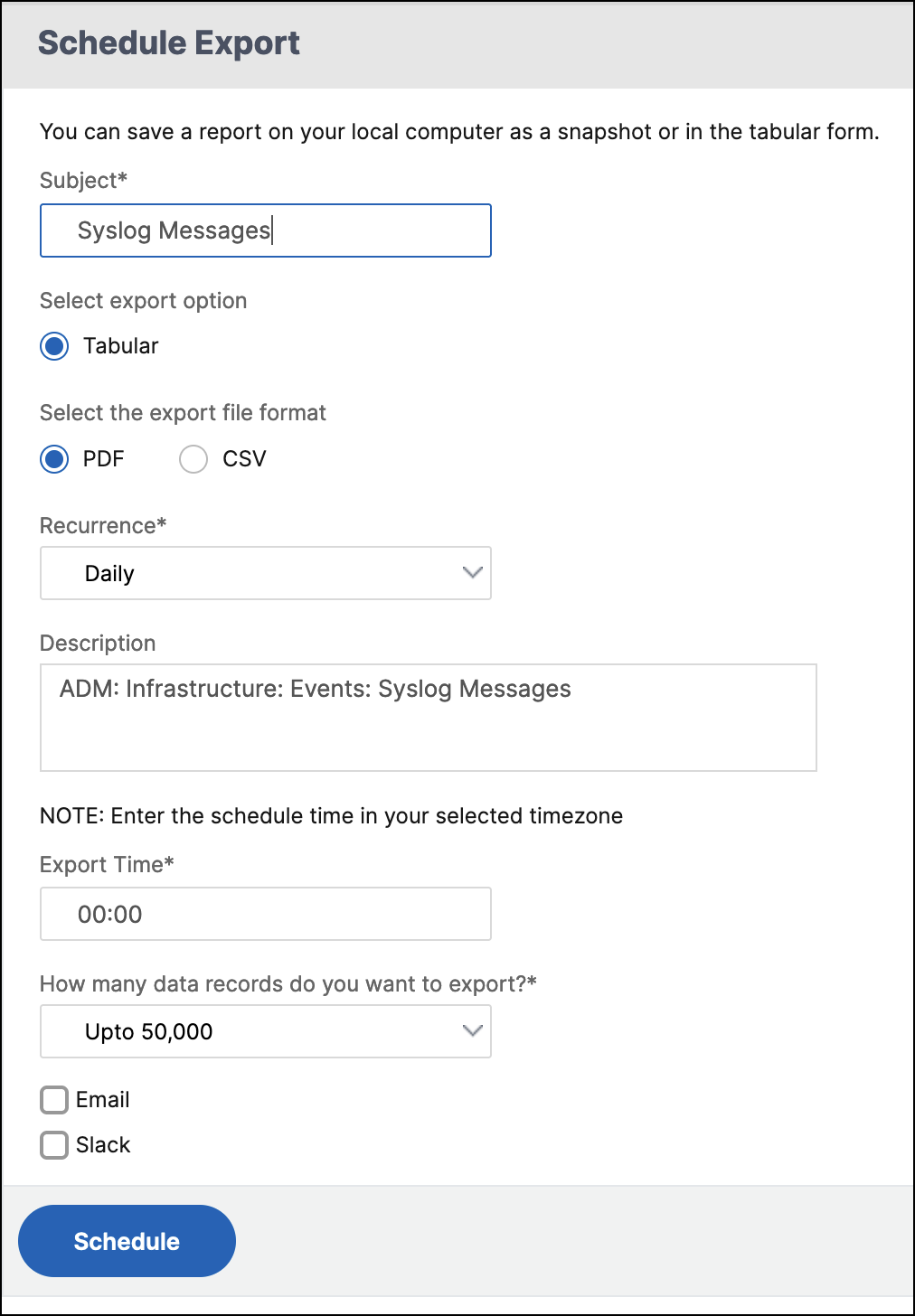
Under the Schedule Report tab, set the following parameters:
-
Description: Message describing the reason for exporting the report.
-
Format: Format in which to export the report.
-
Recurrence: Interval at which to export the report.
-
Export Time: Time at which to export the report. Enter the time in a 24 hour format, for your local time zone.
-
Email Distribution List: List of recipients to receive the report by email. Choose an email distribution list from the list provided. An email is triggered when the report is generated and meets the scheduled time criteria. If you want to create an email distribution list, click + and provide mail server and mail profile details.
-