
Create or upload an API definition
An API definition is a document that describes an API using OpenAPI Specification standards. This definition can contain API resource paths and methods to operate them. You can add API definitions to NetScaler Console then deploy them to an API gateway (NetScaler).
You can create API definitions in one of the following ways:
Note:
Currently, NetScaler Console supports parsing OAS specification files that use Swagger 2.0 or openapi 3.0.1.
Related information
Upload the OAS specification
You can upload the OAS specification to the NetScaler Console GUI.
-
Navigate to Security > API Security > API Definitions.
-
Click Add.
-
Select Upload OAS Specification.Note:Ensure that the OAS Specification file is in YAML or JSON format. And, this file must not contain external references.
-
Browse an OAS specification from your local computer and upload to NetScaler Console.
Create an API definition
You can create your own API definition in the NetScaler Console GUI.
-
Navigate to Security > API Security > API Definitions.
-
Click Add.
-
Select Create Your Definition and specify the following:
-
Name - A name for the API definition.
-
API Definition - A definition must include title, version, base path, and host. You can specify a domain name or IP address in the Host field.
-
API Resources - Add multiple API resources to your definition. Each resource has a path and supported method. Click Add. The resource is added to the Added Resources table. Click Delete to delete an API resource.
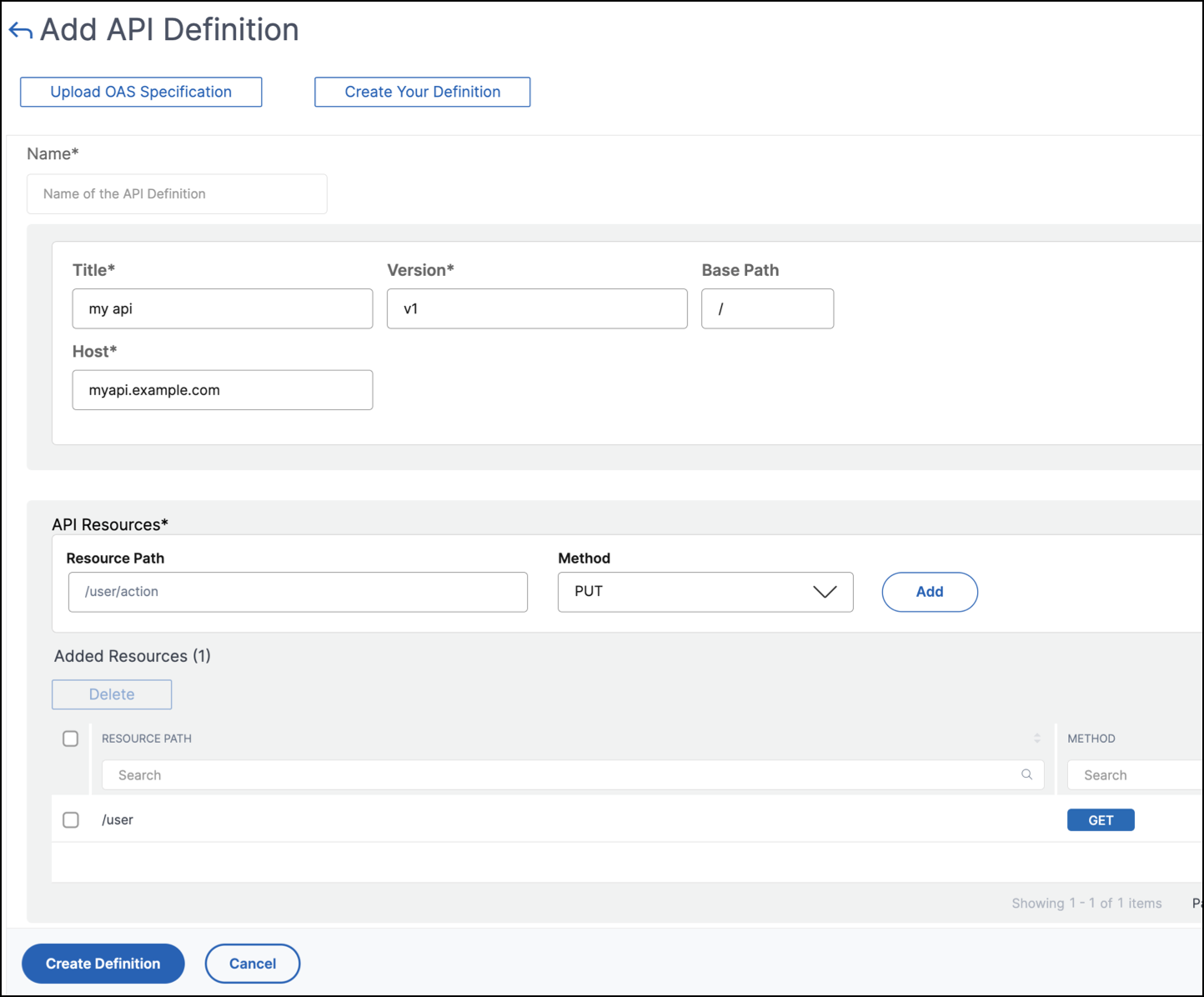
-
-
Click Create.
View API definitions
The API Definitions page lists the uploaded definition. Click View to see the following API definition details:
-
Name – Displays the name of an API definition.
-
API Definition – Displays title, version, base path, and host of a definition.
-
API resources – Lists the API resources in an API definition and their methods to operate them.