
Discover API endpoints
You can view the discovered API endpoints that are in your organization using API Security. NetScaler Console discovers the API endpoints based on the API traffic received on NetScaler instances and API deployments.
In NetScaler Console, the Security > API Security > API Discovery page displays the discovered API endpoints.
-
Virtual servers - The VServer tab displays the virtual servers from your NetScaler instances. The virtual servers appear in this tab when they receive the API requests for the specified period.
-
API deployments - This tab displays the API deployments that are deployed from NetScaler Console using an API definition. This tab discovers the API endpoints when API deployments receive the API requests for the specified period. To add and deploy an API definition, see Add an API definition and Deploy API definitions.
Note:
-
Ensure to configure analytics and enable Web Insights on virtual servers. See, Enable Web Insight on API instances.
-
You can only add policies to the API endpoints that are discovered under the API deployments tab.
Related information
View API endpoints
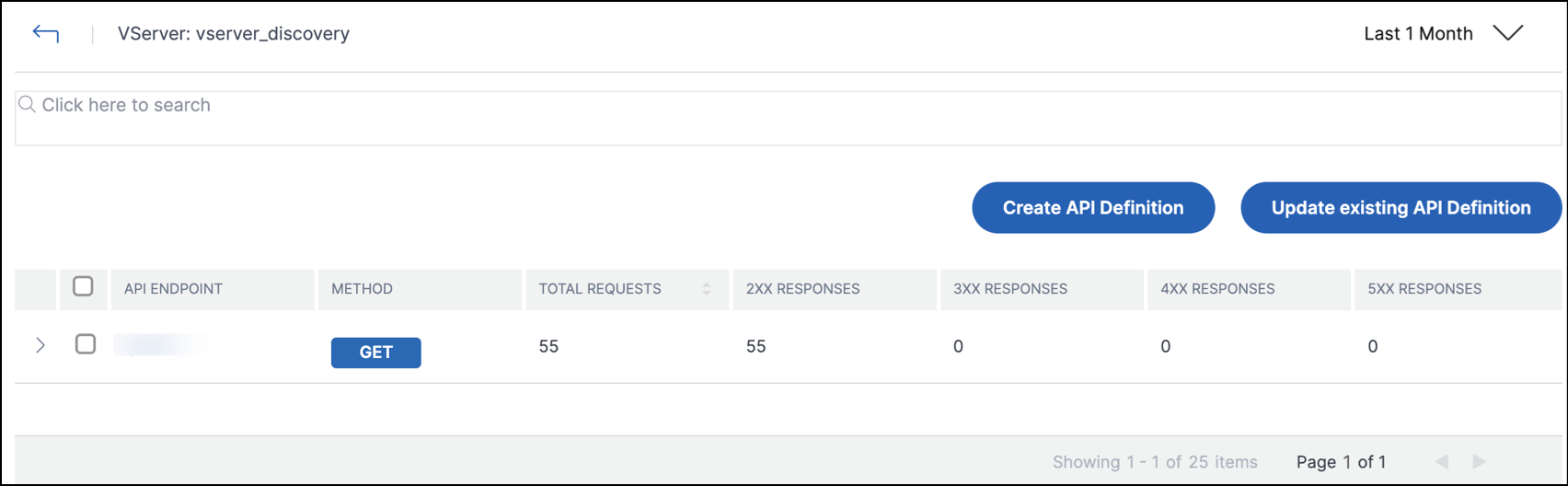
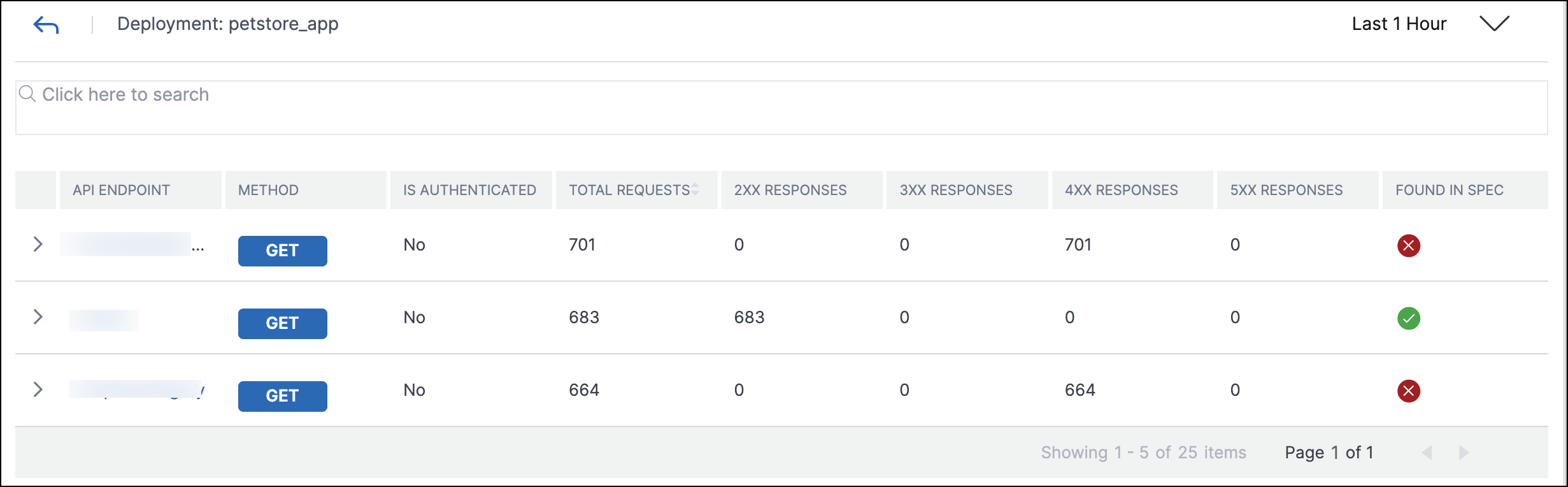
In API Discovery, when you select a virtual server or API deployment, the NetScaler Console GUI displays the API endpoints and their details such as:
-
Method - It displays the method used in an API endpoint. For example,
GETandPOSTmethods. -
Total requests - It displays the count of API requests on the API endpoint.
-
Response statuses - It displays the count for each response status. For example,
2xx,3xx,4xx, and5xx. -
Found in Spec - This column appears only for API deployments. Sometimes, the internal APIs that 's not part of the API definition might receive traffic from outside. This column helps you identify whether the API endpoint and observed method are part of the API definition.
The API endpoints in a virtual server are available as follows:
The API endpoints in API deployments are available as follows:
You can also select the required API endpoint to view its detailed analytics report.
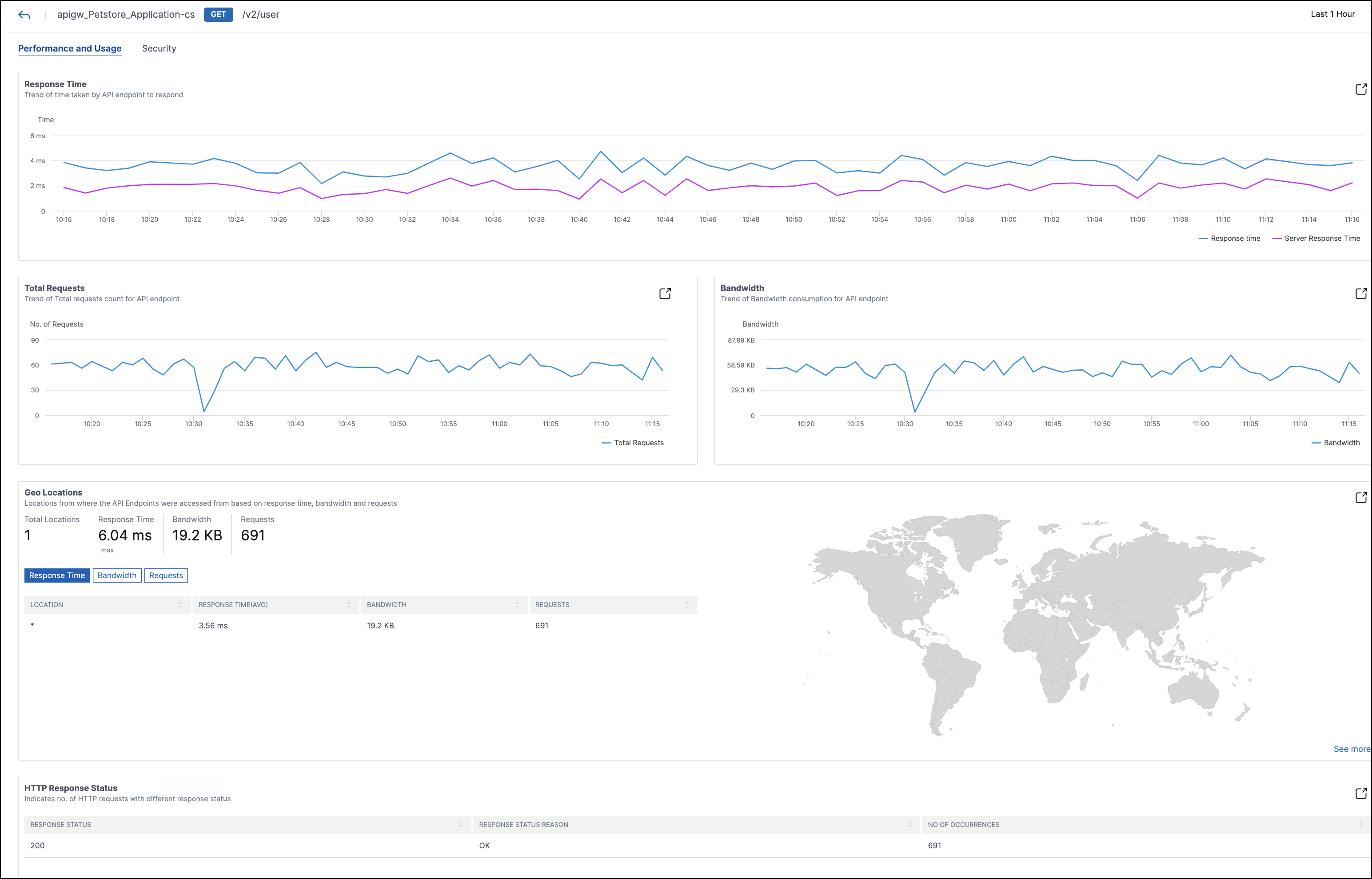
For more information about each section, see View API analytics.
Create API definitions from discovered API endpoints
To create API definitions from discovered API endpoints (API resources and methods):
-
Navigate to Security > API Security > API Discovery to view the list of virtual servers and API deployments.
-
Click any virtual server in the VServers tab.
-
The virtual server page displays the list of discovered endpoints. Select any endpoint and click Create API Definition.
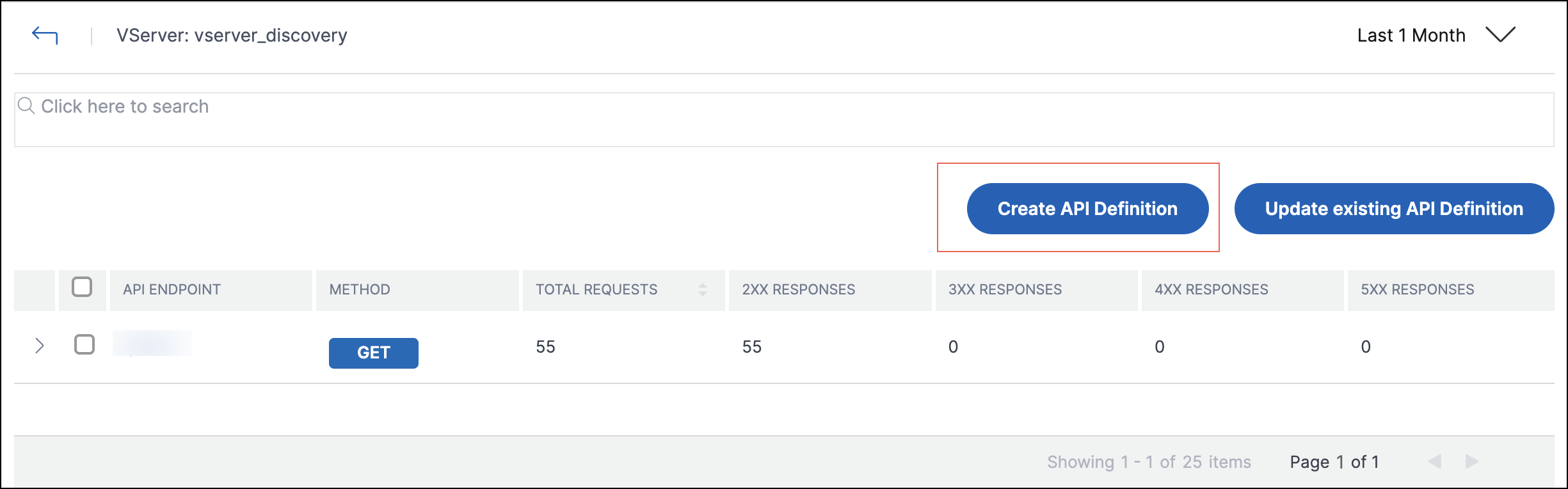
Note:
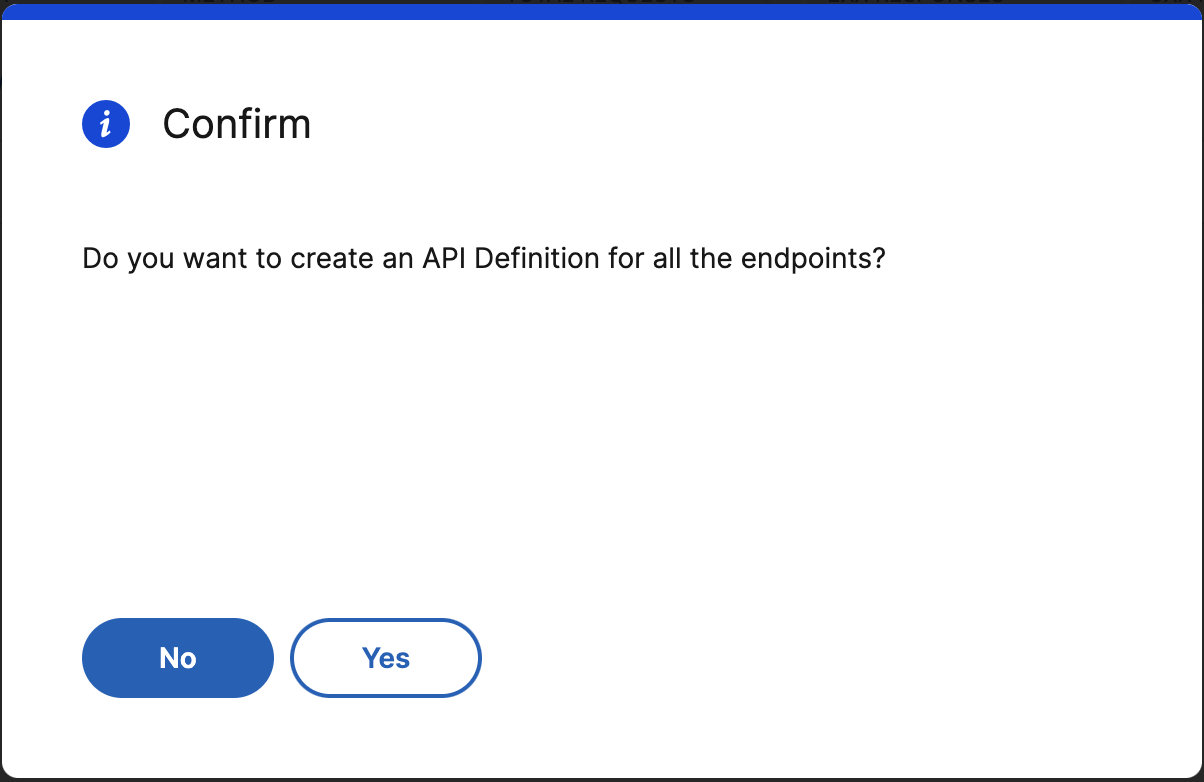
If you do not select any endpoint and click Create API Definition, a pop-up window appears for you to confirm whether you want to create an API definition for all the endpoints. Click Yes to create the API definition with all the endpoints, else click No.
-
In Create API Definition, specify the following:
-
Name - A name for the API definition.
-
API Definition - A definition must include title, version, base path, and host. You can specify a domain name or IP address in the Host field.
-
API Resources - Add multiple API resources to your definition. Each resource has a path and supported method.
-
-
Click Create Definition to create the API definition.
Note:
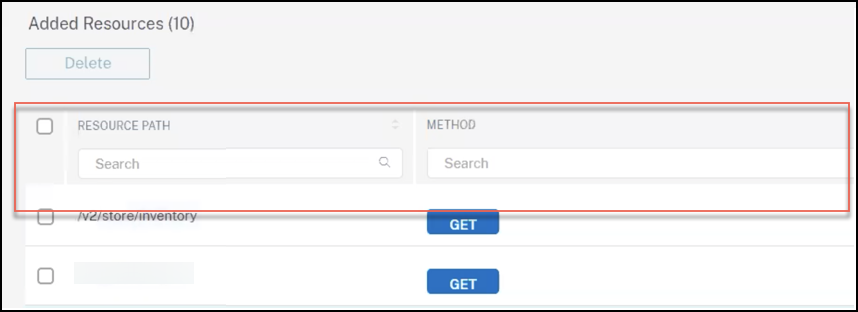
If you want to edit an API resource path before adding it to the API definition, use the sort or search functionality for the API resources on the API definition screen.
For example, consider an API resource named "/api/products/123-3243-2344334/reviews" where the path segment "123-3243-2344334" is a variable product id. You can now sort the API resources, add the resource path as "/api/products/{id}/reviews", and delete all the API endpoints with IDs such as "/api/products/123-3243-2344334/reviews".
Update an existing API definition with discovered API endpoints
To update an existing API definition with API endpoints (API resources and methods):
-
Navigate to Security > API Security > API Discovery to view the list of virtual servers and API deployments.
-
Click any virtual server in the VServers tab.
-
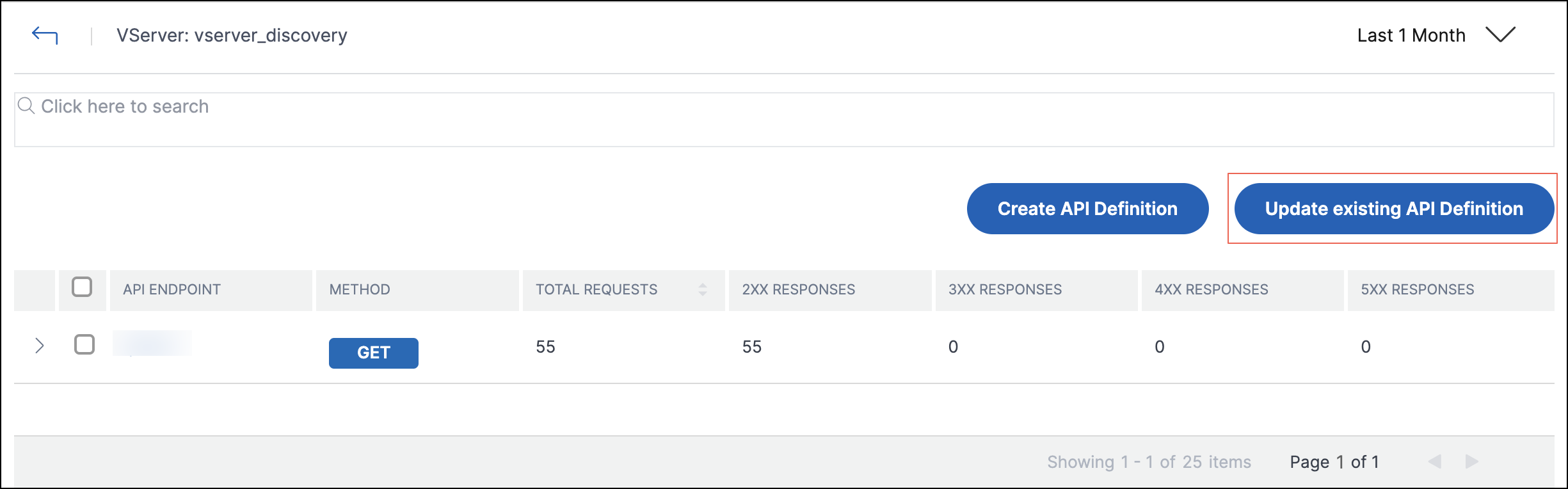
The virtual server page displays the list of discovered endpoints. Select the endpoint which you want to add to an existing API definition. Click Update existing API Definition.
-
From the Select existing API Definition drop-down list, select the API definition you want to update. Click Update Definition.
-
The Update existing API definition page appears. The API Resources section displays the following tables:
-
Added Resources - The API endpoints you selected
-
Existing Resources - The API endpoints already available in the API definition
Note:If the same API endpoint is available in Added Resources and Existing Resources, the endpoint is added only once to the API definition. -
-
Click Update Definition.