
Data retention policy
You can access system events, syslog messages, and network reporting data for a specific duration in {{page.adm-product-name-short}}.
-
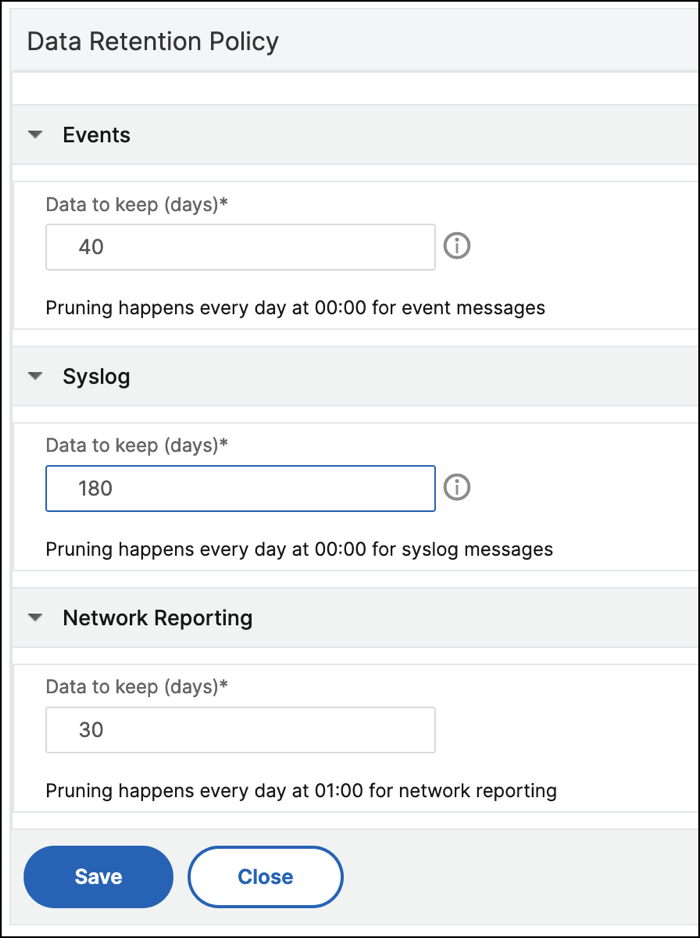
Navigate to Settings > Data Storage > Data Retention Policy to configure the data retention.
-
Click the edit button.
-
Enter the number of days that you want the data to be kept in {{page.adm-product-name-short}} for each of the following options :
| Options | Description |
|---|---|
| Events | Enables you to limit the event messages stored in {{page.adm-product-name-short}} up to 40 days. The events are deleted from {{page.adm-product-name-short}} after the retention policy is expired. The cleared events are deleted after one day. |
| Syslog | Enables you to limit the amount of syslog data stored in the database up to 180 days. |
| Network Reporting | Enables you to limit the network reporting data stored in {{page.adm-product-name-short}} up to 30 days. |
Important:
You can't edit the data retention policy with an Express account.
When your account is converted to an Express account, the {{page.adm-product-name-short}} retains the storage data up to 500 MB or one day data, whichever is the lesser. For more information, see Manage {{page.adm-product-name-short}} resources using Express account.