
Install a NetScaler agent on GCP
The NetScaler agent works as an intermediary between the NetScaler Console and the discovered instances in the data center or on the cloud. You can deploy the agent on the Google Cloud Platform (GCP) to facilitate the secure remote management of NetScaler instances deployed within the Google cloud virtual network through NetScaler Console. For more information, see the Google Cloud Platform Marketplace.
Related information
Prerequisites
To install a NetScaler agent on GCP, you need a GCP account.
Install the NetScaler agent on GCP
Follow these steps to install a NetScaler agent on GCP.
-
Log on to the GCP console (console.cloud.google.com) using your credentials and go to the marketplace.
-
In the search field, type NetScaler agent.
-
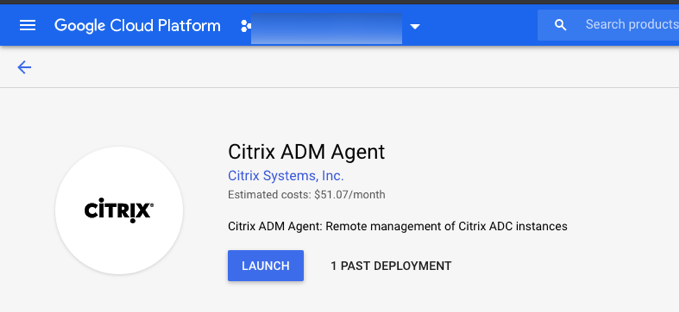
Click NetScaler agent from the results field and then click Launch.
-
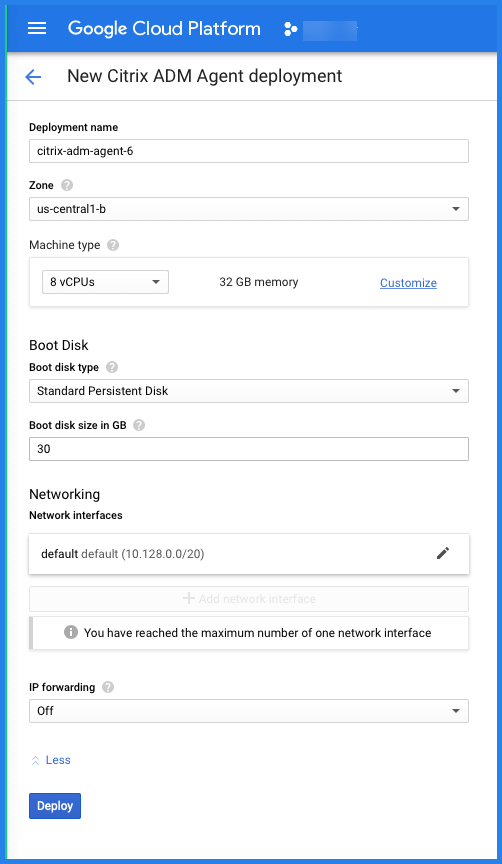
In the New NetScaler agent deployment page, most of the options are set by default. You can change the default configurations as required and click Deploy.
-
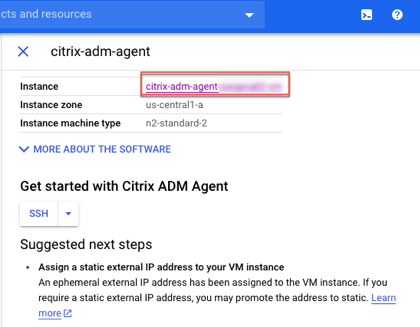
After the agent is deployed, click the instance link and check the details in the VM instance details page.
-
Log on to the agent through an SSH client using the agent external IP address. Use the following commands:
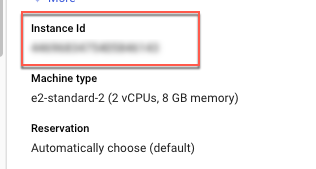
ssh nsrecover@<external IP address of the agent>Password: Instance IDCan you find the external IP address and the instance ID in the VM instance details page.
-
Enter the following command to invoke the deployment screen: deployment\_type.py
-
Enter the Service-URL and the Activation code that you had copied and saved from the Set Up Agents page in NetScaler Console as instructed in Getting Started. The agent uses the service URL to locate the service and the activation code to register with the service.

After agent registration is successful, the agent restarts to complete the installation process.
After the agent has restarted, access NetScaler Console and on the Set Up Agent page, under Discovered Agents, verify the status of the agent.