Install a NetScaler agent operator using the OpenShift console
Note:
OpenShift agent is supported only in NetScaler Console service.
An operator is an open source toolkit that enables you to deploy and manage the Kubernetes applications in an effective, automated, and scalable way. As an administrator, you can deploy an agent in the OpenShift cluster using the NetScaler® ADM Agent Operator.
Note:
An agent configured in the OpenShift cluster is not automatically upgraded by default.
Related information
Prerequisites
Before you deploy, ensure that:
-
You have the privileged security context constraints to control permissions for pods. For the agent, run the following command to get the privilege security context constraints to the service account:
oc adm policy add-scc-to-user privileged -z adm-agent-serviceaccount -
Run the following command to create an Agent login secret:
kubectl create secret generic admlogin --from-literal=username=nsroot --from-literal=password=<adm-agent-password> -n <namespace>Note:-
<adm-agent-password>is an example password. You must set a password for the agent and NetScaler CPX uses these credentials to register with the Agent. -
Provide admlogin for
loginSecretin the agent YAML while creating the instance.
If you are deploying NetScaler CPX™ and agent in different namespaces, ensure to:-
Label namespace with
citrix-cpx=enabledin which the NetScaler CPX has been deployed. -
Set
helper.requiredtrue or false while installing the agent operator.Note:By default,helper.requiredis set to false. If this parameter is set to false, you must ensure to create admlogin secret in every namespace if NetScaler CPX and agent are in different namespaces.
-
-
You have
accessSecretthat is required in the agent YAML. These credentials are required for the agent to connect with NetScaler Console service.kubectl create secret generic <secretname> --from-literal=accessid=<ID> --from-literal=accesssecret=<Secret> -n namespaceNote:Provide a secret name for accessSecret in agent YAML while creating the instance.You can get access ID and secret for accessing the NetScaler Console from the following procedure:-
Log on to the Citrix Cloud™ management console.
-
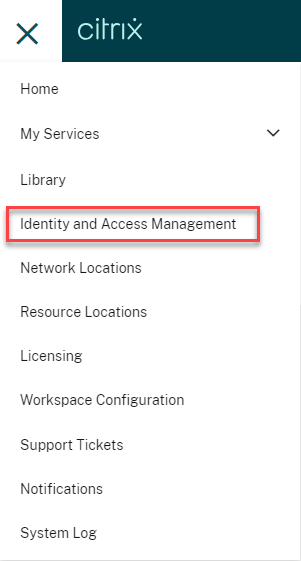
From the Citrix Cloud menu, select Identity and Access Management.
-
From the API Access tab, enter a secure client name and click Create Client.

-
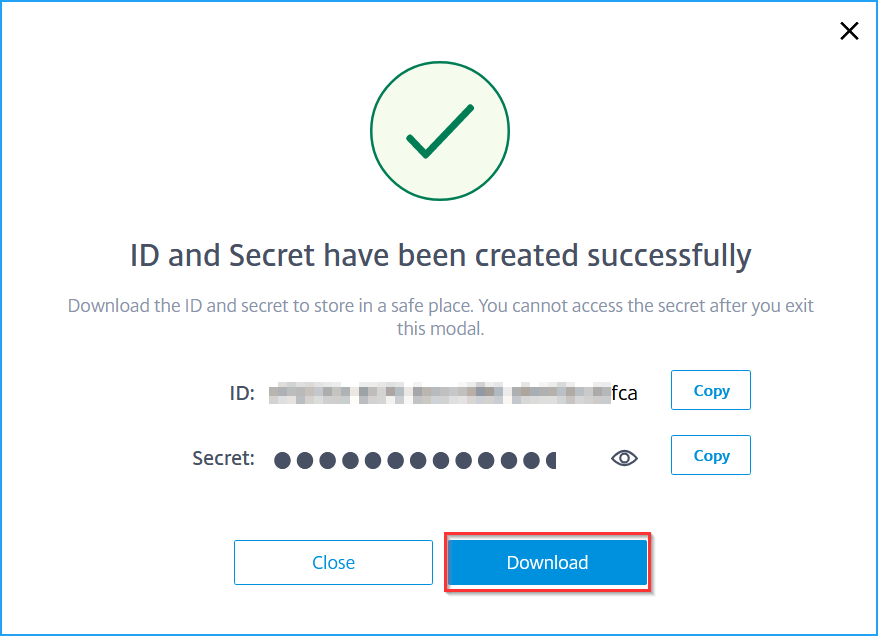
ID and Secret are generated. Click Download and save the CSV file.
-
Install the Agent Operator
-
Log on to the OpenShift cluster console.
-
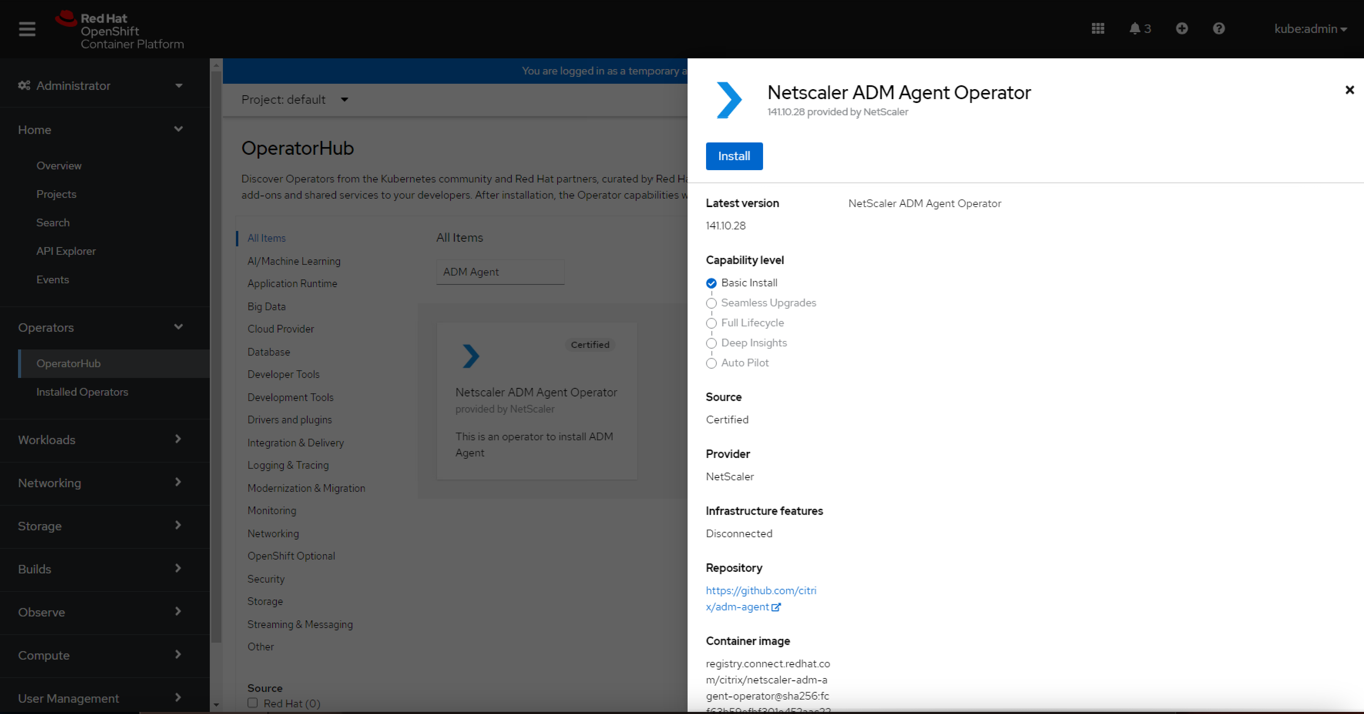
Navigate to Operators > OperatorHub.
-
In the search bar, provide the agent name and select the NetScaler ADM Agent Operator and then click Install.
-
In the Install Operator page, you have two options:
-
All namespaces on the cluster (default) - Enables the Agent operator to subscribe to all namespaces available in the cluster and allows you to initiate the instance of agent operator from any namespace on the cluster.
-
A specific namespace on the cluster - Enables the Agent operator to subscribe to a selected namespace on the cluster and you can initiate the instance of agent operator only from the selected namespace.In this example, the Agent operator is assigned to a namespace called Default. Select Automatic under Update approval, and click Install.
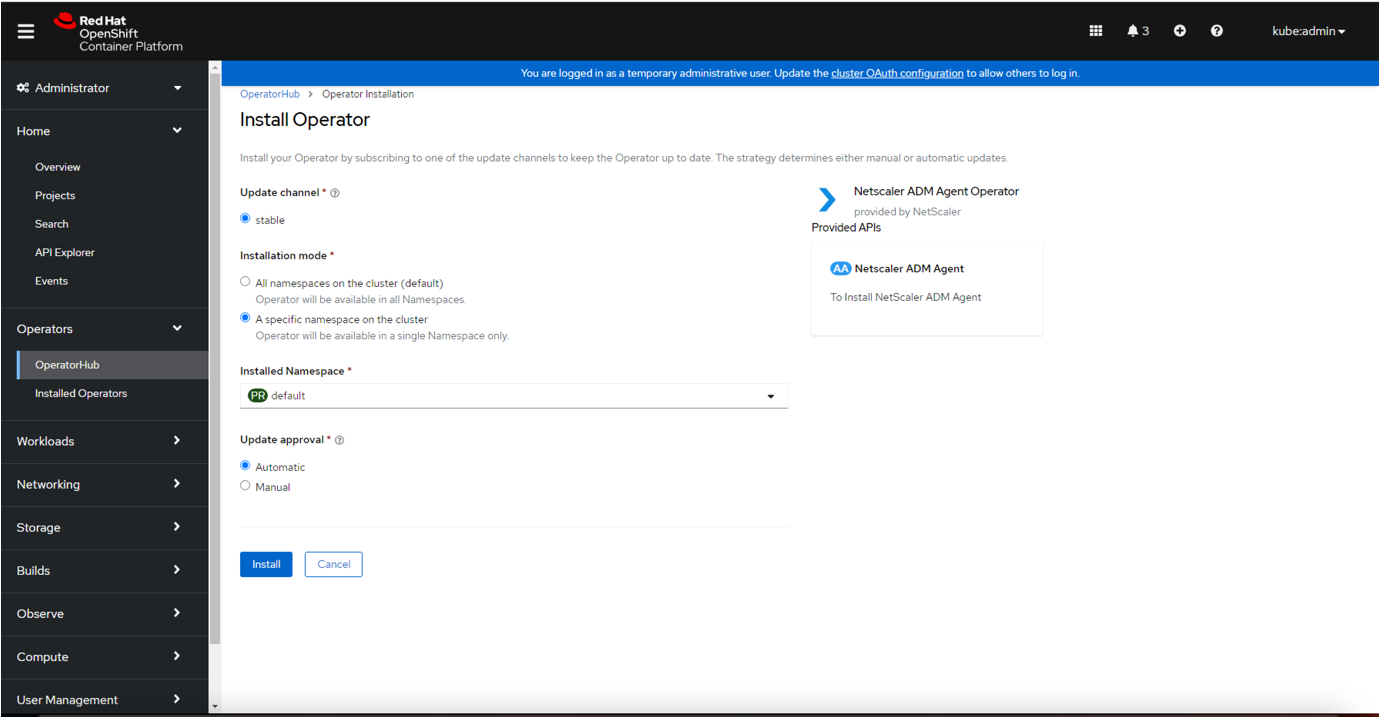 Wait until the Agent operator is successfully subscribed.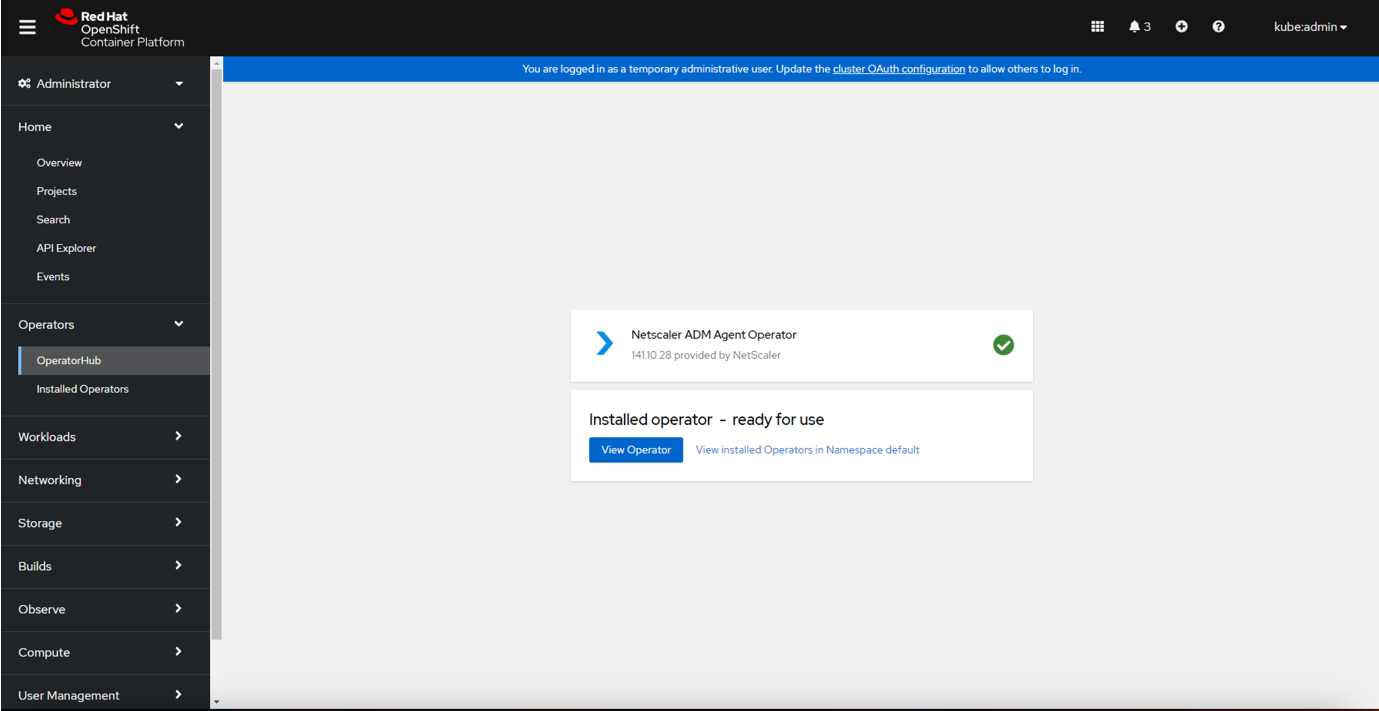
-
-
Navigate to Workloads > Pods and verify that the
netscaler-adm-agent-operator-controllerpod is up and running. -
After the pod is up and running, click Create Instance.
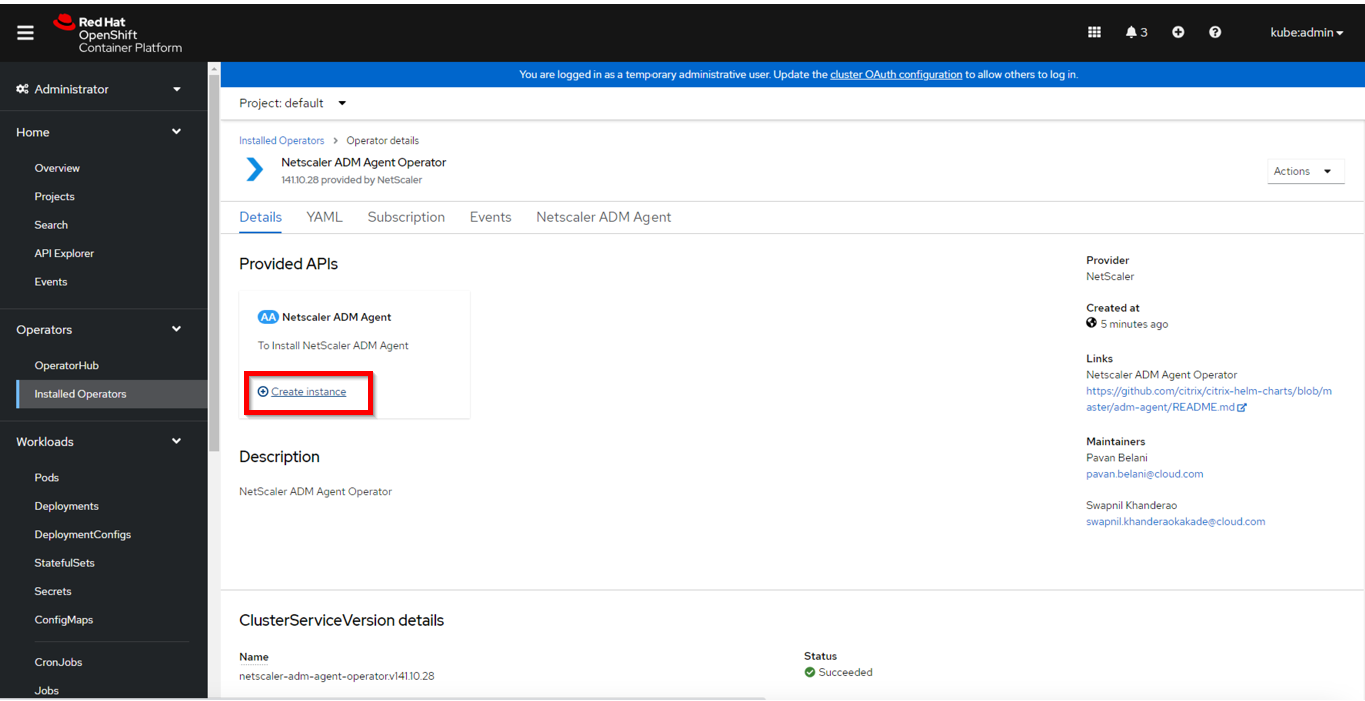
-
Select the YAML view to update any parameters and then click Create.Note:Ensure that there must be only one instance of agent per OpenShift cluster.
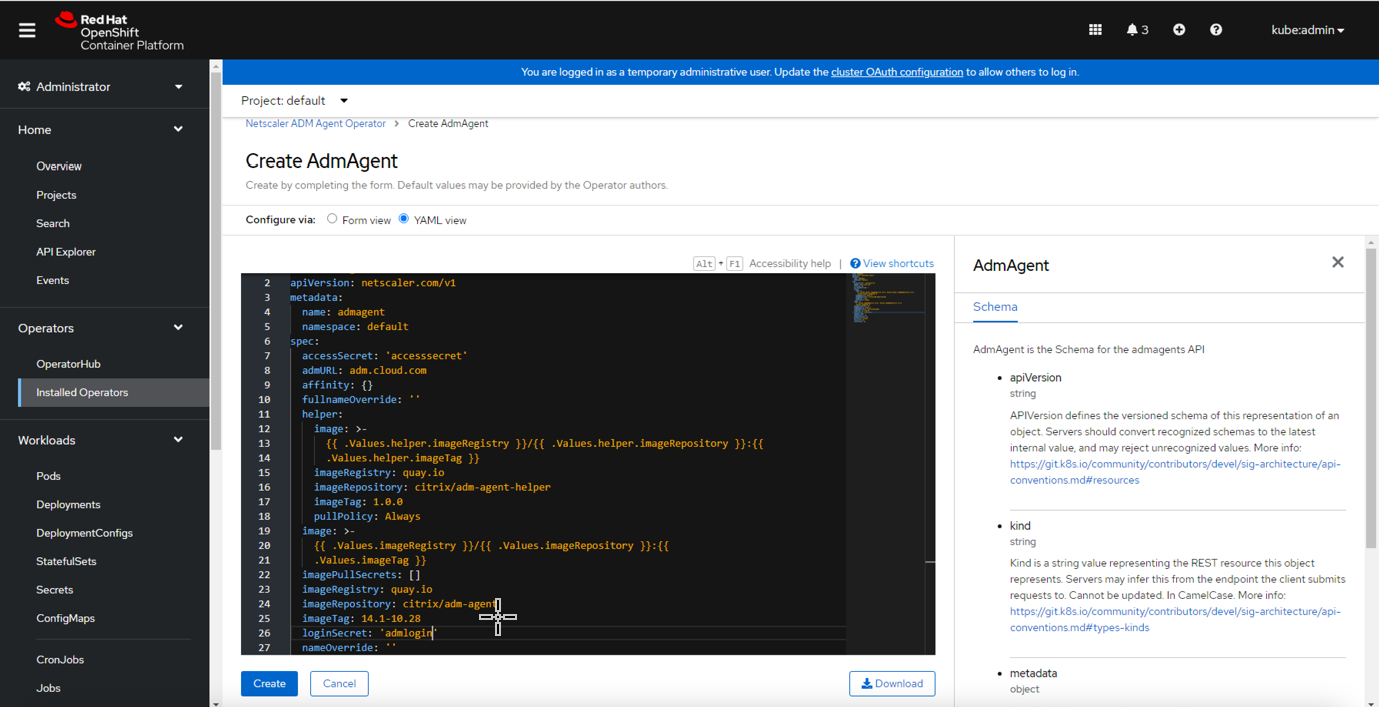
-
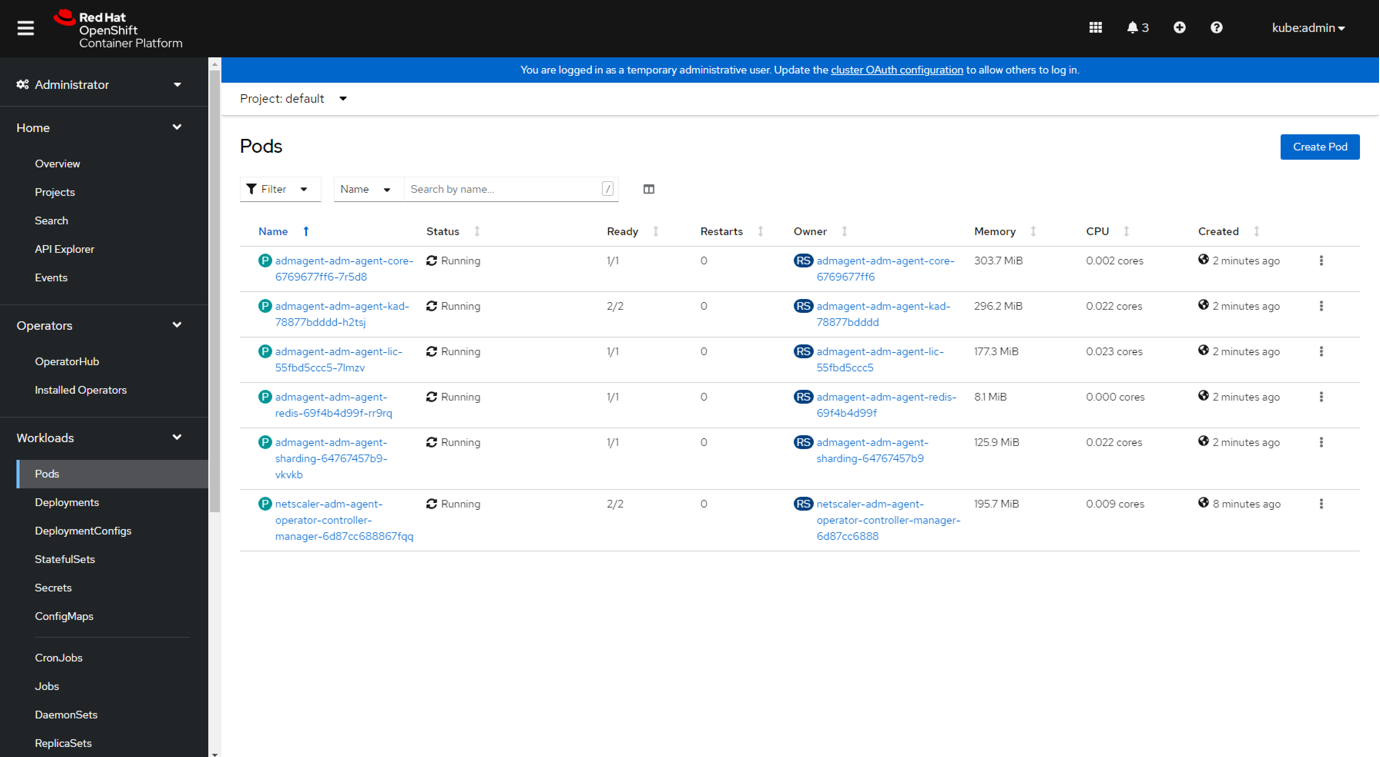
Navigate to Workloads > Pods and ensure that the agent pods are up and running.
Delete an agent instance
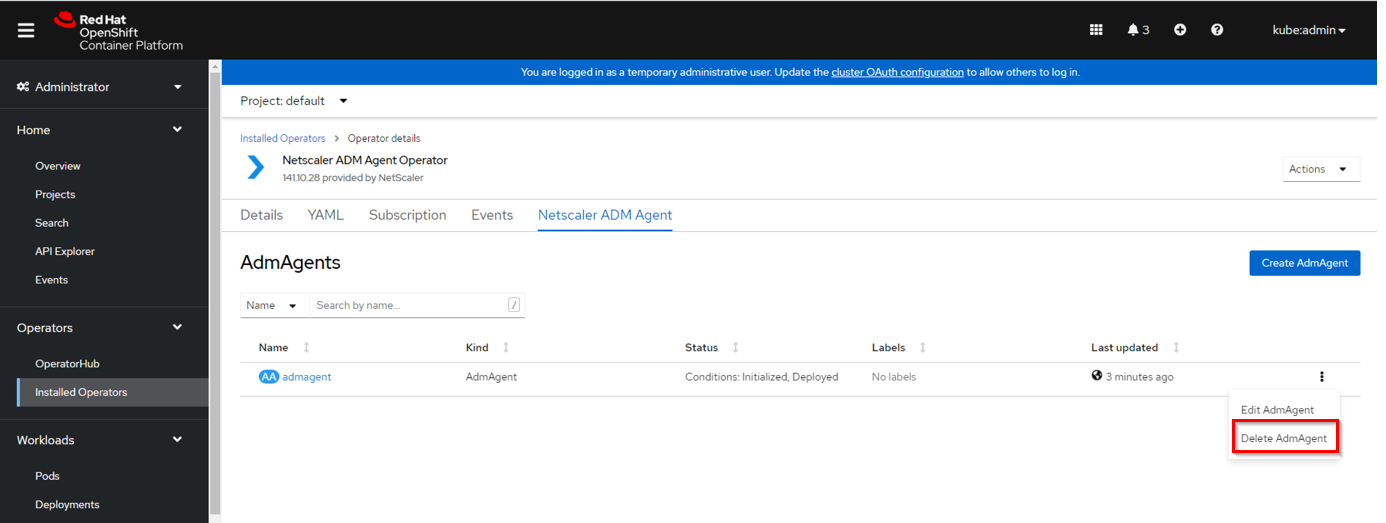
You can delete the instance of agent from the cluster by navigating to Operators > Installed Operators. In the NetScaler ADM Agent Operator tab, select the instance, and select Delete AdmAgent from the list.
Uninstall the agent operator
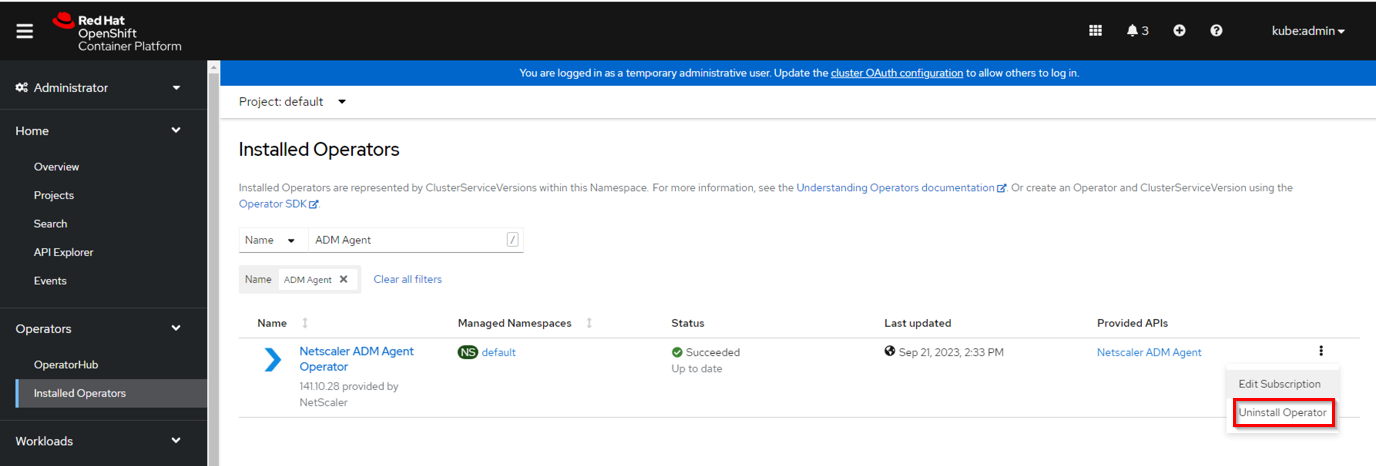
If you want to uninstall the agent operator pod from the cluster, navigate to Operators > Installed Operators, and then select Uninstall Operator from the list.