
View the capacity issues in an {{page.citrix-adc-generic}} instance
When a {{page.citrix-adc-generic}} instance has consumed most its available capacity, packet-drop may occur while processing the client traffic. This issue causes low performance in a {{page.citrix-adc-generic}} instance. By understanding such {{page.citrix-adc-generic}} capacity issues, you can proactively allocate additional licenses to steady the {{page.citrix-adc-generic}} performance.
In the Circle Pack View, you can view the {{page.citrix-adc-generic}} instance capacity issues if exists.
To view {{page.citrix-adc-generic}} capacity issues,
-
Navigate to Infrastructure > Infrastructure Analytics.
-
Select the circle pack view.
Note:
In Infrastructure Analytics, the circle-pack and tabular views display the events and issues that occurred in the last one hour.
The following illustration suggests the capacity issues exist in the selected instance:
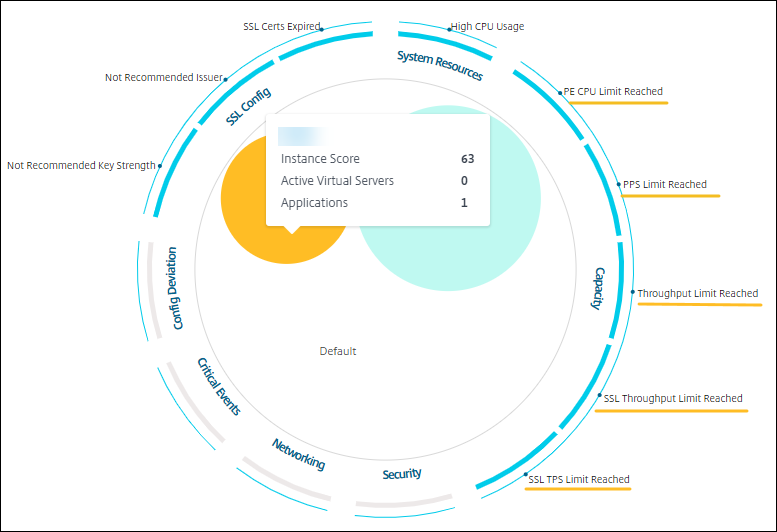
The issues are categorized on the following capacity parameters:
-
Throughput Limit Reached – The number of packets dropped in the instance after the throughput limit is reached.
-
PE CPU Limit Reached - The number of packets dropped on all NICs after the PE CPU limit is reached.
-
PPS Limit Reached – The number of packets dropped in the instance after PPS limit is reached.
-
SSL Throughput Rate Limit – The number of times the SSL throughput limit reached.
-
SSL TPS Rate Limit – The number of times the SSL TPS limit reached.
Related information
View recommended actions to solve capacity issues
The {{page.adm-product-name-short}} recommends actions that can solve capacity issues. To view the recommended actions, perform the following steps:
-
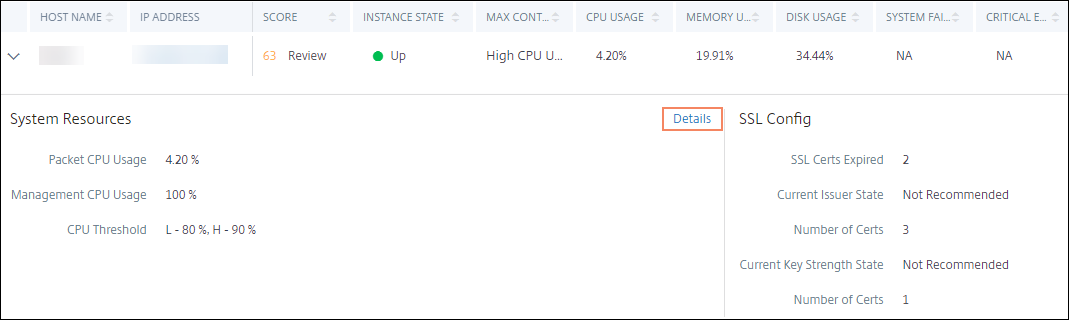
In Infrastructure > Infrastructure Analytics, select the tabular view.
-
Select the instance that has capacity issues and click Details.
-
In the instance page, scroll down to the Issues section.
-
Select each issue and view the recommended actions to resolve capacity issues.
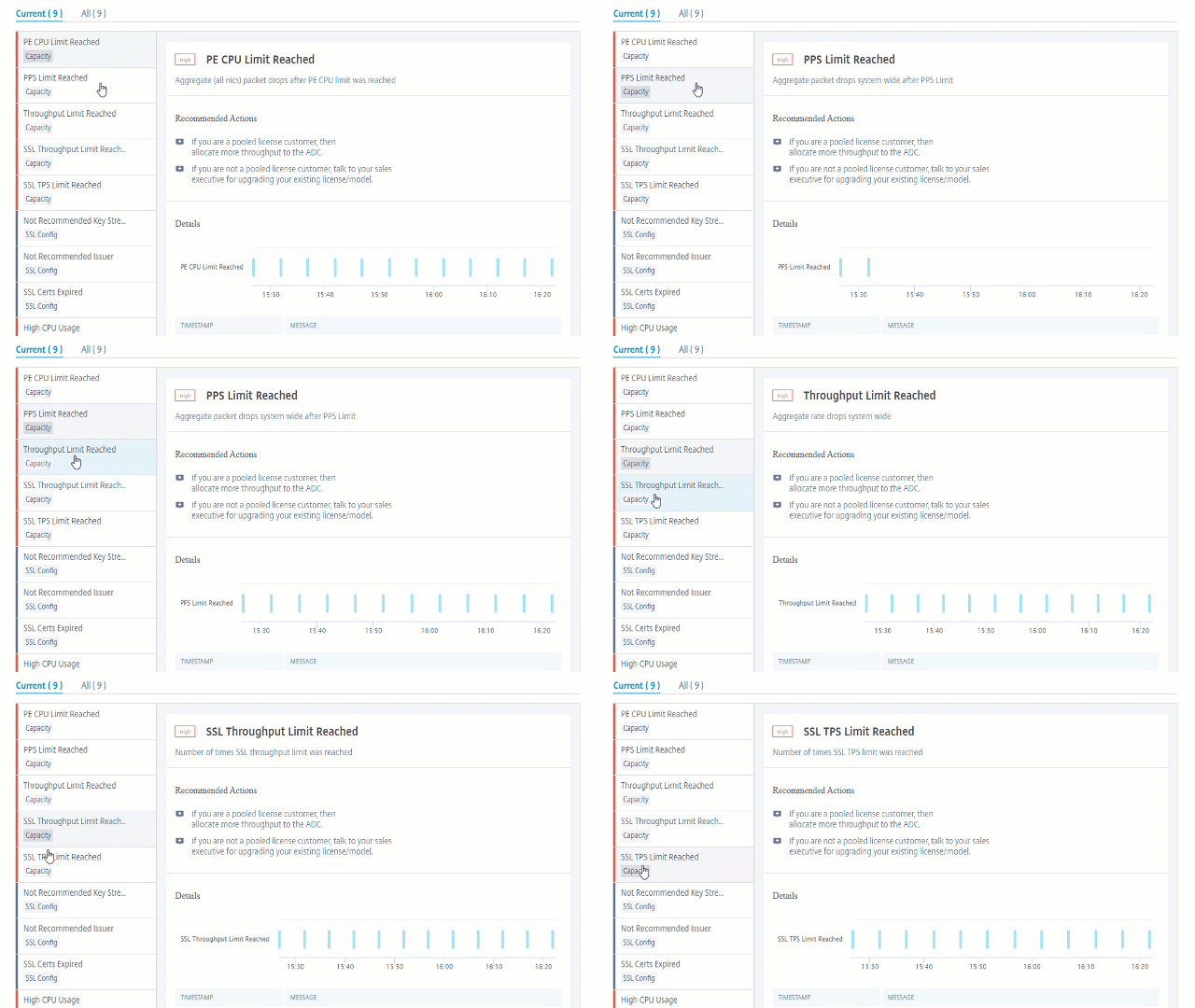
The {{page.adm-product-name-short}} polls these events every five minutes from the {{page.citrix-adc-generic}} instance and displays the packet drops or rate-limit counter increments if exists.
The {{page.adm-product-name-short}} calculates the instance score on the defined capacity threshold.
-
Low threshold – 1 packet drop or rate-limit counter increment
-
High threshold – 10000 packets drop or rate-limit counter increment
Therefore, when a {{page.citrix-adc-generic}} instance breaches the capacity threshold, the instance score is impacted.
When packets drop or rate-limit counter increments, an event is generated under the
ADCCapacityBreach category. To view these events, navigate to Settings > System Events.