
Bind an SSL certificate to a virtual server on the NetScaler appliance
An SSL certificate is an essential part of SSL encryption and decryption processes. The certificate is used during an SSL handshake to establish the identity of the SSL server, which is the NetScaler appliance as it acts as the SSL termination point for the clients.
The certificate used for processing the SSL transactions must be bound to the virtual server (SSL) that receives the SSL data.
Related information
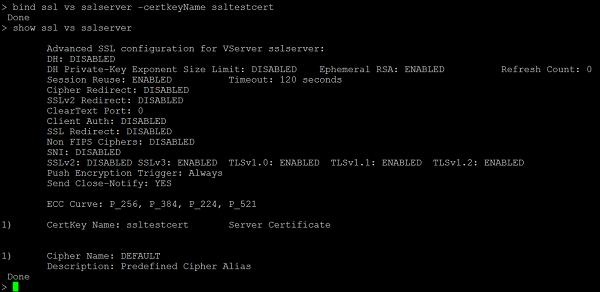
To bind an SSL certificate to an SSL virtual server using the command line interface
At the command prompt, type:
bind ssl vs <vServerName> -certkeyName <certificate-KeyPairName>
 show ssl vs <vServerName>
Example:
To bind an SSL certificate to an SSL virtual server using the GUI
-
Navigate to Traffic Management > Load Balancing > Virtual Servers.
-
Select a virtual server of type SSL and click Edit.
-
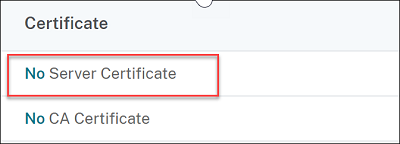
In the Load Balancing Virtual Server page, under the Certificates section, click No Server Certificate.
-
In the Server Certificate Binding page, click Click to select.
-
Select the SSL certificate and click Select.
-
Click Bind to bind the SSL certificate to the virtual server.
-
Click Done.You have completed binding the SSL certificate to the virtual server.
Note
When you try to bind a certificate-key pair to a virtual server that already has a certificate-key pair bound to it, NetScaler® unbinds the old certkey and binds the new one. The following message appears:
Warning: Current certificate replaces the previous binding
Existing connections where the handshake is complete are not affected. The other connections are terminated.