Two factor authentication (2FA) support with LDAP, RADIUS, and TACACS
Multifactor authentication is a security best practice today, and most organizations require at least two authentication factors for network appliances to meet compliance standards. Two-factor authentication is a security mechanism by which a product authenticates a user at two levels. Access is granted only after successful validation at both levels.
Starting with NetScaler Console 14.1-43.x and later, two factor authentication (2FA) is supported on NetScaler Console on-premises. You can use LDAP, RADIUS, and TACACS as the authentication factors to NetScaler Console on-premises.
Note:
Two-factor authentication support is available only for external server authentication.
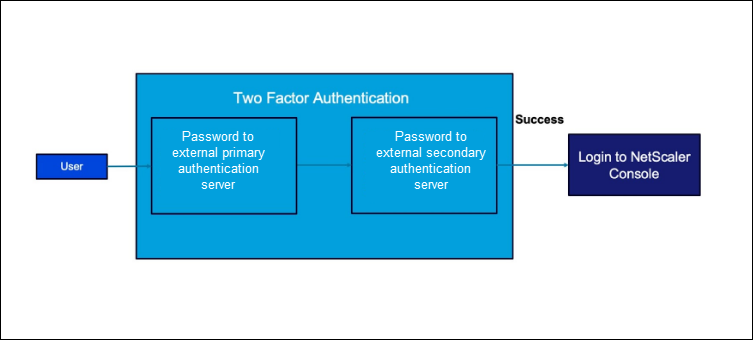
When a user attempts to log in to a NetScaler Console with two-factor authentication enabled, the user is prompted to enter the user name and password for the initial external authentication. Once the initial authentication is successful, the user is prompted for the second level of authentication.
The user is fully authenticated only after both passwords are successfully validated. If the authentication fails, the reason for the failure is displayed to the user.
If a user is authenticated locally, the user profile must be created in the NetScaler Console database. If the user is authenticated externally then, the user name and password must match the user identity registered in the external authentication server.
Related information
Configure two-factor authentication
-
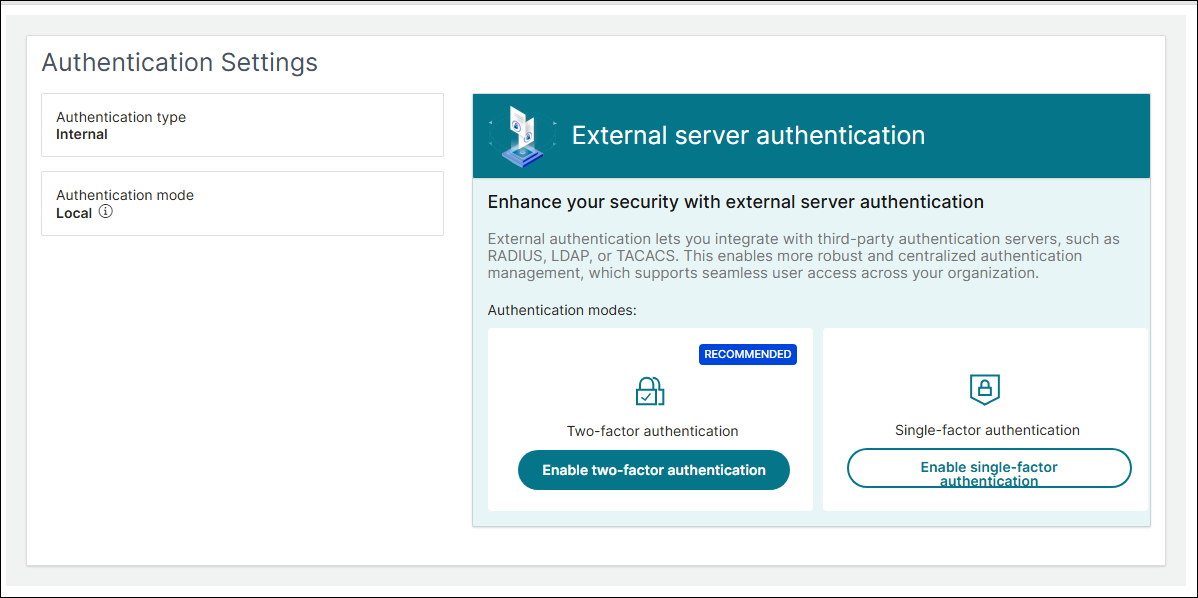
Log in to NetScaler Console on-premises and navigate to Settings > Authentication > Authentication Settings.
-
In the External server authentication section, click Enable two-factor authentication under Authentication modes.
-
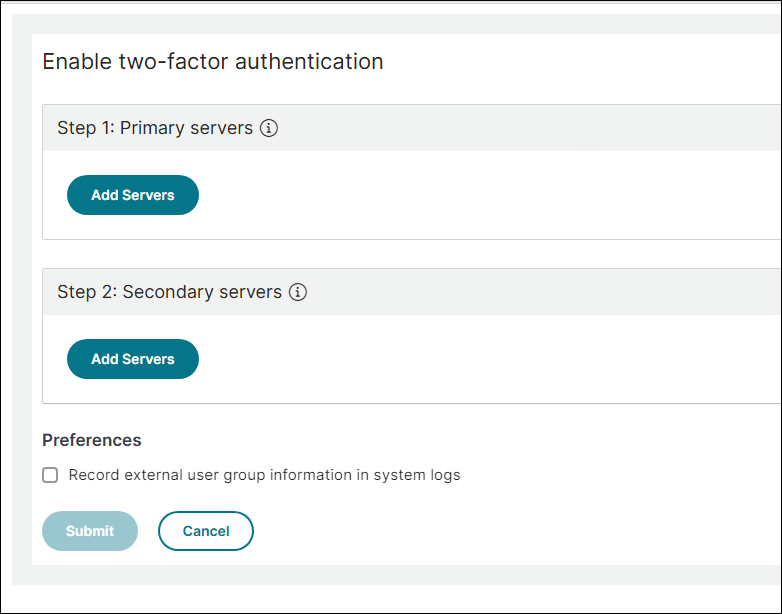
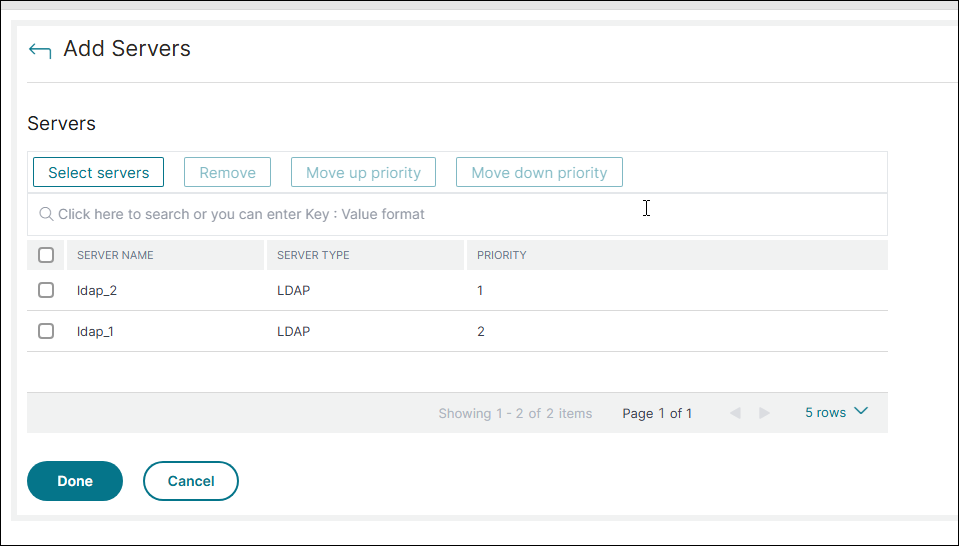
On the Enable two-factor authentication page, under Step 1: Primary servers, click Add Servers.
-
Click Select Servers and select the required servers. Click Add and then click Done.
-
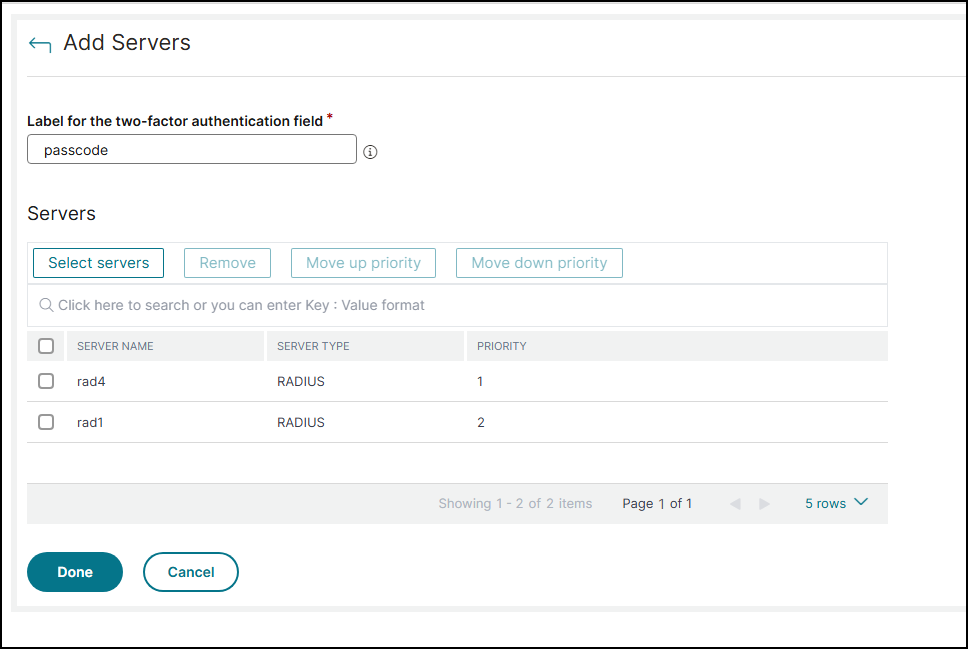
On the Enable two-factor authentication page, under Step 2: Secondary servers, click Add Servers.
-
In Label for the two-factor authentication field, enter a label that is going to be used for authenticating to the servers configured for second factor authentication.
-
Click Select Servers and select the required servers. Click Add and then click Done.
-
Click Submit.
User access to NetScaler® Console with two-factor authentication
-
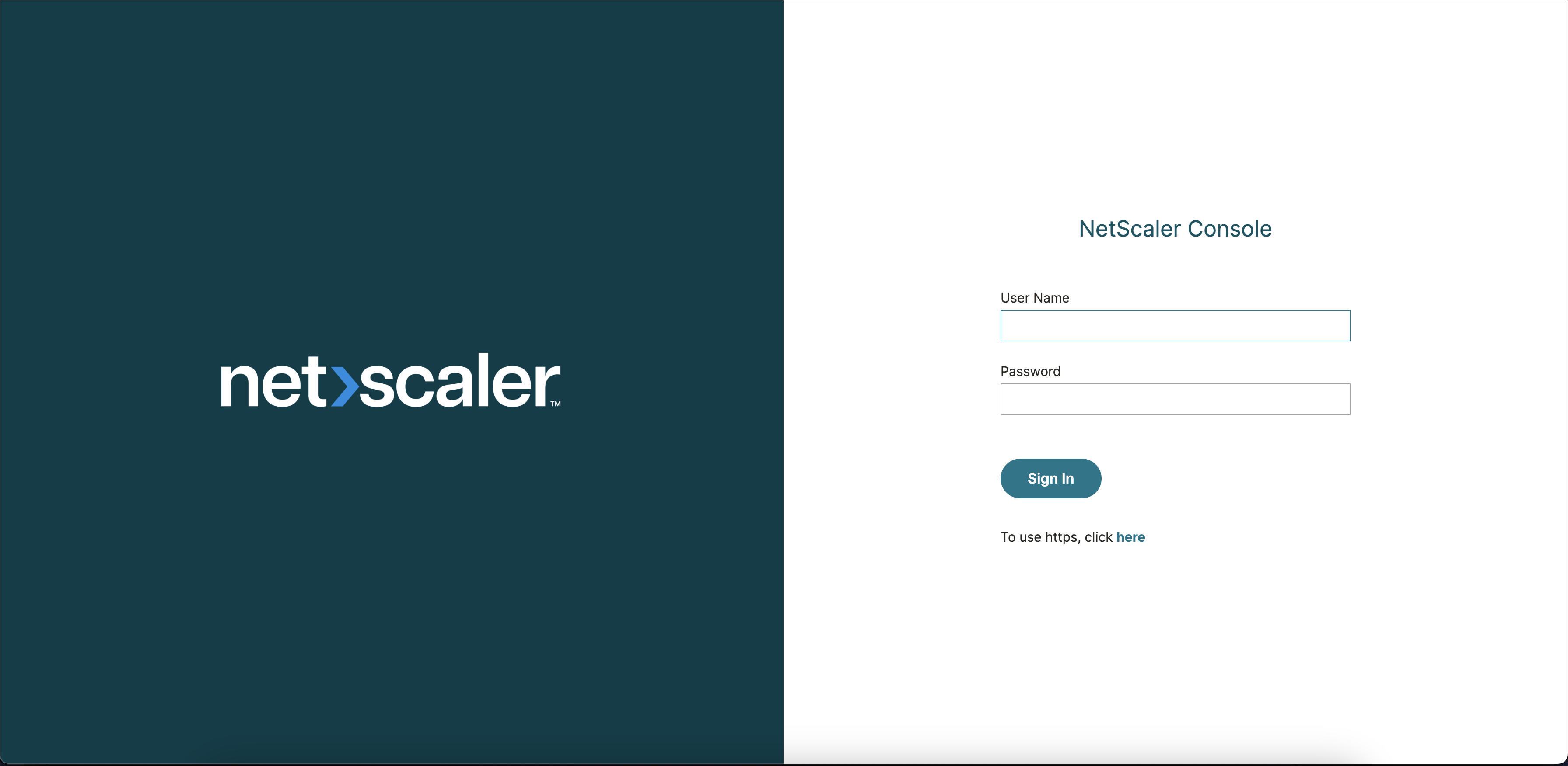
In a web browser, type the IP address of the NetScaler Console. The login page appears.
-
Enter the user name and password in the User Name and Password fields. This step is the first factor authentication.
-
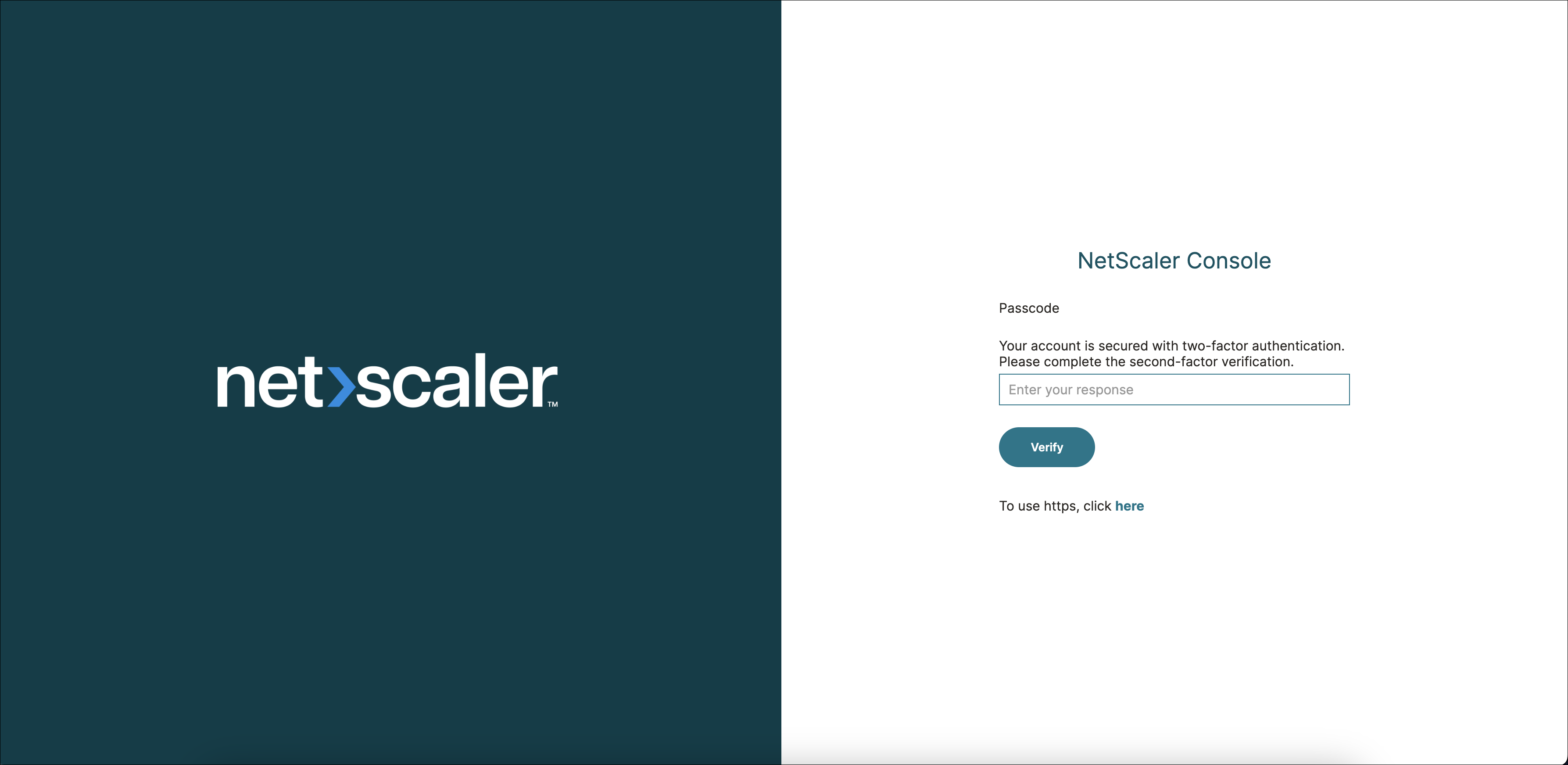
After successful authentication of the first factor, the user is prompted for the second factor authentication. Enter the label that is configured for the second factor authentication.
-
After successful authentication of the second factor, the user is logged into the NetScaler Console GUI.