
Application management and application dashboard
NetScaler Console enables you to manage applications from Applications page and view application details from Dashboard page.
Related information
Manage applications
From the application dashboard, click Manage Apps to view all custom and discrete applications.
From the Manage Applications page, as an administrator, you can:
-
Add applications
-
View application details such as app name, app type, app category, associated virtual servers, associated services, and so on.
-
Edit or delete custom applications
For more information, see Manage applications.
Application dashboard
Navigate to Applications > Dashboard to view the list of applications either in tabular view or in graph view.
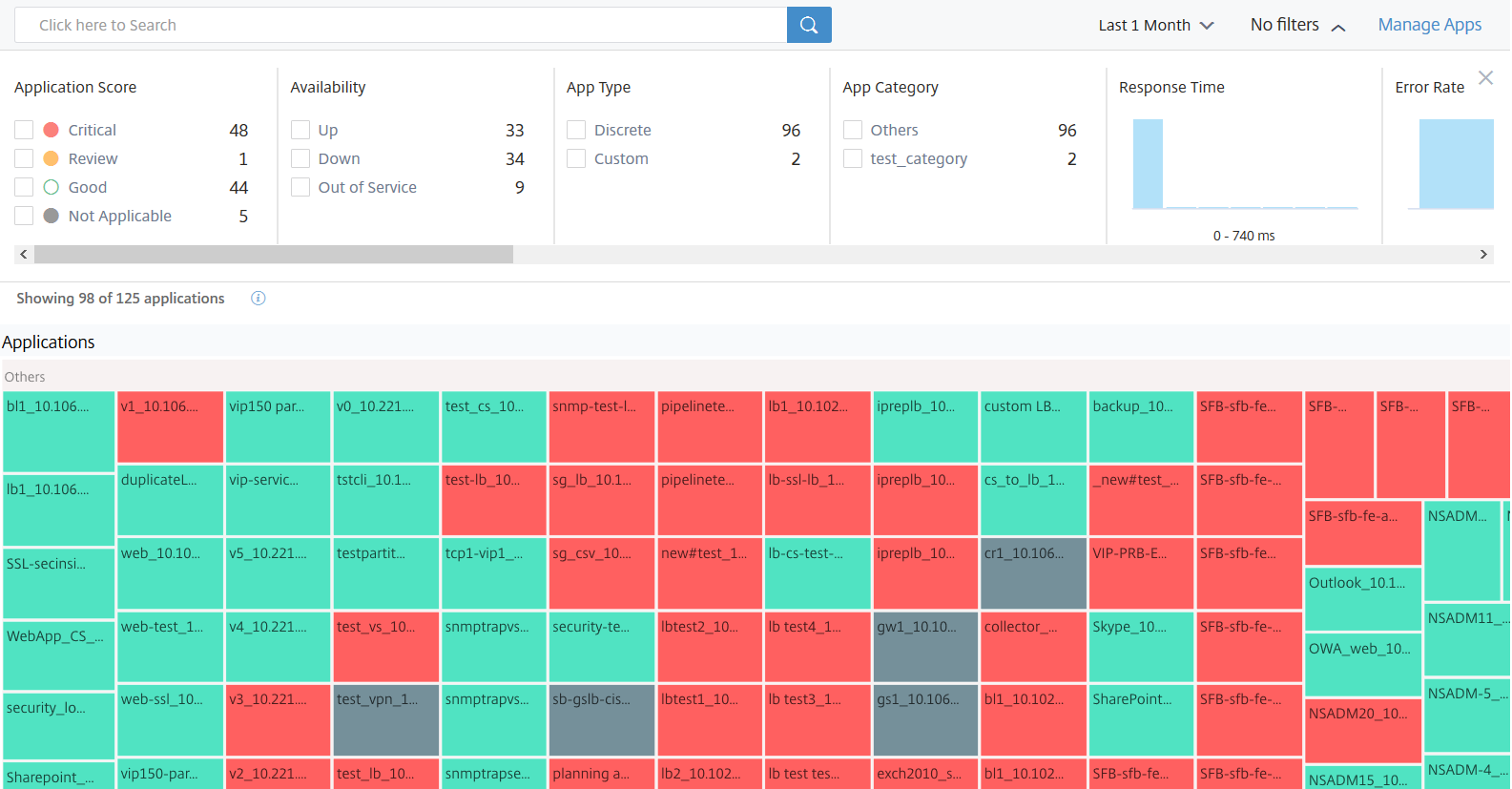
All applications get displayed in the dashboard only after the applications start to populate data. From the dashboard, click an application to view detailed information of the application performance. For more information, see Application details.
If the application analytics is not displayed even after approximately 10–15 minutes duration, perform the troubleshooting steps at Troubleshoot App Dashboard.
Updates in the new dashboard behavior compared to the earlier dashboard
-
After you add or edit a custom application, it may take a few minutes to reflect the application in the dashboard.
-
If you delete a custom application, the dashboard still displays the deleted application, until NetScaler Console has its analytics data (maximum of 1-month duration).Consider a scenario that you have created an application on Jan 2, 2020 and you have deleted the application on Jan 4, 2020. In this scenario:
-
The dashboard can still display the deleted application on Jan 4, 2020, when you select the time duration for the last 1-day, 1-week and 1-month.
-
The dashboard can still display the deleted application on Jan 5, 2020, when you select the time duration for the last 1-week and 1-month.
-
When the duration exceeds the app deletion date, the application is not displayed in the dashboard. That is, the dashboard is not displayed with the deleted application on Jan 6, 2020 (for the last 1 day), Jan 12, 2020 (for the last 1-week), and after February 5, 2020 (for the last 1-month).NoteAfter you add an application, if the associated NetScaler instance is Down, out of service, or not reachable because of a temporary network glitch:-The applications associated with the NetScaler instance are only visible in Applications page, but not in the dashboard.-The applications are displayed in the dashboard after the NetScaler instance is up and running.
-