
Import and synchronize StyleBooks from an external repository
Consider a scenario where you are using CI/CD processes for your development. Or, a scenario where you are managing all the application source code and deployment objects in GitHub/GitLab.
In the GitHub/GitLab repository, you might have created several StyleBooks for deploying the NetScaler configurations and managing these StyleBooks. These StyleBooks are also required in NetScaler Console. Now, you can directly import these StyleBooks into NetScaler Console. You don't need to manually copy them from GitHub/GitLab and then upload them into NetScaler Console or manually synchronize the files in both NetScaler Console and GitHub/GitLab.
To import StyleBooks and config packs, define a repository in NetScaler Console that represents a GitHub/GitLab repository. Provide the GitHub/GitLab repository URL and your username and API or Personal Access(PA) token created in GitHub/GitLab. That means, only authorized users who have a valid account in GitHub/GitLab can import and sync StyleBooks.
You can import and synchronize the following types of repositories:
-
Publicly accessible repositories - The repositories that are open to the public and can be accessed over the internet.
-
On-premise or private GitLab/GitHub repositories - The repositories that are hosted privately and are typically accessible only within an enterprise’s intranet. For these repositories, you must select a NetScaler agent during the registration process. The NetScaler agent acts as a proxy to access the repositories within the enterprise’s intranet.
After creating the repository, you can sync NetScaler Console with your GitHub/GitLab repository. NetScaler Console connects to GitHub/GitLab and imports StyleBooks found in that repository. NetScaler Console then validates the StyleBooks and adds them to the list of StyleBooks in NetScaler Console. StyleBooks are not added to NetScaler Console if they fail validation. Correct the errors and commit updated versions into your GitHub/GitLab repository. Later you can try importing them or syncing them again into NetScaler Console.
Note
-
StyleBooks files can be imported and synchronized from any branch of a GitHub/GitLab repository.
-
You can import and synchronize StyleBooks that have dependent StyleBooks associated with them too.
-
The synchronization of StyleBooks from a GitHub/GitLab repository must be initiated manually from the NetScaler Console GUI or API. That is, currently, importing and syncing of StyleBooks does not happen automatically based on GitHub/GitLab commit activity.
Related information
Add a repository and import StyleBooks from an external repository
Before you begin, ensure you have a valid account in GitHub/GitLab.
You can import StyleBook files to NetScaler Console from any folder in the GitHub/GitLab repository.
-
In NetScaler Console, navigate to Applications > StyleBooks > Repositories.
-
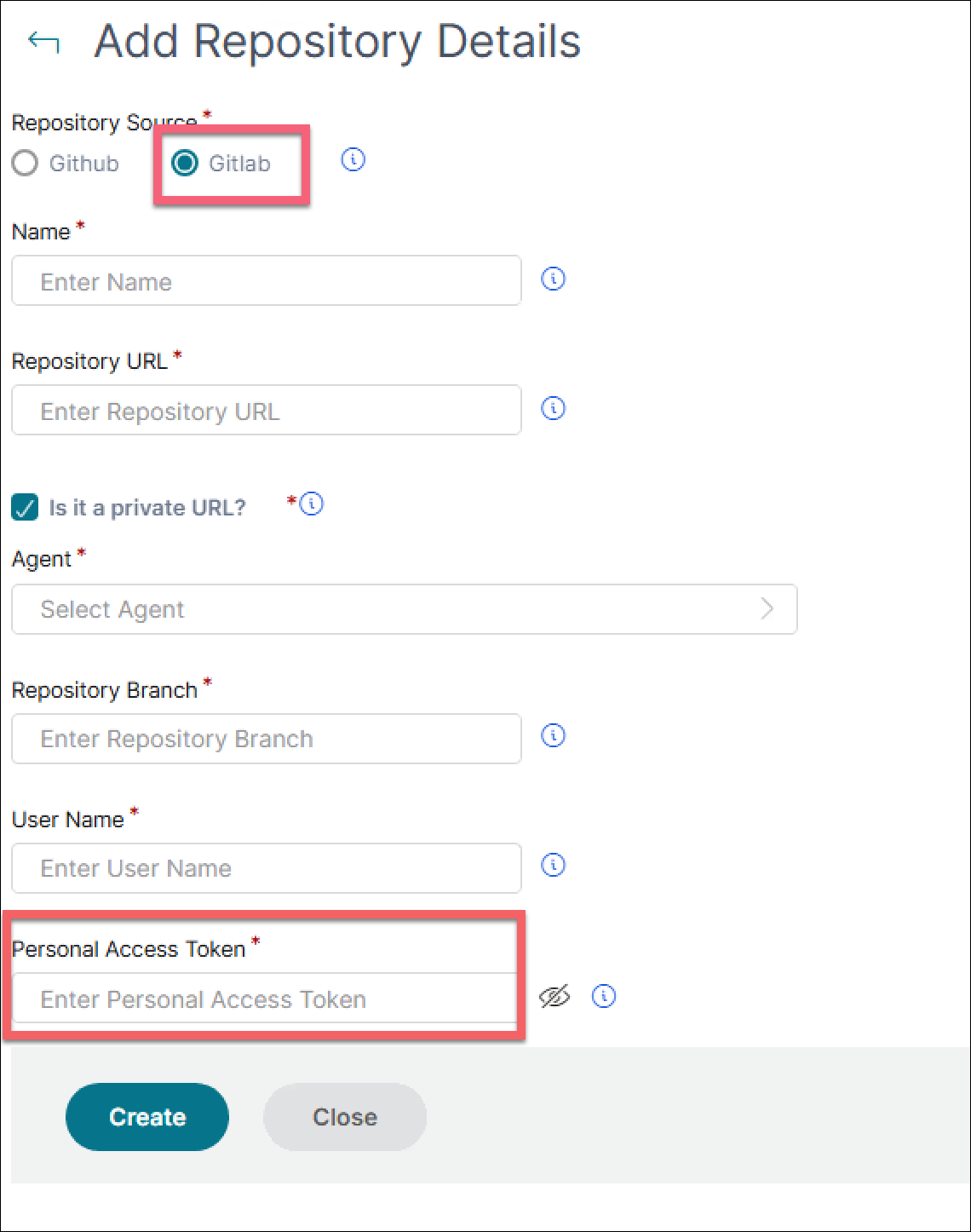
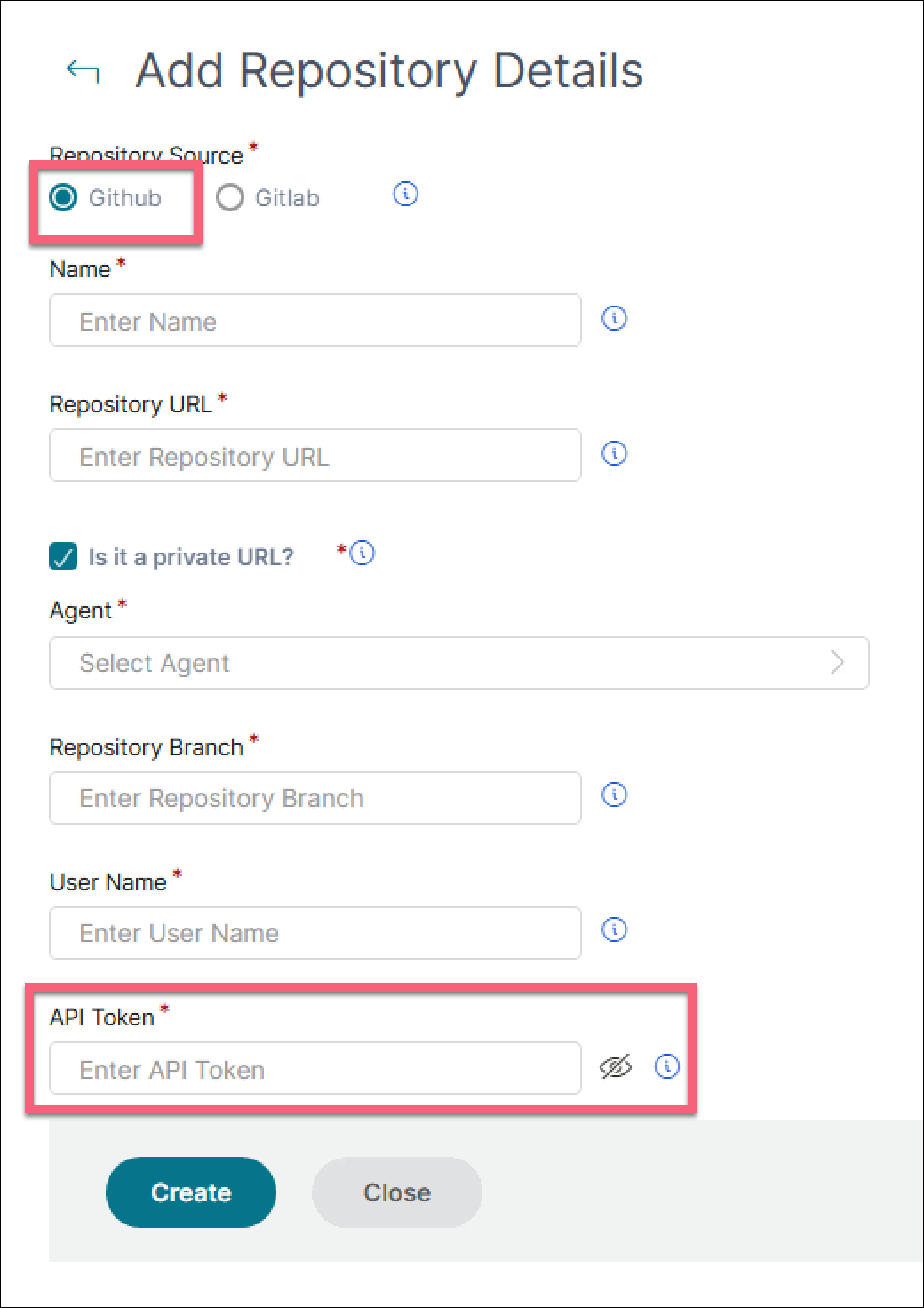
Click Add. In the Add Repository window, enter the following parameters:
-
Name. Type the name of the repository. This name can be the same as the repository name in GitHub/GitLab or a different one.
-
Repository URL - Type the GitHub/GitLab repository URL.You can specify a GitHub/GitLab enterprise URL. It helps you import or synchronize StyleBooks and config packs from GitHub/GitLab enterprise accounts.
-
Is it a private URL? - If the repository is an on-premise or private GitLab/GitHub repository, select this checkbox and then select an Agent.
-
User name and password. Type the user name and password with which you access the GitHub/GitLab account.
NoteYou can also provide the API token in place of a password. API tokens can be used instead of a password for GitHub/GitLab over HTTPS. For information on how to create API/PA tokens for your GitHub/GitLab repository, see the GitHub/GitLab documentation for creating personal access tokens. -
-
Click Create.
 The repository is created in NetScaler Console.
 -
To import or sync StyleBooks, select the repository in the Repositories page, and click Sync.
The other actions that you can use here are:
-
Edit. You can edit the repository URL, user name, and password (or API token).
-
Delete. You can delete the repository along with all StyleBooks present in NetScaler Console that were imported previously from that GitHub/GitLab repository.NoteYou cannot delete a repository from NetScaler Console if it has any StyleBooks that have ConfigPacks associated with them. First, delete all the config packs of these StyleBooks. You can later remove the repository from NetScaler Console to clean up the StyleBooks from that repository.
-
Reset. You can remove all StyleBooks in NetScaler Console synced from that repository without actually deleting the repository entry from NetScaler Console.
-
List files. You can see a list of all StyleBooks present in NetScaler Console that originates from the GitHub/GitLab repository.
Steps to import StyleBooks and config packs from GitHub/GitLab
After you complete the prerequisites, follow the steps to import StyleBooks and config packs from a GitHub/GitLab repository:
-
Optional, add a repository if you haven’t added.
-
Select the repository in the Repositories page.
-
Click Sync.