
Remediate vulnerabilities for CVE-2024-8535
In the NetScaler Console security advisory dashboard, under Current CVEs >
<number of> NetScaler instances are impacted by common vulnerabilities and exposures (CVEs), you can see all the instances vulnerable due to this specific CVE. To check the details of the CVE-2024-8535 impacted instances, select CVE-2024-8535 and click View Affected Instances.
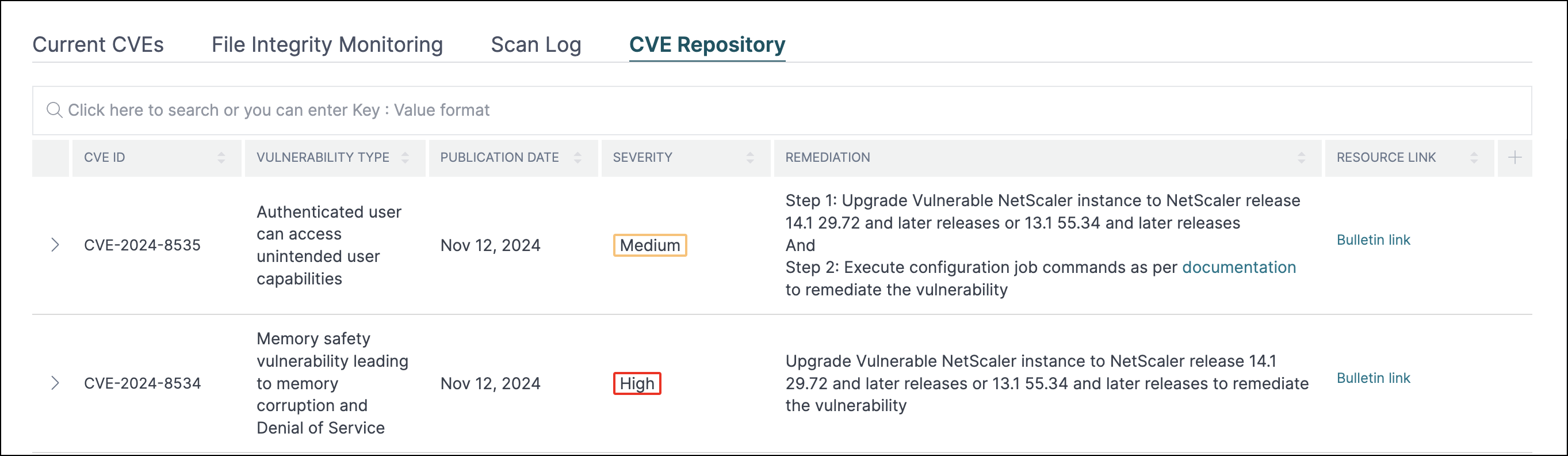
The
<number of> NetScaler instances impacted by CVEs window appear. Here you see the count and details of the NetScaler instances impacted by CVE-2024-8535.
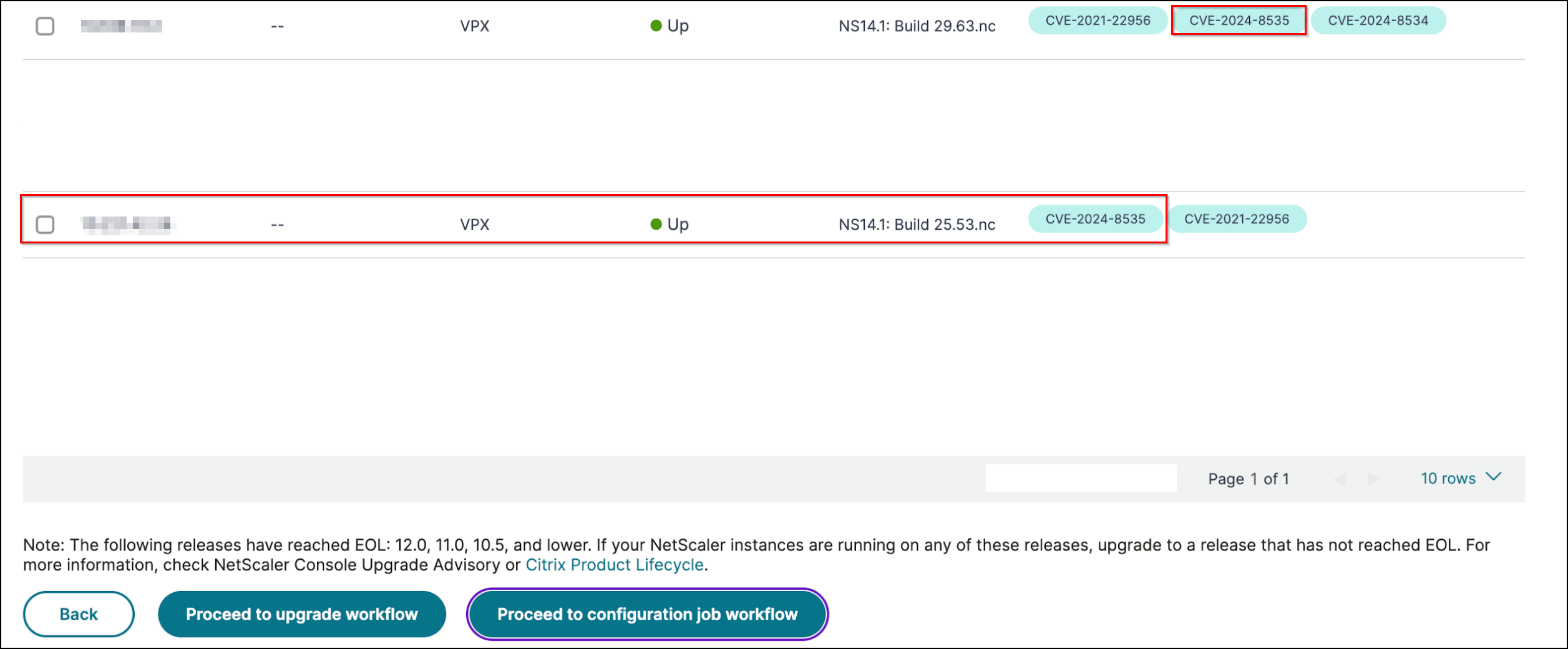
For more information about the security advisory dashboard see, Security Advisory.
Note
It might take some time for security advisory system scan to conclude and reflect the impact of CVE-2024-8535 in the security advisory module. To see the impact sooner, start an on-demand scan by clicking Scan-Now.
Related information
Remediate CVE-2024-8535
For CVE-2024-8535 -impacted NetScaler instances, the remediation is a two-step process. In the GUI, under Current CVEs > NetScaler instances are impacted by CVEs, you can see step 1 and 2.

The two steps include:
-
Upgrading the vulnerable NetScaler instances to a release and build that has the fix.
-
Applying the required configuration commands using the customizable built-in configuration template in configuration jobs.
Under Current CVEs > NetScaler instances impacted by CVEs, you see two separate workflows for this 2-step remediation process: which are Proceed to upgrade workflow and Proceed to configuration job workflow.
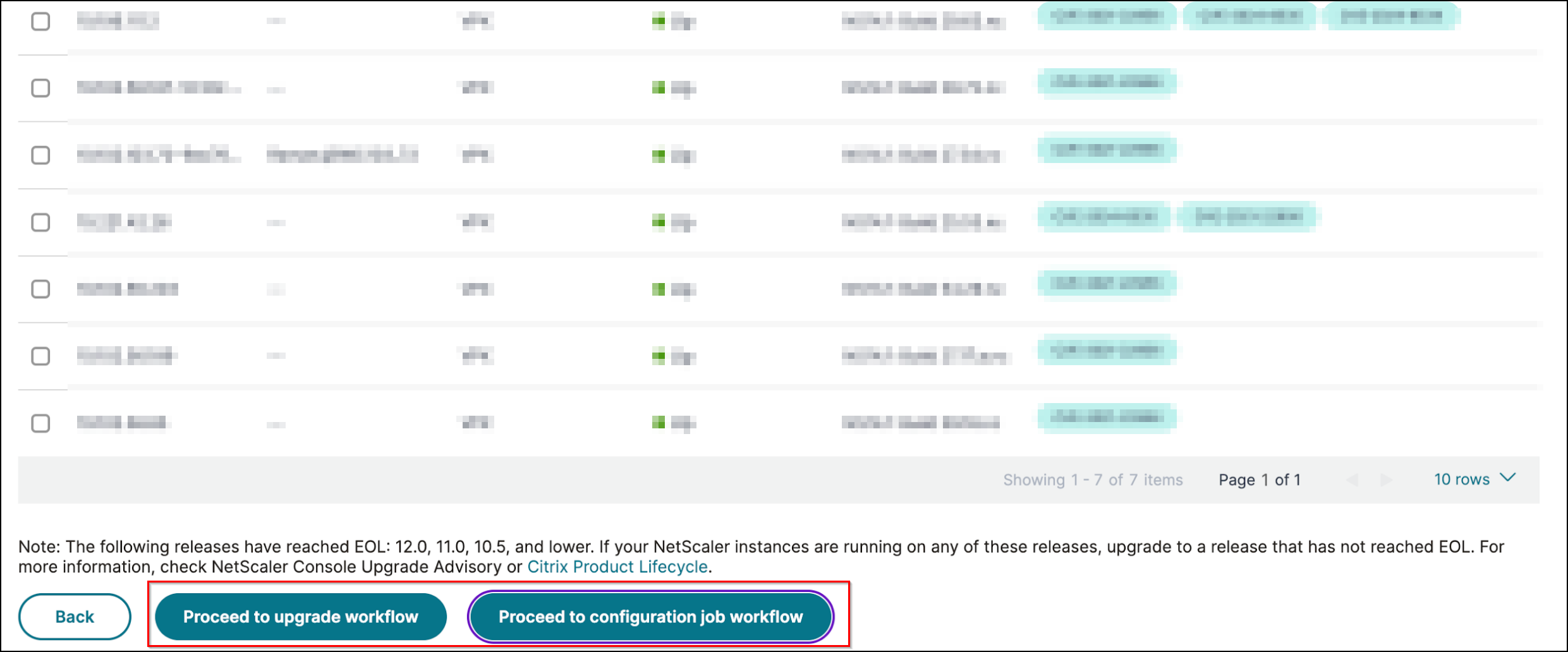
Step 1: Upgrade the vulnerable NetScaler instances
To upgrade the vulnerable instances, select the instances and click Proceed to upgrade workflow. The upgrade workflow opens with the vulnerable NetScaler instances already populated.
For more information on how to use NetScaler Console to upgrade NetScaler instances, see Create a NetScaler upgrade job.
Note:
This step can be done at once for all the vulnerable NetScaler instances.
Step 2: Apply configuration commands
After you've upgraded the impacted instances, in the
<number of> NetScaler instances impacted by CVEs window, select the instance impacted by CVE-2024-8535 and click Proceed to configuration job workflow.
Keep the following points in mind before you select an instance and click Proceed to configuration job workflow:
-
For a NetScaler instance impacted by multiple CVEs (such as CVE-2020-8300, CVE-2021-22927, CVE-2021-22920, and CVE-2021-22956): when you select the instance and click Proceed to configuration job workflow, the built-in configuration template does not auto-populate under Select configuration. Drag and drop the appropriate config job template under Security Advisory Template manually to the config job pane on the right side.
-
For multiple NetScaler instances that are impacted by CVE-2024-8535 only, you can run config jobs on all instances at once. For example, you've NetScaler 1, NetScaler 2, and NetScaler 3, and all of them are impacted only by CVE-2024-8535. Select all these instances and click Proceed to configuration job workflow, and the built-in configuration template auto-populates under Select configuration.
-
For multiple NetScaler instances impacted by CVE-2024-8535 and one or more other CVEs (such as CVE-2020-8300, CVE-2021-22927, and CVE-2021-22920), which require remediation to be applied to each NetScaler at a time: when you select these instances and click Proceed to configuration job workflow, an error message appears mentioning you to run the config job on each NetScaler at a time.
Step 1: Select configuration
In the configuration job workflow, the built-in configuration base template auto-populates under Select configuration.
Step 2: Select the instance
The impacted instance is auto-populated under Select Instances. Select the instance. If this instance is part of an HA pair, select Execute on Secondary Nodes. Click Next.
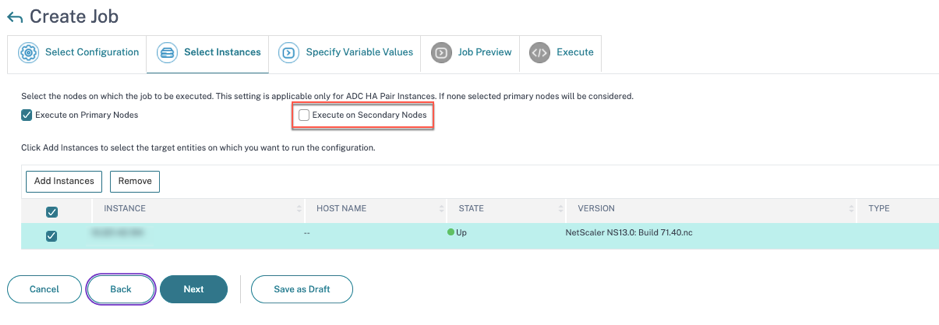
Note:
For NetScaler instances in cluster mode, using security advisory, the NetScaler Console supports running the config job only on the cluster configuration coordinator (CCO) node. Run the commands on non-CCO nodes separately.
Step 3: Specify variable values
No variable is required to specify in this step. Select Common Variable Values for all instances and click Next.
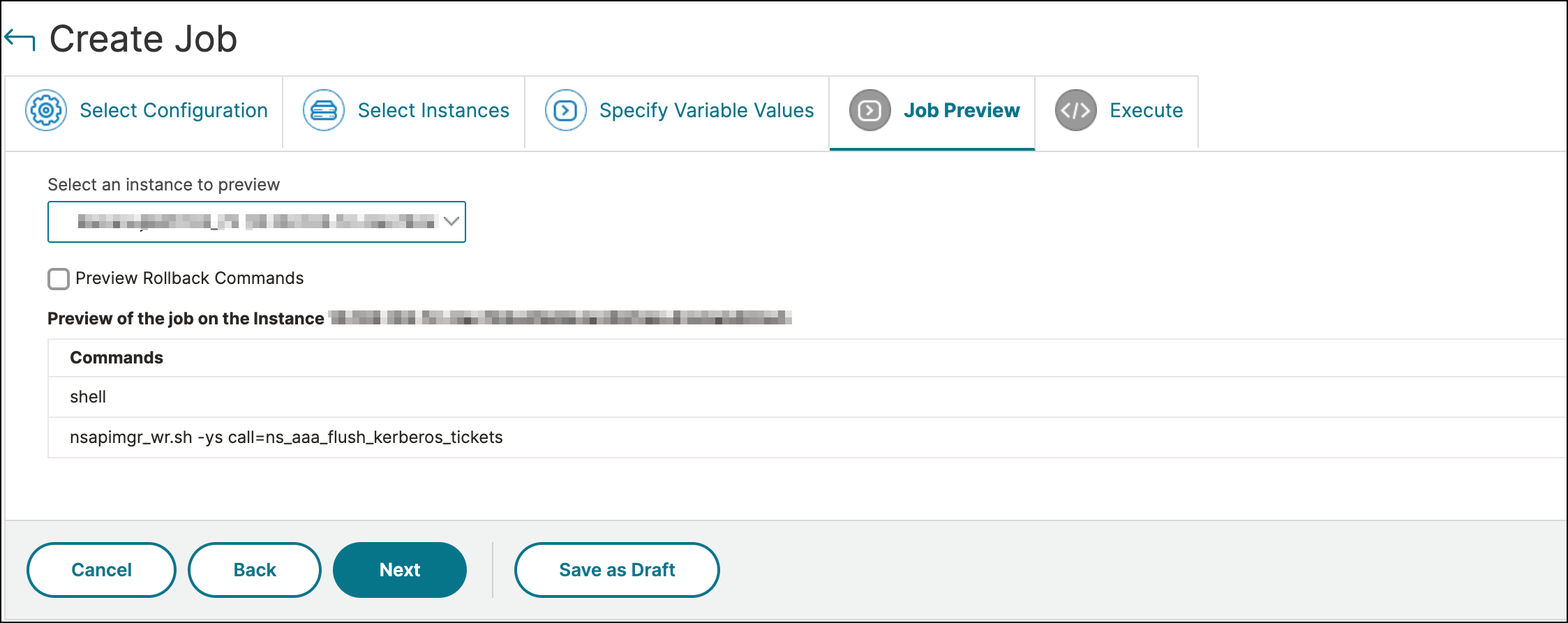
Step 4: Preview the configuration
Previews the variable values having been inserted in the config and click Next.
Step 5: Run the job
Click Finish to run the configuration job.
After the job is run, it appears under Infrastructure > Configuration > Configuration Jobs.
After completing the two remediation steps for all vulnerable NetScaler instances, you can run an on-demand scan to see the revised security posture.