View NetScaler-owned IP addresses
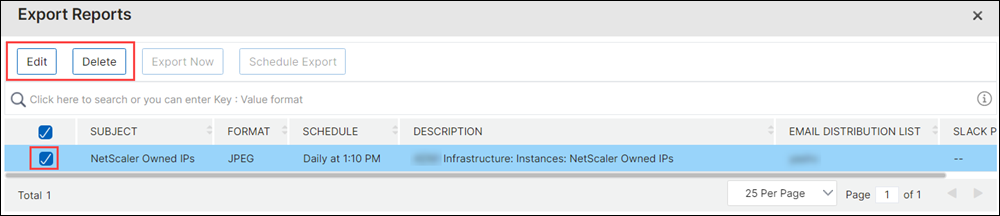
You can view the IP addresses configured on NetScaler instances directly from NetScaler Console GUI. You can perform the configuration changes and other operations only on NetScaler instances.
To view the NetScaler-owned IP addresses, navigate to Infrastructure > Instances > NetScaler Owned IPs.
This feature displays both IPv4 and IPv6 addresses configured on NetScaler instances. The types of IP addresses include:
-
NetScaler IP address
-
Subnet IP address
-
Virtual IP address
-
ADNS service IP address
-
GSLB IP address
-
Cluster IP address
-
Mapped IP address
Related information
Export NetScaler-owned IP addresses
To export NetScaler-owned IP addresses:
-
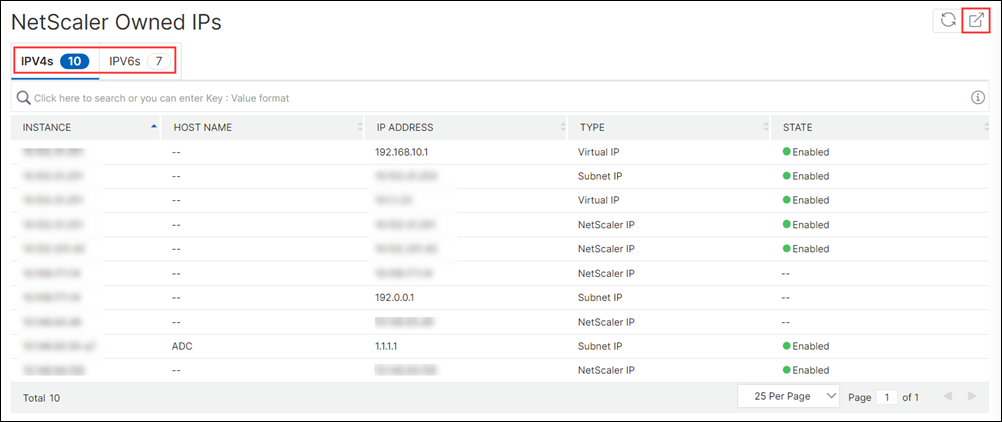
Navigate to Infrastructure > Instances > NetScaler Owned IPs.
-
On the NetScaler Owned IPs page, click the export icon at the top-right corner.
-
On the Export Reports page, click Export Now.
-
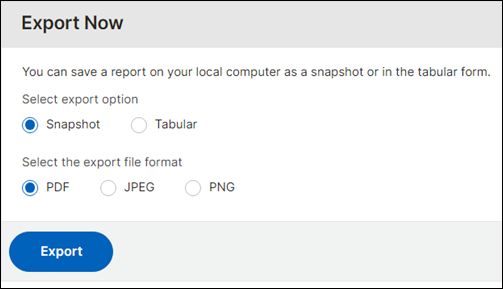
On the Export Now page, select the export option:For Snapshot export:
-
Select the export file format: PDF, JPG, or PNG.
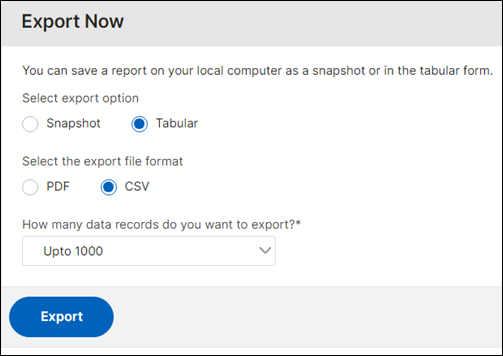
For Tabular export:-
Select the export file format: PDF or CSV.
-
Select the number of data records to export from the list.
-
-
Click Export.
Schedule the export of NetScaler-owned IP addresses
To schedule the export of NetScaler-owned IP addresses:
-
Navigate to Infrastructure > Instances > NetScaler Owned IPs.
-
On the NetScaler Owned IPs page, click the export icon at the top-right corner.
-
On the Export Reports page, click Schedule Export.
-
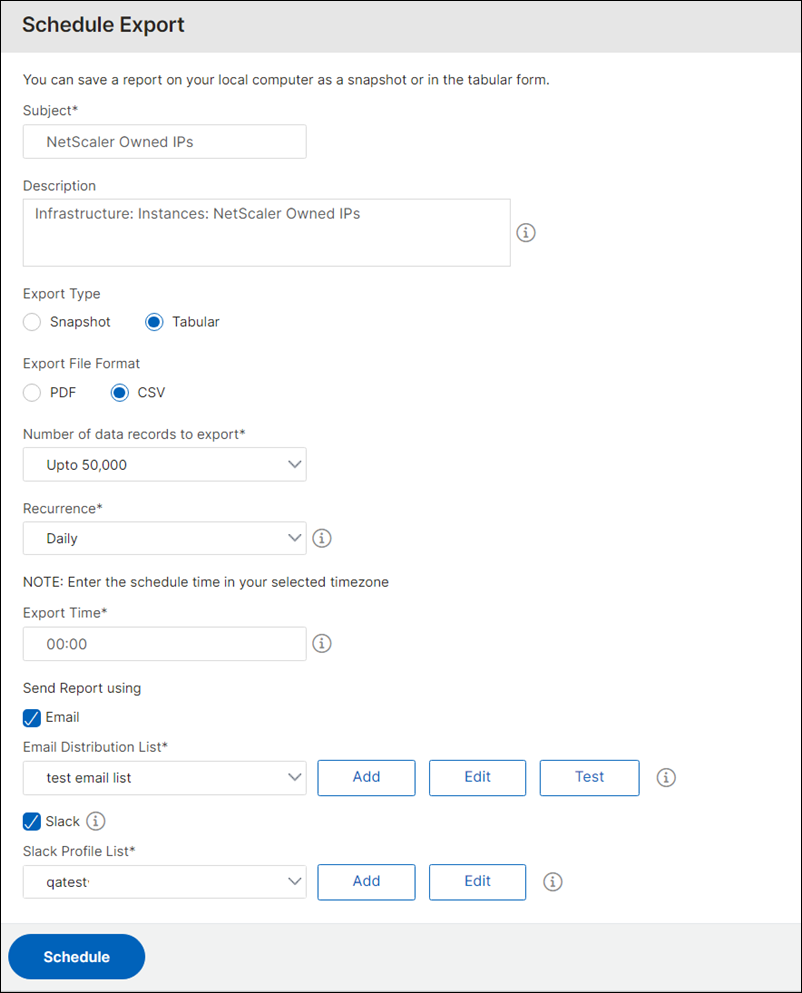
On the Schedule Export page, enter the following details:
-
Enter the subject and description.
-
Select the export type.For Snapshot export type:
-
Select the export file format: PDF, JPG, or PNG.
For Tabular export type:-
Select the export file format: PDF or CSV.
-
Select the number of data records to export from the list.
-
-
Select the recurrence: Daily, Weekly or Monthly.
-
Select the export time.
-
Select how to send the exported IP addresses: Email, Slack or both.For Email:
-
Select Email and choose the email distribution list to send the list of NetScaler-owned IP addresses.
-
To add an email distribution list, click Add and specify the email server details.
-
To edit an email distribution list, click Edit.
-
To verify that the email distribution list is working, click Test. This will send a test email to the selected email distribution list.
-
For Slack:-
Select Slack and choose the Slack profile list to send the list of NetScaler-owned IP addresses.
-
To add a Slack profile, click Add and specify the Profile Name, Channel Name, and Token of the Slack channel.
-
To edit an existing Slack channel, click Edit.
-
-
-
-
Click Schedule to schedule the export.
Once scheduled, your export schedule appears on the Export Reports page, and you can select the schedule to perform the edit or delete operation. After editing the selected schedule, click Save to save the edited changes. Delete deletes the schedule.