
Use a NetScaler instance as the data source
You can use the managed NetScaler instances as data sources. The
managed-adc is a built-in data source type that can be readily used as the data sources in NetScaler Console. Each managed NetScaler instance in NetScaler Console is a data source by default. You can start using these data sources in your StyleBooks if you need data from an existing NetScaler managed by NetScaler Console while creating config packs.
In the StyleBook definition, specify the
datum built-in type parameter. You can use the data source types in your StyleBook. The StyleBook users can select a data source that can be used to retrieve data from that source.
Related information
Using the built-in data source without collection
parameters:
   - name: selected-adc
     label: Select an existing NetScaler
     type: datum
     required: true
     data-source:
       type: managed-adc
In the example, the
datum parameter is used to select any NetScaler instance managed by NetScaler Console. The managed-adc built-in data source allows you to retrieve data from any NetScaler instance managed by NetScaler Console.
In your StyleBook, you can access any configuration from the selected NetScaler instance. And, you can use that configuration while creating or updating configurations on the same NetScaler or a different NetScaler instance; it depends on the selected target NetScaler instance.
Access the collection from a data source:
In the selected NetScaler instance, to access a collection, use the following expression:
$parameters.selected-adc.collections.<collection-name>
Example:
$parameters.selected-adc.collections.lbvserver
This expression returns the list of
lbvserver entities on the selected NetScaler instance. For example, you can iterate over this list to select a specific lbvserver that meets a certain condition.
Example StyleBook without collection
name: add-vservers-from-managed-adc-instances
 namespace: com.citrix.adc.stylebooks
 version: "1.0"
 schema-version: "1.0"

 import-stylebooks:
   -
     namespace: netscaler.nitro.config
     prefix: ns
     version: "10.5"

 parameters:
     -
       name: selected-adc
       label: Select a NetScaler instance
       type: datum
       required: true
       data-source:
         type: "managed-adc"

 components:
   -
     name: sslvserver-comp
     type: ns::sslvserver
     repeat: $parameters.selected-adc.collections.lbvserver
     repeat-item: lbvs
     repeat-condition: $lbvs.attributes.servicetype == "SSL"
     properties:
       name: $lbvs.attributes.name
       ssl2: DISABLED
       ssl3: DISABLED
       tls1: DISABLED
       tls11: ENABLED
       tls12: ENABLED
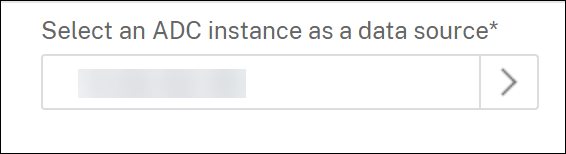
The configuration pack GUI displays the managed NetScaler instances by NetScaler Console and StyleBook users can select any NetScaler when creating or updating the configuration pack.
This StyleBook uses the selected NetScaler and iterates over all the
lbvserver entities. It selects the SSL virtual servers and sets the allowed SSL protocol versions on each virtual server.
The following expression allows you to iterate through the list of
lbvserver entities in the NetScaler instance.
repeat: $parameters.selected-adc.collections.lbvserver
-
collections: Refers to all entity types on the NetScaler instance. For examplecsvserver,lbmonitor,servicegroup, etc. -
lbvserver: Refers to the list of load-balancing virtual server entities in the NetScaler instance.
Using the built-in data source with collection
parameters:
   - name: selected-lbvserver
     label: Select an existing lbvserver
     type: datum
     required: true
     data-source:
       type: managed-adc
       collection: lbvserver
In this example, the
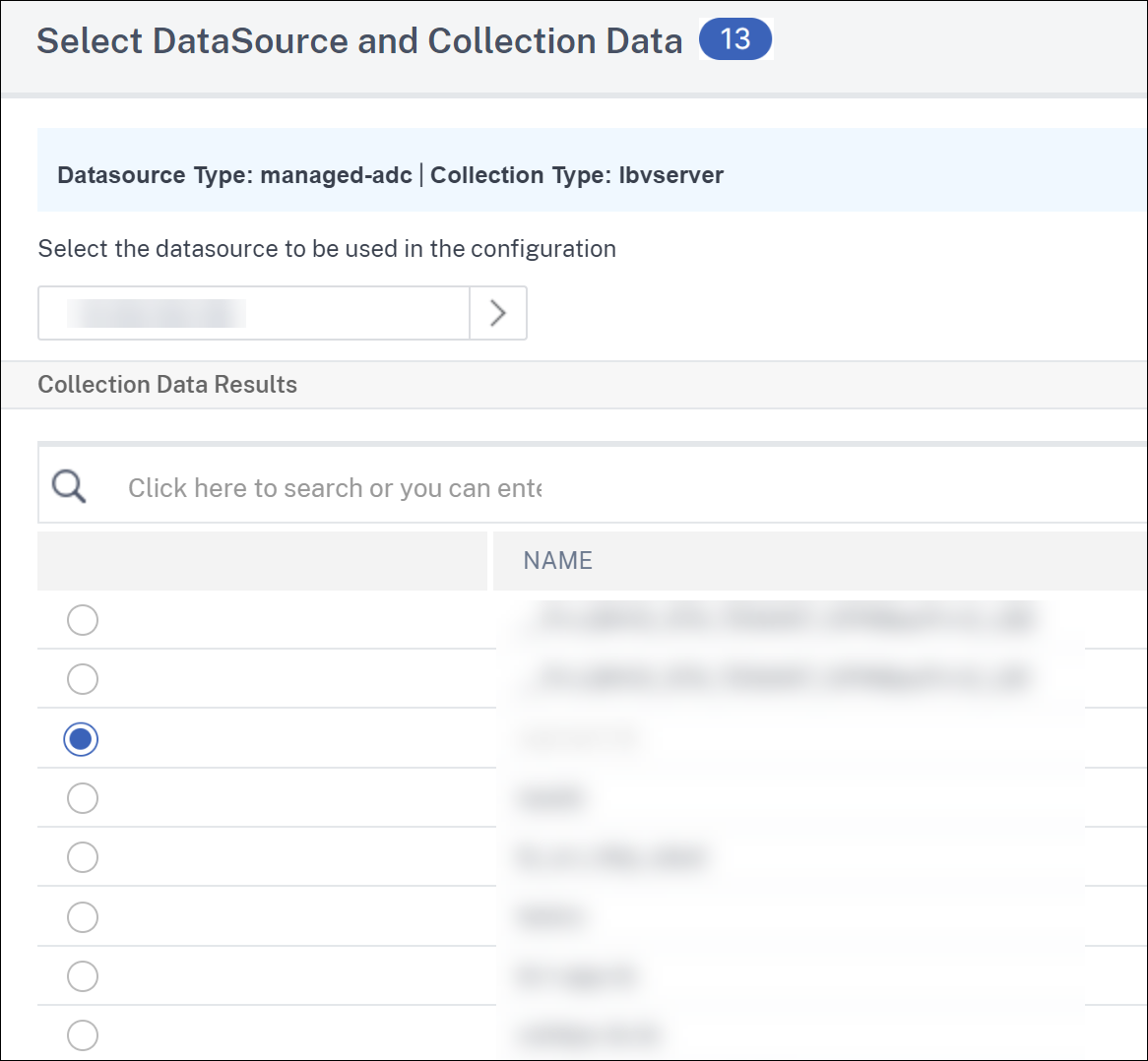
datum parameter is used to allow a user to select both the NetScaler instance and a specific lbvserver from the managed-adc data source type.
When you define a collection type in the
parameters section, the StyleBook users can select the NetScaler instance and a specific entity from a collection on that instance.
Access an attribute of the selected item:
When the StyleBook user selects a virtual server, the following expression in your StyleBook can access any attribute of the selected item.
$parameters.selected-lbvserver.attributes.<attribute-name>
In this example, the selected
datum is lbvserver. So, you can access any attribute of the NetScaler entity lbvserver such as name, servicetype, ipv46, and so on.
Example:
$parameters.selected-lbvserver.attributes.ipv46
This expression retrieves the IP of the selected load-balancing virtual server. For more information about the NetScaler entities (collections) and their attributes, see NetScaler NITRO API reference.
Select multiple items from a collection:
The following parameters section allows StyleBook users to select multiple items of a collection.
parameters:
   - name: selected-lbvservers
     label: Select existing lbvservers
     type: datum[]
     required: true
     data-source:
       type: managed-adc
       collection: lbvserver
In this example, the datum parameter is used to define the data source array. User can select one or more lbvservers from a single NetScaler® instance or across NetScaler instances.
The code snippet below depicts the way to access selected items and its attributes.
components:
   - name: sslvserver-comp
     type: ns::sslvserver
     repeat:
       repeat-list: $parameters.selected-lbvservers
       repeat-item: vserverObj
     properties:
       name: $vserverObj.attributes.name
       ssl2: DISABLED
       ssl3: DISABLED
       tls1: DISABLED
       tls11: ENABLED
       tls12: ENABLED
Access a collection by selected item's reference:
In addition to allowing a StyleBook user to select a specific entity on a managed NetScaler instance, you can also access any entity from the same or different collections on the selected NetScaler instance. To access another collection on that NetScaler instance, use the following expression in the
components section:
$parameters.selected-lbvserver.datasource.collections.<collection-name>
Example:
$parameters.selected-lbvserver.datasource.collections.csvserver
This expression returns the list of content-switching virtual servers from the selected NetScaler instance.
And, the following expression returns a list of all the bindings between
lbvservers and servicegroups:
$parameters.selected-lbvserver.datasource.collections.lbvserver_servicegroup_binding
Example StyleBook with a collection
The following is an example StyleBook to demonstrate how to use the managed NetScaler instance as a data source:
name: bind-lb-to-servicegroup-using-ADC-as-datasource
 namespace: com.citrix.adc.stylebooks
 version: "1.1"
 display-name: "HTTP/SSL LoadBalancing StyleBook with Service Binding"
 description: "This stylebook defines a typical Load Balanced Application configuration where we allow the user to select an existing lbvserver on the NetScaler using datum type parameter. Then a servicegroup for the selected lb is created if it does not exist on the NetScaler. Finally, the selected lbvserver is bound to the service "
 schema-version: "1.0"
 import-stylebooks:
   -
     namespace: netscaler.nitro.config
     prefix: ns
     version: "10.5"

 parameters:
   -
     name: selected-vserver
     label: "Select an Existing VServer"
     description: "Load Balancing Application Vservers to be bound to service on the ADC"
     type: datum
     required: true
     data-source:
       type: managed-adc
       collection: lbvserver

 components:
   -
     name: servicegroup-discovery-comp
     type: object
     repeat: $parameters.selected-vserver.datasource.collections.servicegroup
     repeat-item: svcgrp
     repeat-condition: $svcgrp.attributes.servicegroupname ==  $parameters.selected-vserver.attributes.name + "-svcgrp"
     properties:
       servicegroupname: $svcgrp.attributes.servicegroupname
   -
     name: servicegroup-creation-if-not-exists-comp
     type: ns::servicegroup
     condition: not exists($components.servicegroup-discovery-comp)
     properties:
       servicegroupname: $parameters.selected-vserver.attributes.name + "-svcgrp"
       servicetype: $parameters.selected-vserver.attributes.servicetype
     components:
       -
         name: lbvserver-servicegroup-binding
         type: ns::lbvserver_servicegroup_binding
         properties:
           name: $parameters.selected-vserver.attributes.name
           servicegroupname: $parent.properties.servicegroupname
In this StyleBook, the
components section checks for the service group name that matches the selected load-balancing virtual server name concatenated with svcgrp.
If the name of the selected load-balancing virtual server is
lbv1, this StyleBook checks for the service group with the name lbv1-svcgrp. If it is not found, it creates a service group lbv1-svcgrp and binds with the lbv1 virtual server.
The following expression fetches the list of service groups in the NetScaler instance.
repeat: $parameters.selected-vserver.datasource.collections.servicegroup
In this expression:
-
datasource: Refers to the selected NetScaler instance managed by NetScaler Console. -
collections: Refers to all the entities in the NetScaler instance. -
servicegroup: Refers to the service groups in the NetScaler instance.
Filtering Collection data:
The following parameters section explains how to specify filters on a builtin data source collection in the StyleBook definition. It allows StyleBook users to select a specific item from a filtered collection.
parameters:
   - name: selected-lbvserver
     label: Select an existing lbvserver
     type: datum
     required: true
     data-source:
       type: managed-adc
       collection: lbvserver
       collection-filters:
         protocol: SSL
In this example, the datum parameter is used to allow a user to select both the NetScaler instance and a specific lbvserver having SSL protocol from the managed-adc data source type.
After the StyleBook user selects a virtual server, any attribute of the selected item can be accessed the same way as explained in the previous section.