
Use custom data sources
Along with managed NetScaler instances as a data source, you can define and use custom data sources if the input data is repeatedly used for creating multiple configurations. You can save the input data in NetScaler Console as a data source. And, you can modify StyleBooks to consume this data without requiring StyleBook users to provide inputs repeatedly.
Before using a custom data source in your StyleBook definition, do the following to define a custom data source:
After adding a data source, you can use this data source to in the StyleBook definition. For more information, see Use custom data sources in the StyleBook definition.
Related information
Add a data source type
Specify a data source type to distinguish the source from which data is retrieved.
-
In Applications > Configuration > Data Sources.
-
Select Data Source Type and click Add.
-
Specify the Name and Description for the data source type.
-
Click Proceed to save the Data Source Type. Click Close to quit the workflow without saving any changes.
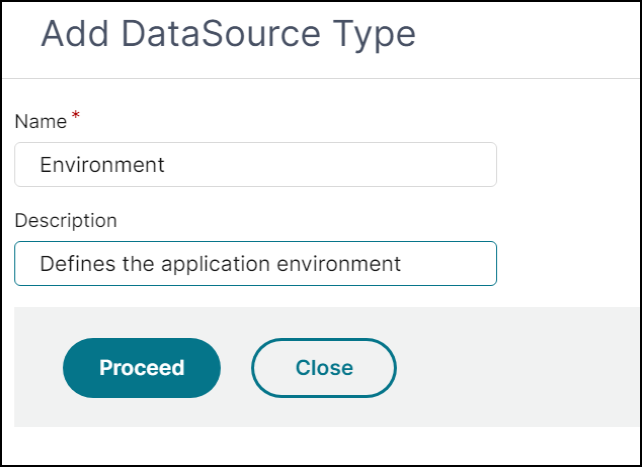
In this example, the data source type is set to Environment. This type can be used to define the application environments as data sources.
Add a collection schema under data source type
After adding Data Source Type, a screen to add Collection Schemas for ""Data Source Type** is displayed.
-
Click Add.
-
Specify the Collection Name for a collection schema.
-
Enter the Description.
-
Add attributes(name and its type) under Attribute Details as required.
-
Click Create.
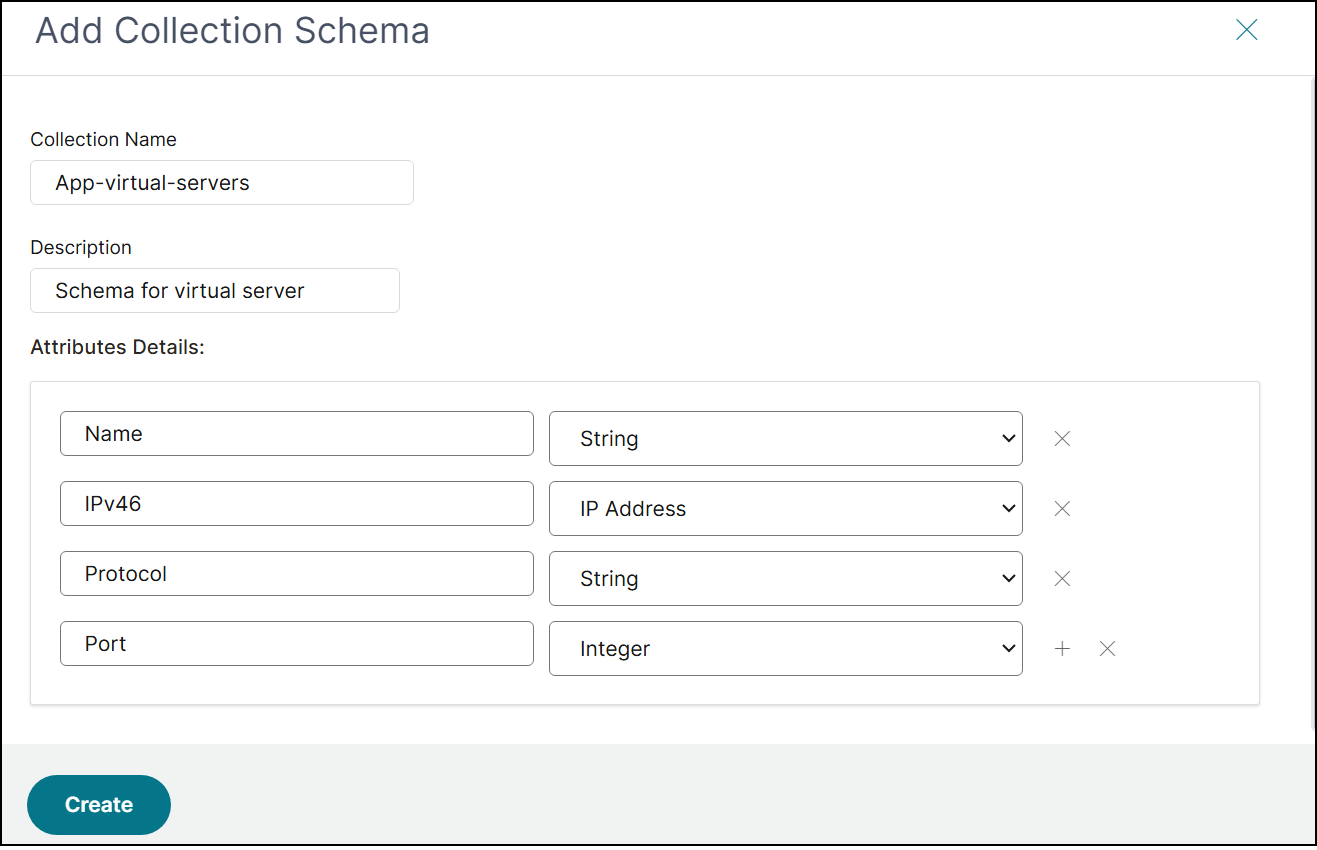
In this example, the App-virtual-servers collection schema has four attributes. So, the collection that you want to store must have these attributes of the set data types.
Add a data source
Define a data source for a specific data source type.
-
Go to Applications > Configuration > Data Sources.
-
Select the tab Data Sources and click Add.
-
Specify the Name.
-
Select the Data Source Type, and enter the Description.
-
Click Proceed to save the Data Source. Click Close to quit the workflow without saving any changes.
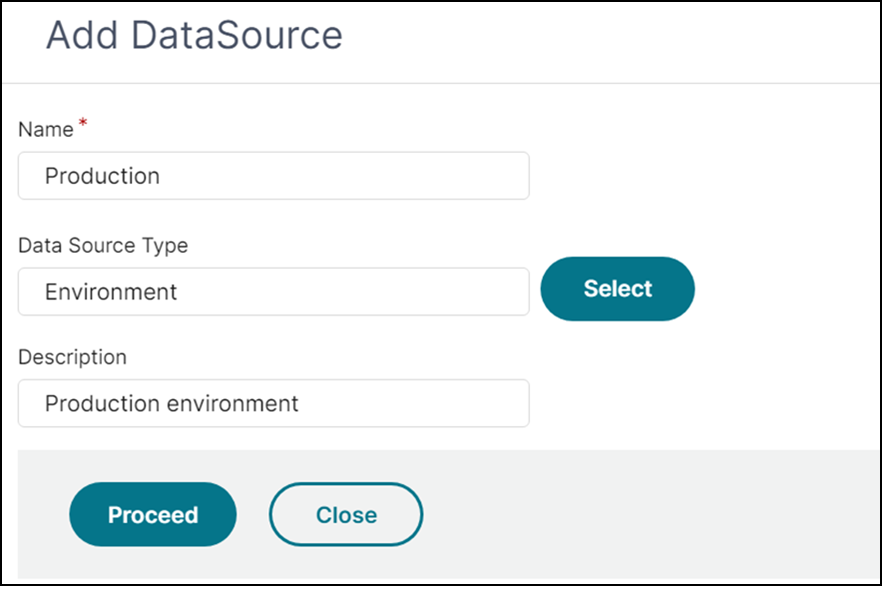
In this example, the Production environment is added as a data source.
Add a collection data
After adding Data Source, a screen to enter the data for Data Source is displayed. You can see a list of Collection Schemas.
-
Select the Collection Schema to which you want to add collections data.
-
Click Manage Collection Data.
-
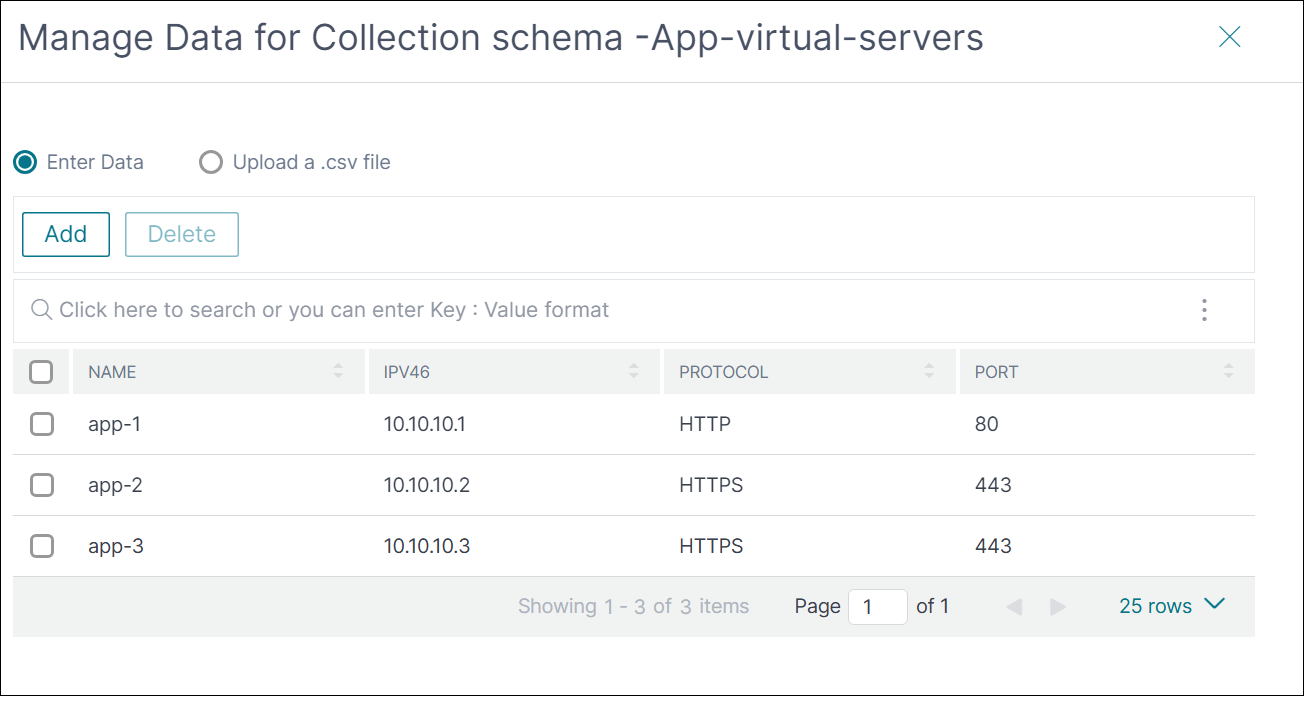
Add data to the collection. You can either add data one by one or upload a CSV file. When you upload a CSV file, ensure the column names are matching with the attribute names of the collection schema.
-
Click OK.
Use custom data source without collection
The following
parameters section explains how to define a custom data source in the StyleBook definition without collection.
parameters:
     - name: selected-environment
       label: Select a custom datasource environment
       type: datum
       required: true
       data-source:
         type: "Environment"
The configuration pack GUI displays the applicable data sources and StyleBook users can select any of them to create a configuration pack.
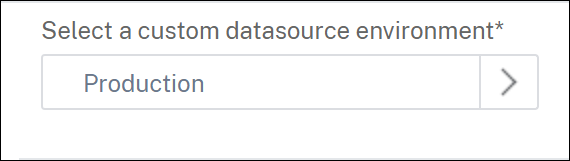
In this example, it uses the
Production data source to retrieve data.
In the
Environment data source type, to access the App-virtual-servers collection type, use the following expression:
$parameters.selected-environment.collections.App-virtual-servers
Example Snippet:
components:
   -
     name: lbvserver-comp
     type: ns::lbvserver
     repeat: $parameters.selected-environment.collections.App-virtual-servers
     repeat-item: app
     properties:
       name: $app.attributes.Name + "-lb"
       ipv46: ip($app.attributes.IPv46 )
       port: $app.attributes.Port
       servicetype: $app.attributes.Protocol
     components:

       -
         name: servicegroup-comp
         type: ns::servicegroup
         properties:
           servicegroupname: $parent.properties.name + "-svcgrp"
           servicetype: $parent.properties.servicetype

         components:
           -
             name: lbvserver-svg-binding
             type: ns::lbvserver_servicegroup_binding
             properties:
               name: $parent.parent.properties.name
               servicegroupname: $parent.properties.servicegroupname
Use custom data sources with collection
The following
parameters section explains how to define a custom data source in the StyleBook definition. It allows StyleBook users to select a specific item of a collection.
parameters:
   - name: selected-app-vserver
     label: Select a collection from the datasource
     type: datum
     required: true
     data-source:
       type: Environment
       collection: App-virtual-servers
In this example, the
datum parameter is used to define the custom data source. It uses the Production data source to retrieve data from the App-virtual-servers collection schema.
In the
Environment data source type, to access the protocol from the App-virtual-servers collection, use the following expression:
$parameters.selected-app-vserver.attributes.Protocol
Example snippet:
components:
   - name: lbvserver-comp
     type: ns::lbvserver
     properties:
       name: $parameters.selected-app-vserver.attributes.Name
       ipv46: $parameters.selected-app-vserver.attributes.IPv46
       port: $parameters.selected-app-vserver.attributes.Port
       servicetype: $parameters.selected-app-vserver.attributes.Protocol
When you define a collection type in the
parameters section, the StyleBook users can select the data source and collection.
Selecting multiple items from a collection:
The following parameters section allows StyleBook users to select multiple items of a collection.
parameters:
   - name: selected-app-vservers
     label: Select app-vservers from the collection
     type: datum[]
     required: true
     data-source:
       type: Environment
       collection: App-virtual-servers
In this example, the datum parameter is used to define the custom data source array. User can select one or more items from ‘App-virtual-servers’ collection from a single data source or across data sources.
The code snippet below depicts the way to access selected items and its attributes.
components:
   -
    name: lbvserver-comp
    type: ns::lbvserver
    repeat:
    repeat-list: $parameters.selected-app-vservers
    repeat-item: vserverObj
     properties:
       name: $vserverObj.attributes.Name
       ipv46: $vserverObj.attributes.IPv46
       port: $vserverObj.attributes.Port
       servicetype: $vserverObj.attributes.Protocol
Filtering Collection data:
The following parameters section explains how to specify filters on a custom data source collection in the StyleBook definition. It allows StyleBook users to select a specific item from a filtered collection.
parameters:
   - name: selected-app-vserver
     label: Select a collection from the datasource
     type: datum
     required: true
     data-source:
       type: Environment
       collection: App-virtual-servers
       collection-filters:
         Protocol: SSL
In this example, the datum parameter is used to define the custom data source. It uses the data source of type Environment to retrieve filtered data from the App-virtual-servers collection schema.
After the StyleBook user selects a virtual server, any attribute of the selected item can be accessed the same way as explained in the previous section.