Identify and remediate vulnerabilities for CVE-2022-27509
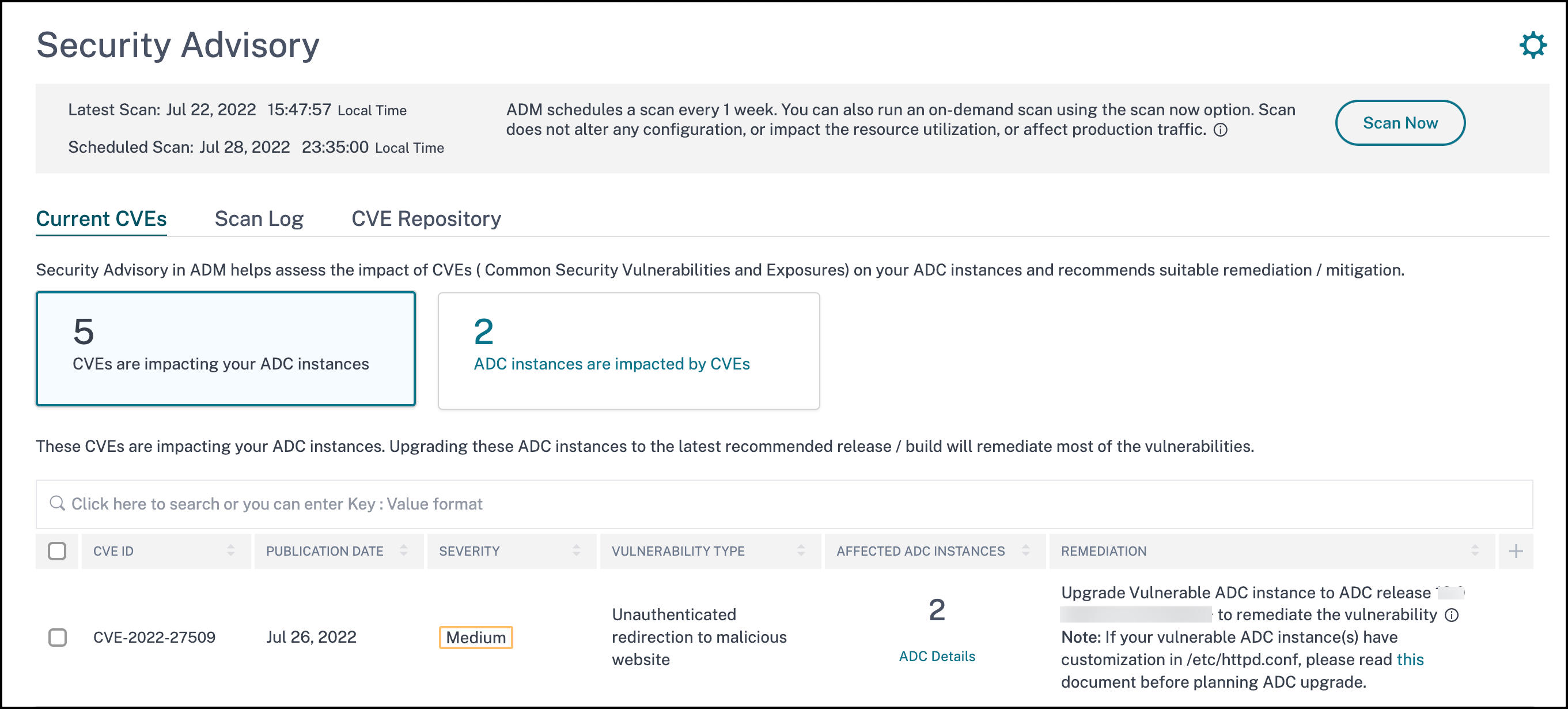
In the NetScaler Console security advisory dashboard, under Current CVEs
<number of> NetScaler instances are impacted by CVEs, you can see all the instances vulnerable due to CVE-2022-27509. To check the details of the instances impacted by the CVEs, select CVE-2022-27509 and click View Affected Instances.
Note
To understand the reason for NetScaler vulnerability, download the CSV report in Scan logs tab in Security Advisory.
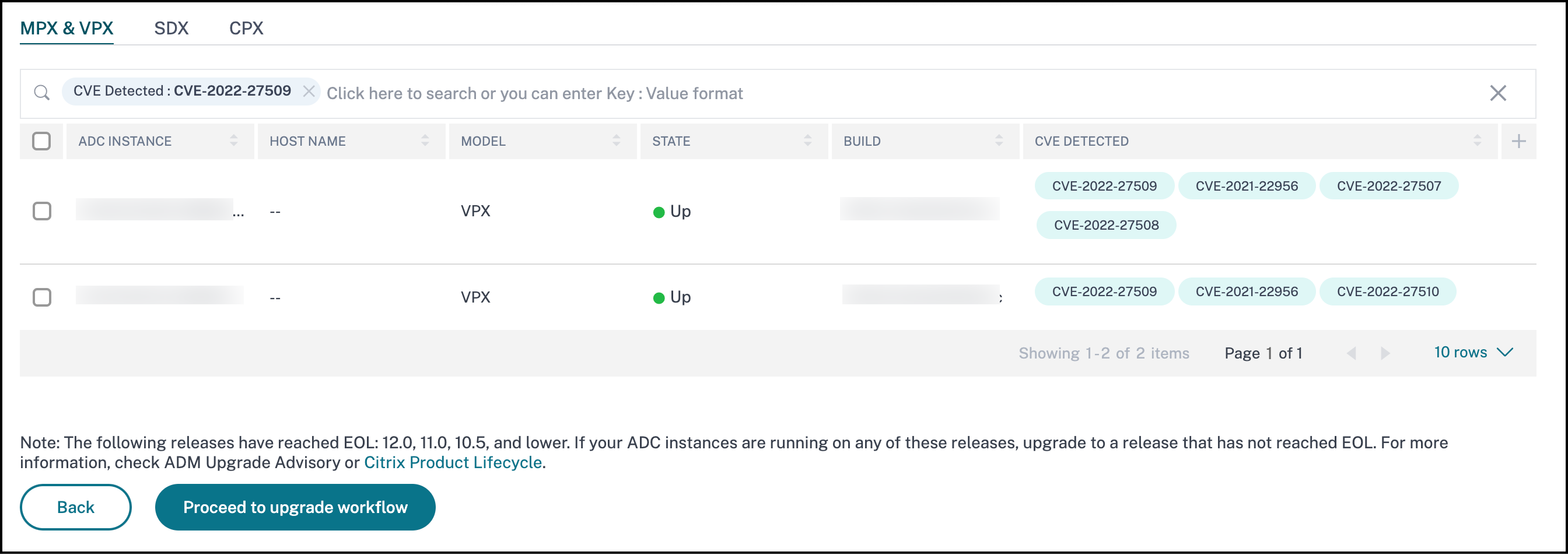
The
<number of> NetScaler instances impacted by CVEs window appears. In the following screen capture, you can see the count and details of the NetScaler instances impacted by CVE-2022-27509.
For more information about the security advisory dashboard see, Security Advisory.
Note
It might take a couple of hours for the security advisory system scan to conclude and reflect the impact of CVE-2022-27509 in the security advisory module. To see the impact sooner, start an on-demand scan by clicking Scan-Now.
Related information
Identify CVE-2022-27509 impacted instances
CVE-2022-27509 requires a combination of custom scan and version scan. As part of the custom scan, NetScaler Console service connects with the managed NetScaler instance and pushes a script to the instance. The script runs on the NetScaler instance and determines if the instance is vulnerable. This script runs every time your scheduled or on-demand scan runs.
After the scan is completed, the script is deleted from the NetScaler instance.
You can also opt out of these Security Advisory Custom scans. For more information on Custom Scan Settings and opting out of custom scans, see the Configure Custom Scan settings section on the Security Advisory page.
Remediate CVE-2022-27509
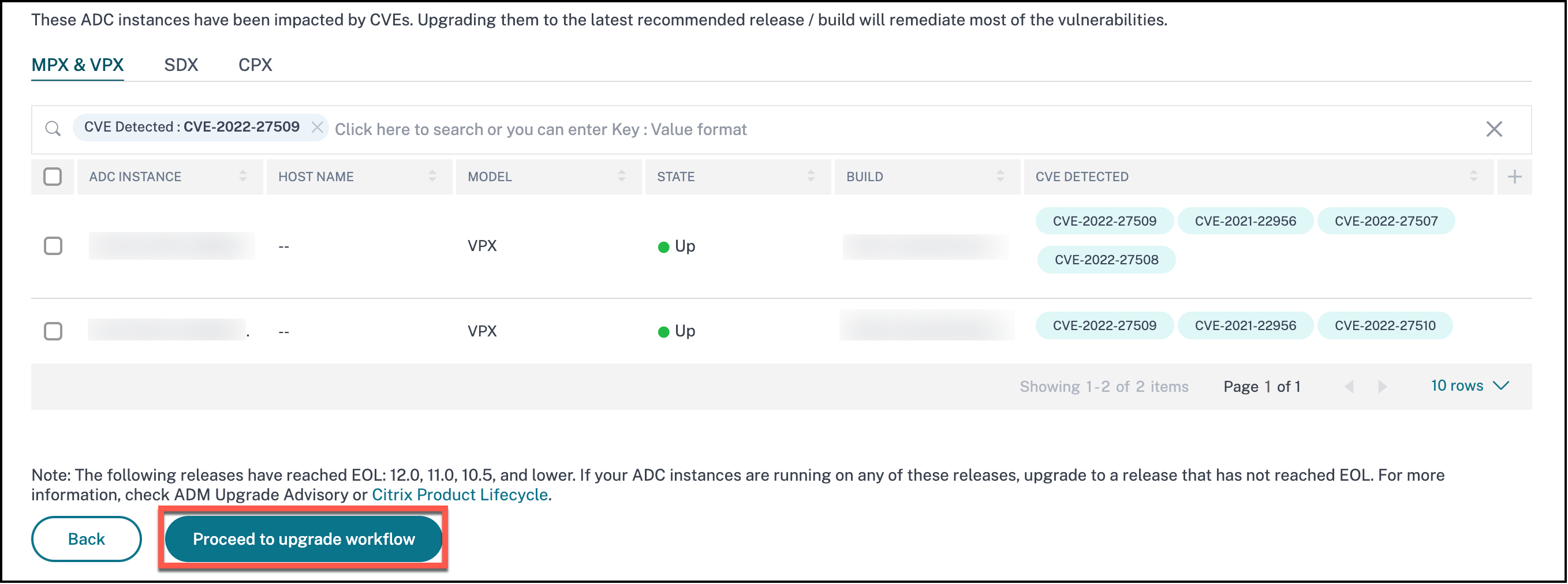
For CVE-2022-27509 impacted NetScaler instances, the remediation is a single step process and you need to upgrade the vulnerable NetScaler instances to a release and build that has the fix. In the GUI, under Current CVEs > NetScaler instances are impacted by CVEs, you can see the step to remediate.
Under Current CVEs> NetScaler instances impacted by CVEs, you see the following workflow for this single step remediation process, which is Proceed to upgrade workflow.
To upgrade the vulnerable instances, select the instances and click Proceed to upgrade workflow. The upgrade workflow opens with the vulnerable NetScaler instances already populated.
IMPORTANT
If your vulnerable NetScaler instance(s) have the /etc/httpd.conf file copied to the /nsconfig directory, see Upgrade considerations for customized NetScaler configurations before planning NetScaler upgrade.
For more information on how to use NetScaler Console to upgrade NetScaler instances, see Create a NetScaler upgrade job.