
Install SSL certificates on a NetScaler instance
Before installing SSL certificates on Citrix NetScaler instances, ensure that the certificates are issued by trusted CAs. Also, ensure that the key strength of the certificate keys is 2048 bits or higher and that the keys are signed with secure signature algorithms.
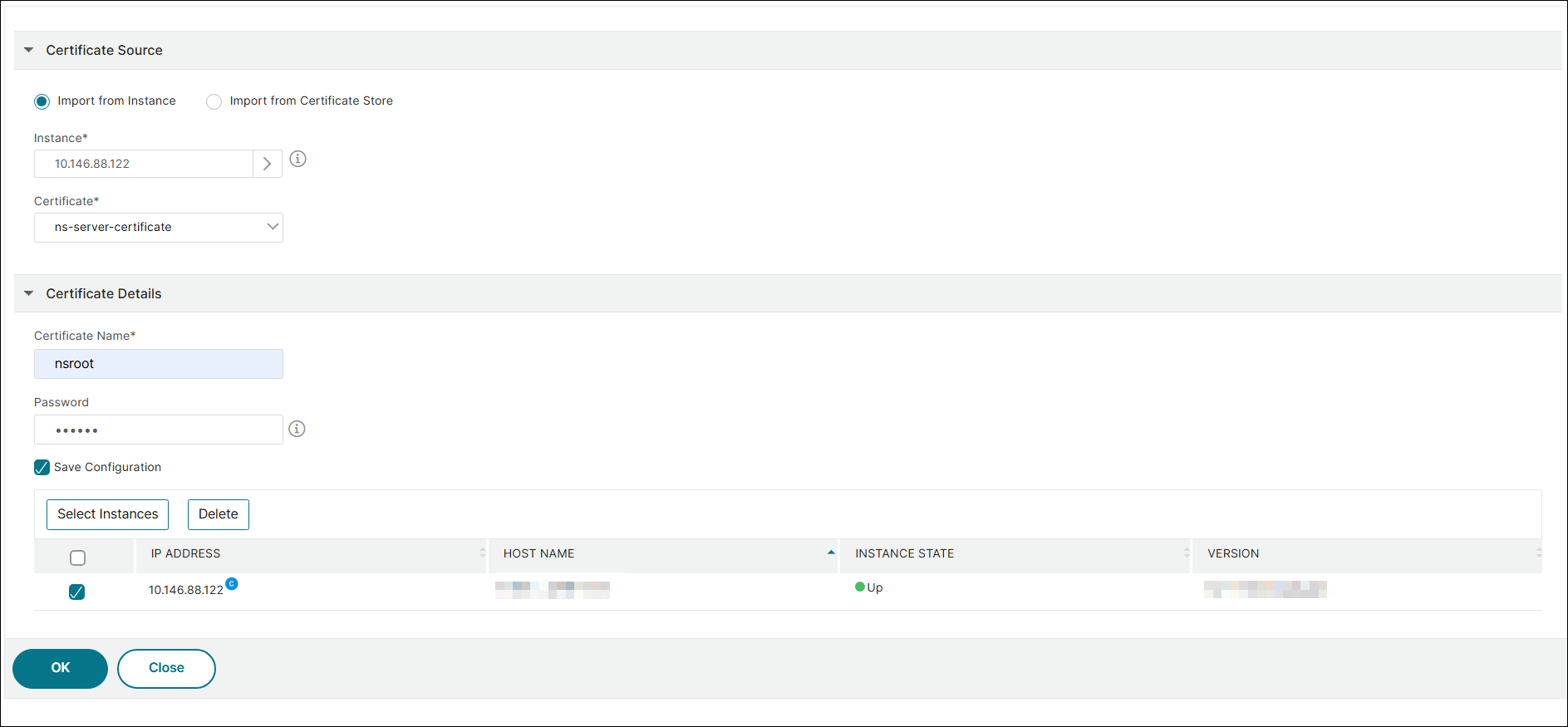
To install an SSL certificate from another NetScaler Instance:
You can also import a certificate from a chosen NetScaler instance and apply it to other targeted NetScaler instances from the NetScaler Console GUI.
-
Navigate to Infrastructure > SSL Dashboard.
-
Click Install Certificate.
-
On the Install SSL Certificate on NetScaler Instances page, specify the following parameters:
-
Certificate Source Select the option to Import from Instance.
-
Choose the Instance that you want to import the certificate from.
-
Choose the Certificate from the list of all SSL certificate files on the instance.
-
-
Certificate Details
-
Certificate Name. Specify a name for the certificate key.
-
Password. Password to encrypt the private key. You can use this option to upload encrypted private keys.
-
-
-
Click Select Instances to select the NetScaler instances on which you want to install your certificates.
-
To save the configuration for future use, select the Save Configuration check box.
-
Click OK.
To install an SSL certificate from NetScaler Console:
-
In NetScaler Console, navigate to Infrastructure > SSL Dashboard.
-
Click Install Certificate.
-
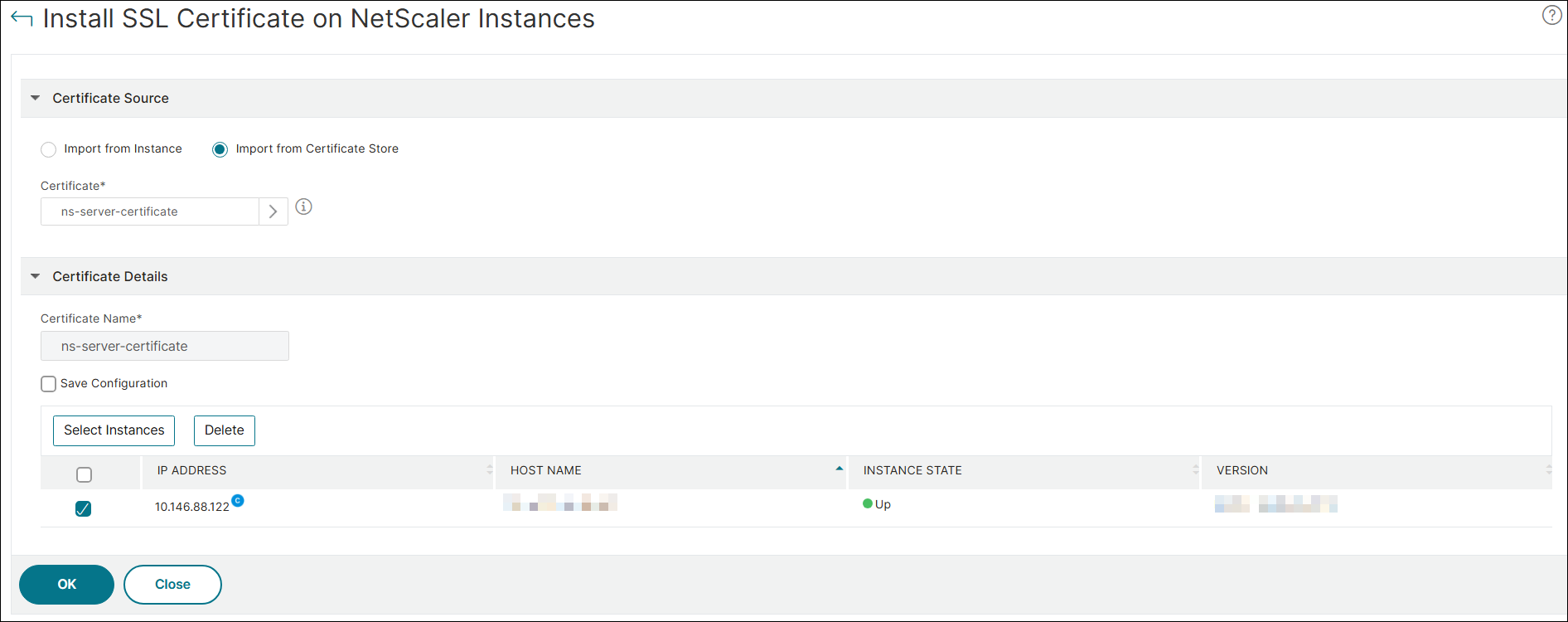
On the Install SSL Certificate on NetScaler Instances page, specify the following parameters:
-
Certificate Source Select the option to Import from Certificate Store.
-
Certificate File - Upload an SSL certificate file by selecting either Local (your local machine) or Appliance (the certificate file must be present on the NetScaler Console virtual instance).
-
-
Certificate Details
-
Certificate Name – Specify a name for the certificate key.
-
-
-
Click Select Instances to select the NetScaler Console instances on which you want to install your certificates.
-
To save the configuration for future use, select the Save Configuration check box.
-
Click OK.
Related information