
Back up and restore your NetScaler® ADM server
You can take periodic backups of your NetScaler ADM server. You can back up and restore the configuration files, instance details, system data, and so on.
Important
Citrix recommends you to restore the ADM server using a backup of the same version. For example, if the ADM version is 13.0, use the 13.0 ADM backup to restore the server.
User access to backup and restore the ADM server is limited. The Settings > Backup Files page appears only to the users who have access to all ADM features. A user can access this page only if their access policy has all permissions. Typically, superusers have the access to all ADM features.
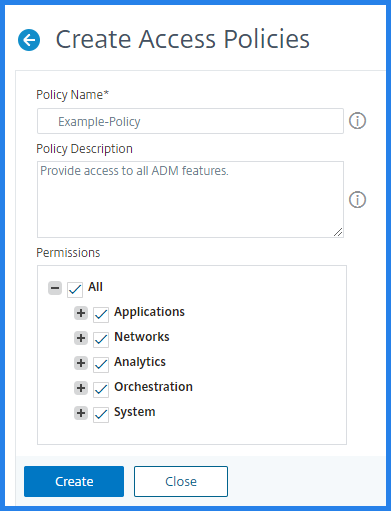
For more information, see Configure access policies.
Before you upgrade, back up the ADM server configuration files for precautionary reasons.
The backup includes the following components:
-
NetScaler ADM Configuration Files:
-
SNMP
-
Syslog server configuration files
-
NTP files
-
SSL certificates
-
Control Center files
-
-
Backups of NetScaler instances that the NetScaler ADM server manages.
-
Configuration audit templates.
-
System data stored on the database:
-
List of tenants and users created.
-
External authentication server configuration (LDAP, RADIUS, and others).
-
Configuration jobs and job templates created.
-
-
Infrastructure and application data stored on the database:
-
Data from added and managed NetScaler instances.
-
Instance profile details, version details, instance group details, and so on.
-
A static application (group of virtual servers) created by the administrator.
-
-
SNMP settings.
Note
Analytics data, events, ADM licenses, and syslog messages are excluded from the backup.
Related information
Back up the NetScaler ADM configuration
By default, the NetScaler ADM server backs up the configuration every 24 hours (at 00.30 hours). You can also schedule and select the time for the backup. Further, you can move a copy of the backed-up file to another system.
The backup is stored as a compressed TAR file that can also be encrypted. By default, three backup files are retained in the server. To avoid any low disk space issues, you can store a maximum of 10 backup files on your NetScaler ADM server. However, Citrix recommends that you store some copies of your backup files on the server or transfer the files to another system as a precautionary measure.
To backup a NetScaler ADM configuration:
-
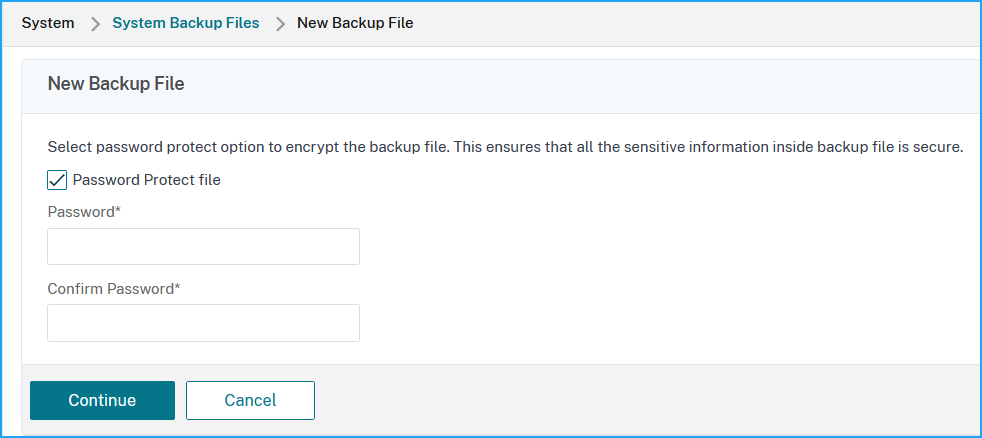
Navigate to Settings > Backup Files, and then click Back Up.
-
To encrypt the backup file, select the Password Protect file check box, and then provide a password to encrypt the file.
Transfer a NetScaler ADM backup file to an external system
You can transfer a copy of the backup file to another system as a precautionary measure. When you want to restore the configuration, first upload the file to the NetScaler ADM server and then perform the restore operation.
To transfer a NetScaler ADM backup file:
-
Navigate to Settings > Backup Files.
-
Select the backup file that you want to move to another system, and then click Transfer.
-
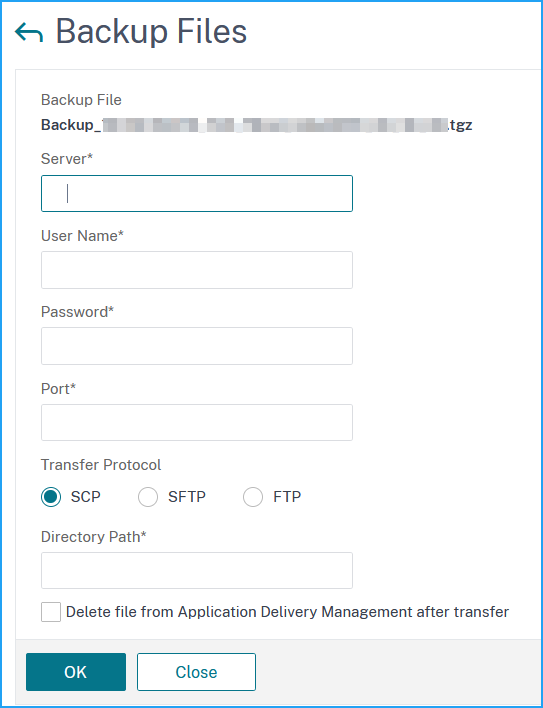
On the Backup Files page, specify the following parameters:
-
Server - IP address of the system where you want to transfer the backed-up file.
-
User Name and Password - User credentials of the new system where the backed-up files are being copied.
-
Port - Port number of the system the files are being transferred to.
-
Transfer Protocol - Protocol being used to make the backup file transfer. You can select SCP, SFTP, or FTP protocols to transfer the backed-up file.
-
Directory Path - The location where the backed-up file is being transferred to on the new system.
-
-
You can delete the backup file from NetScaler ADM after transfer by selecting the Delete file from Application Delivery Management after transfer check box.
-
Click OK to make the transfer.
 NoteTo save a copy of the backup file in your local system, navigate to Settings > Backup Files, select the file you want to copy, and then click Download.
Restore the NetScaler ADM configuration from a backup file
When you restore the NetScaler ADM configuration from a previously backed up file, the restore operation untars the backup file and then restores the configuration. The restore operation deletes the existing configuration and replaces it with the configuration in the backup file.
Note
The restore operation fails if the backup file is renamed or if the backup file contents are modified.
To restore a NetScaler ADM configuration from a backup file:
-
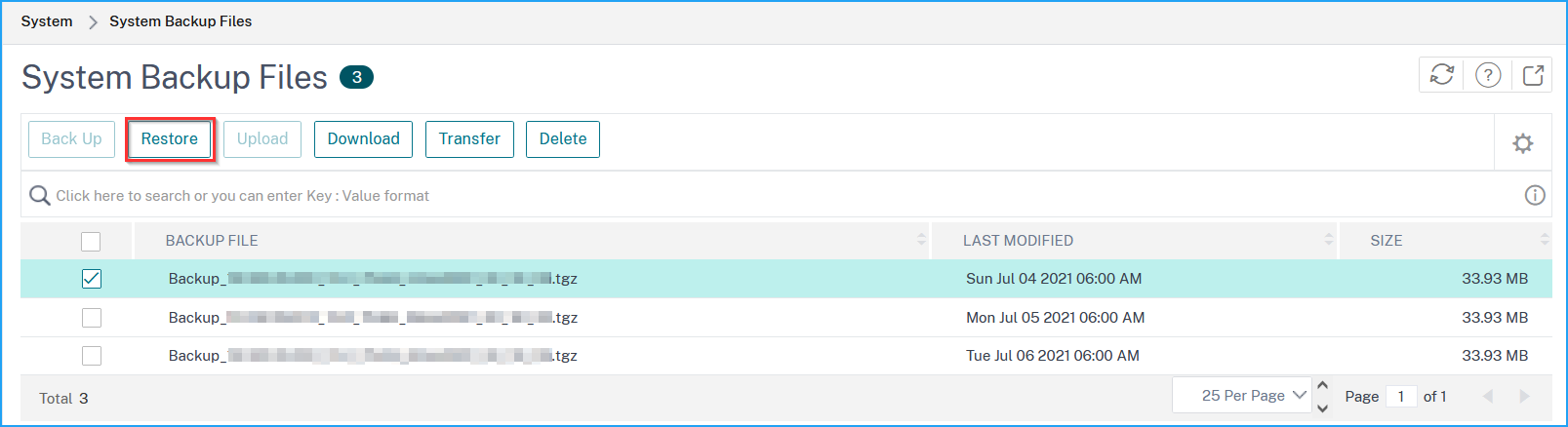
Navigate to Settings > Backup Files.
-
Select the backup file that you want to restore, and then click Restore.
-
On the confirmation dialog box, click Yes.NoteTo restore the configuration from a backup file stored in an external system, upload the backup file to the ADM server before performing the restore operation. To upload the file, navigate to Settings > Backup Files, and then click Upload.