
Troubleshooting
When you run the migration script for the first time, it checks for the prerequisites and proceeds with the migration. If all prerequisites are met, the migration completes without any errors. If any prerequisite fails, the script displays error messages with reasons. After fixing the errors, you must rerun the script again.
Note
If you see an error message that displays “already exists”, it means that:
-
You might have run the migration script for more than one time and some configurations are already migrated to ADM service.
-
You might have manually created the same configuration in ADM service, before running the migration script.
Refer to some of the following error messages:
Related information
Manual profile added to ADM service
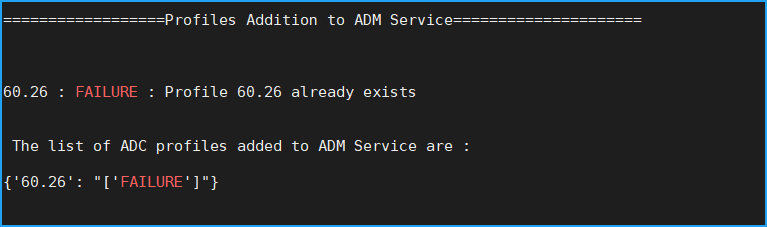
Workaround: If you have created admin profiles in NetScaler® ADM service before running the migration script, ensure to delete those profiles and rerun the migration script.
NetScaler device added to ADM service
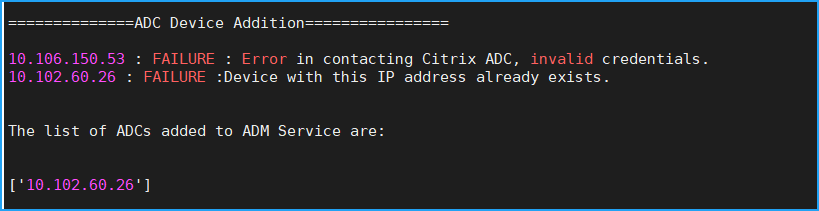
Workaround: In on-premises ADM, ensure the instance status and see if you can access the instance without any issues. If any issue persists, fix the issue, and rerun the migration script.
StyleBook custom templates import to ADM service

Workaround: This error message is an example for the already migrated StyleBook. You can also see this error if you have manually created a StyleBook with the same name, version, and namespace, in NetScaler ADM service before running the migration script.
Configuration Jobs added to ADM service
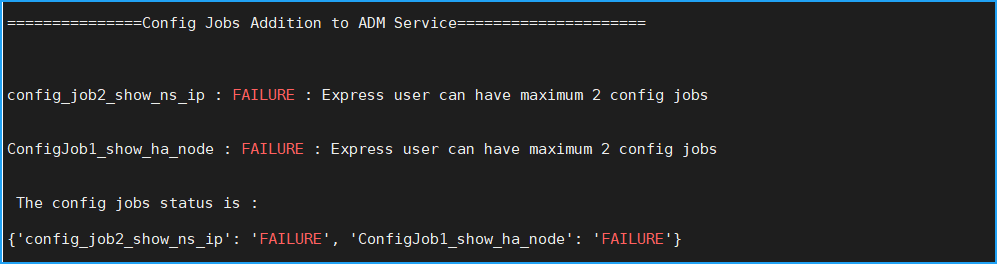
Workaround: This error occurs if you have subscribed to Express Account and have more than two configuration jobs. You must obtain a valid subscription to have all your configuration jobs to be migrated.
IP blocks added to ADM service
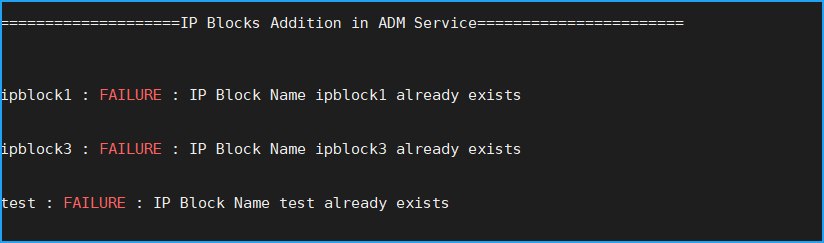
Workaround: Delete the IP block that is manually created in ADM service and rerun the migration script.
Network dashboard report addition status
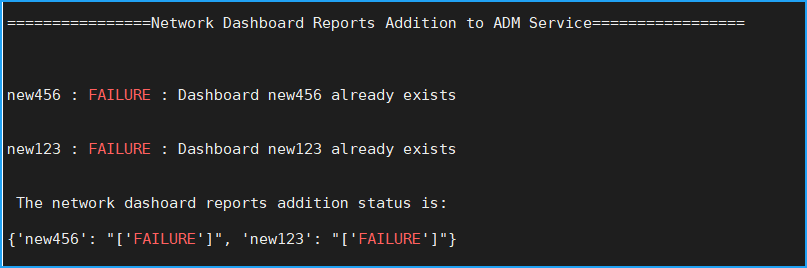
Workaround: Delete the dashboard that is manually created in ADM service and rerun the migration script.