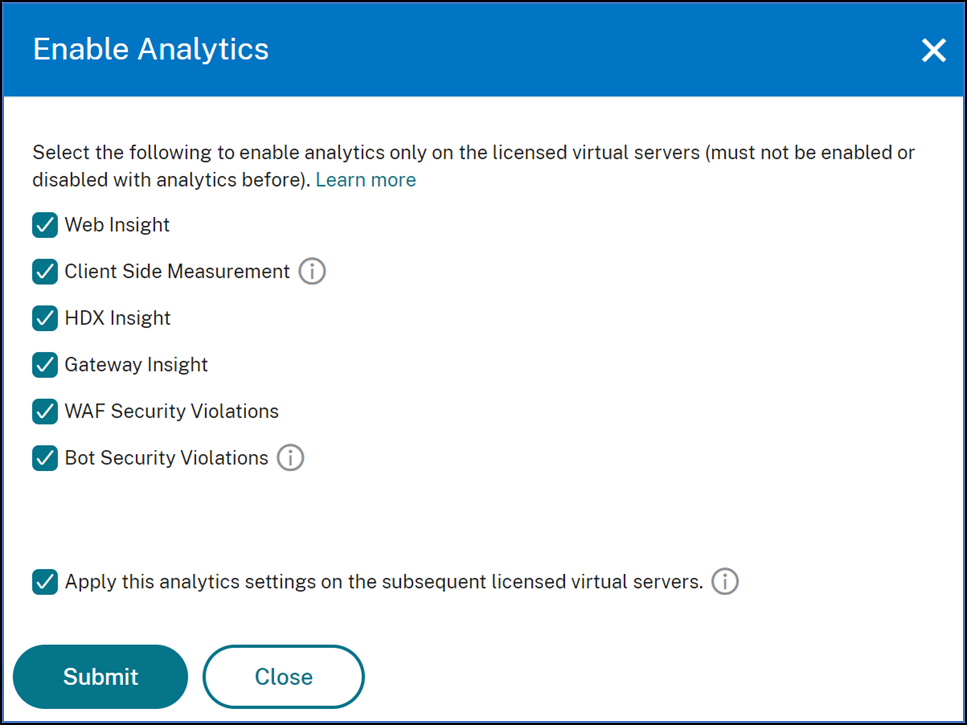
A unified process to enable analytics on virtual servers
Apart from the existing process to enable analytics, you can also use a single-pane workflow to configure analytics on:
-
All the existing licensed virtual servers
-
The subsequent licensed virtual servers
After configuration, this feature eliminates the necessity to manually enable analytics on the existing and subsequent virtual servers.
Points to note:
Before you configure analytics, you must understand the following behaviors of NetScaler® ADM:
-
When you configure this feature for the first time, you must ensure that the prerequisites mentioned in this document are met.
-
Modify the analytics settings later.Consider that you have configured the analytics settings for the first time by selecting Web Insight, HDX™ Insight, and Gateway Insight. If you want to modify the analytics settings later and deselect Gateway Insight, the changes do not impact the virtual servers that are already enabled with analytics.
-
The virtual servers that are already enabled with analytics.Consider that you have 10 licensed virtual servers and two of them are already enabled with analytics. In this scenario, this feature enables analytics only for the remaining eight virtual servers.
-
The virtual servers that are manually disabled with analytics.Consider that you have 10 licensed virtual servers and you have manually disabled analytics for two virtual servers. In this scenario, this feature enables analytics only for the remaining eight virtual servers and skips the virtual servers that are manually disabled with analytics.
-
Bot Security Violations and WAF Security Violations options are supported only in premium licensed virtual servers. If the virtual servers are not premium licensed, then Bot Security Violations and WAF Security Violations are not enabled.
Related information
Prerequisites
Ensure that:
-
All existing virtual servers are licensed.
-
Auto-licensed option is enabled to license all the subsequent virtual servers. Navigate to Settings > Licensing & Analytics Config and under Virtual Server License Allocation, turn on the Auto Licensed Virtual Servers option.
Enable analytics
-
Navigate to Settings > Licensing & Analytics Config.
-
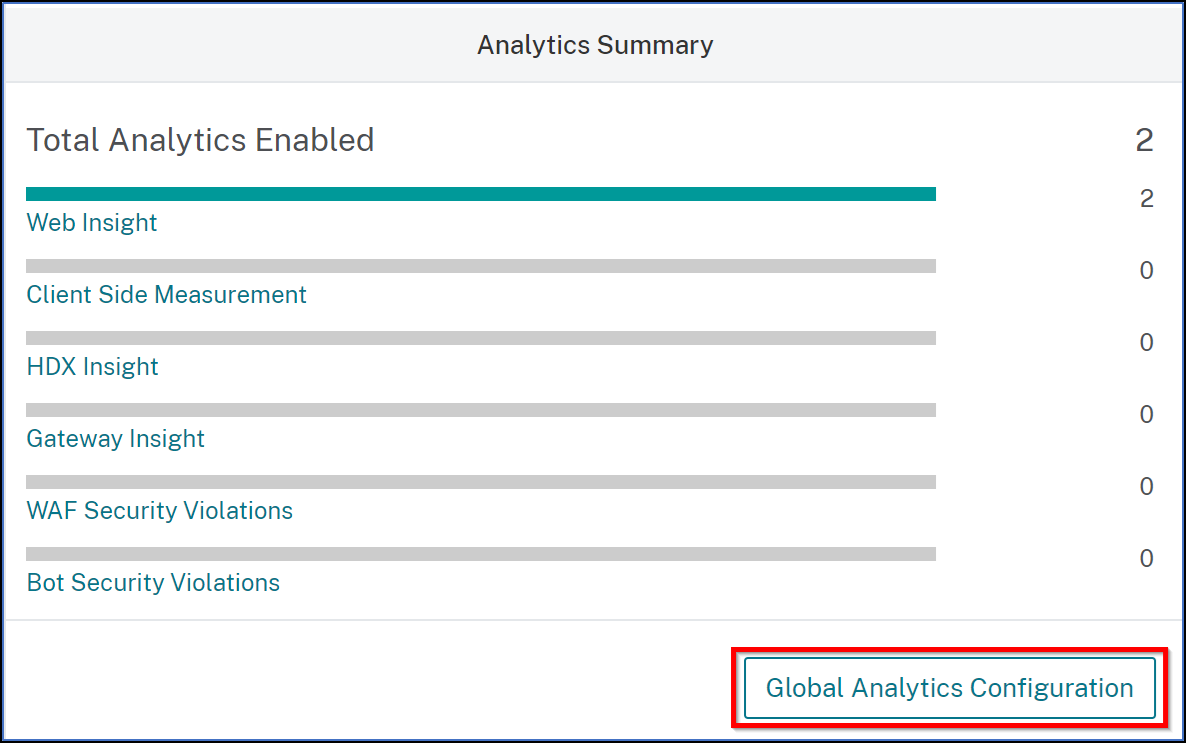
Under Analytics Summary, click Global Analytics Configuration.
-
Select the analytics features that you want to enable analytics on the virtual servers.
-
To enable analytics on the subsequent virtual servers, select the Apply this analytics settings on the subsequent licensed virtual servers check box.
-
Click Submit.