
Integrate NetScaler® ADM with the ServiceNow instance
When you want to enable ServiceNow notifications for NetScaler and ADM events, integrate NetScaler ADM with the ServiceNow instance. This integration uses Citrix ITSM connector to communicate between NetScaler ADM and the ServiceNow instance.
The ServiceNow integration with ADM uses the ITSM Adapter service for token based authentication. To do so, it creates an endpoint instance in ServiceNow. For more information, see How ITSM Adapter works.
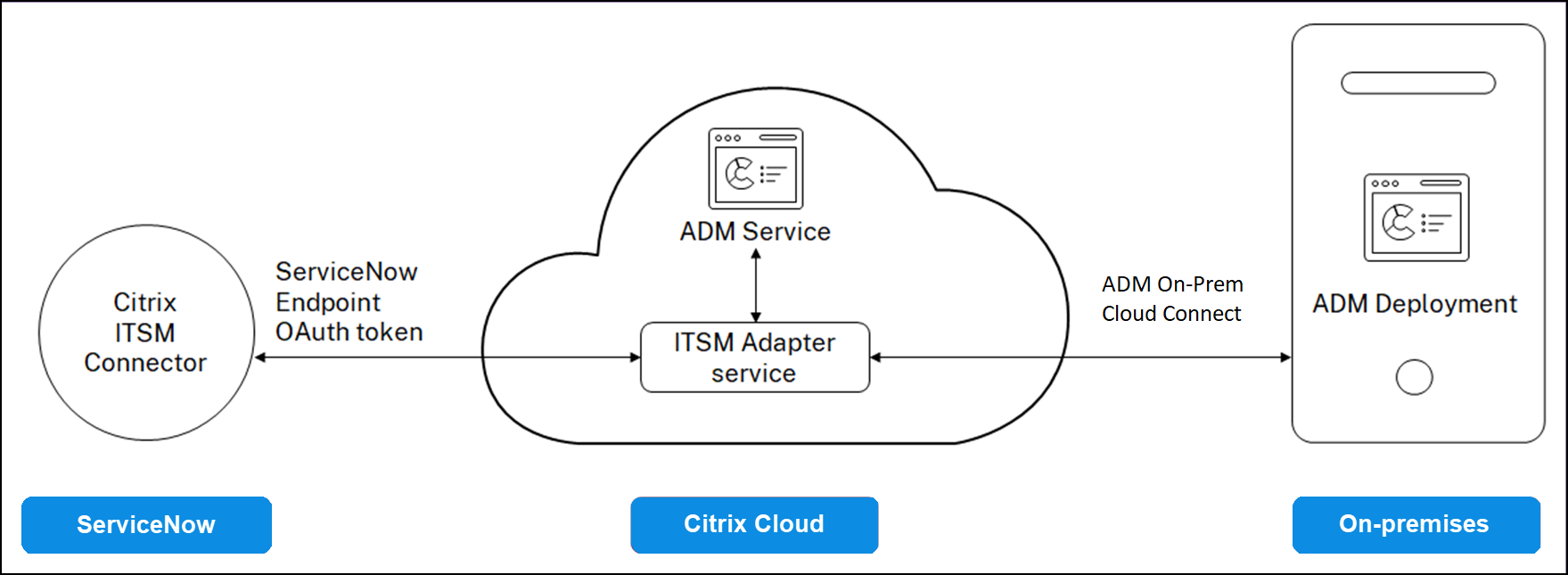
To connect your ADM on-premises deployment with an ITSM adapter, ensure to configure customer identity. For more information, see, Configure customer identity.
Related information
Prerequisites
Before you integrate ADM with ServiceNow, ensure the following:
-
Sign Up for Citrix Cloud. Make sure you have access to manage Citrix Cloud administrators. For more information, see Manage Citrix Cloud administrators.
How to integrate ADM with ServiceNow?
Perform the following steps to integrate NetScaler ADM with ServiceNow using the ITSM connector:
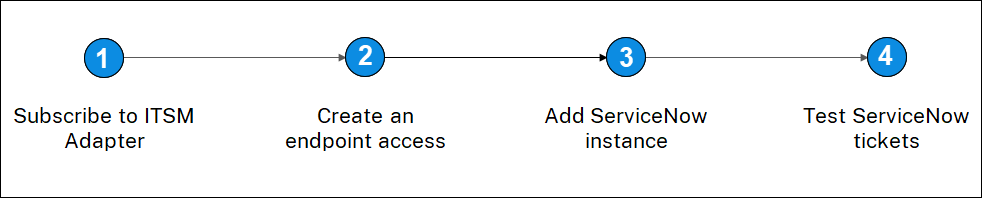
Step 1 - Subscribe to ITSM Adapter service in Citrix Cloud
-
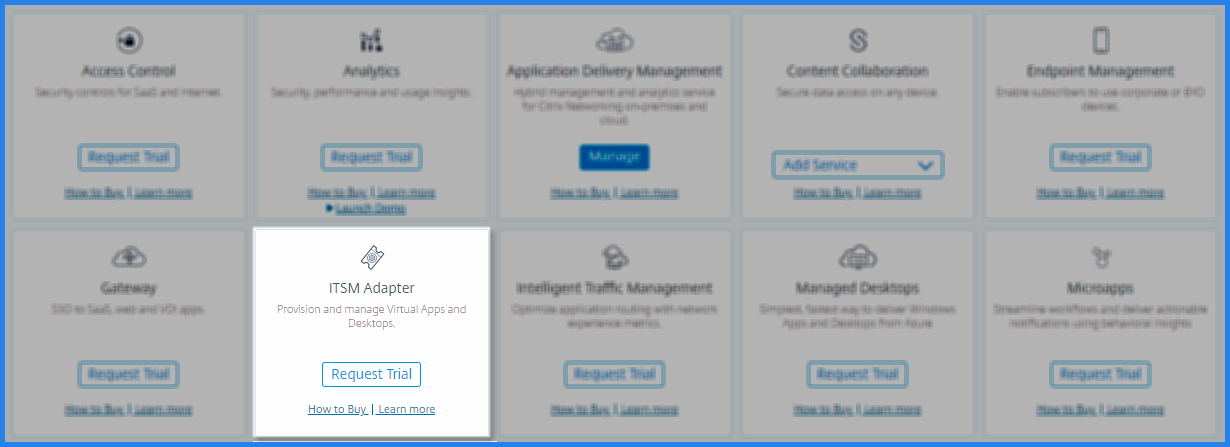
On the ITSM Adapter tile, click Request Trial.
-
Navigate to Identity Access and Management > API Access and note the Client ID and Client Secret information.
Step 2 - Create an endpoint access in the ServiceNow instance
-
Log in to your ServiceNow instance with an administrator credentials.
-
Go to ServiceNow store. Download and install the Citrix ITSM connector.
-
On the Citrix ITSM Connector pane, select Home and then click Authenticate. Type the Client ID and Secret that you have noted from Citrix Cloud.
-
Test the connection.
-
Save the configuration. An acknowledgment from ServiceNow appears indicating that the connection is active.
-
Create an endpoint to access a ServiceNow instance. See Create an endpoint for clients to access the instance.
-
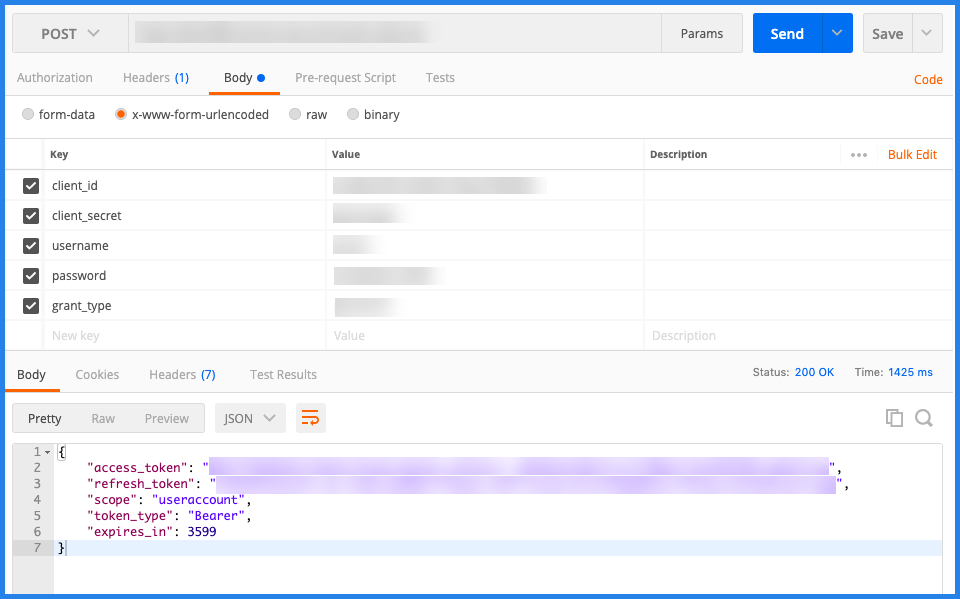
Obtain the Access and Refresh tokens using the Client ID and Client Secret. See OAuth tokens.
Step 3 - Add a ServiceNow instance
-
In the Manage tab, select Add ServiceNow Instance.
-
Specify the Instance Name, Client ID, Client Secret, Refresh Token, and Access Token.
-
Click Test.
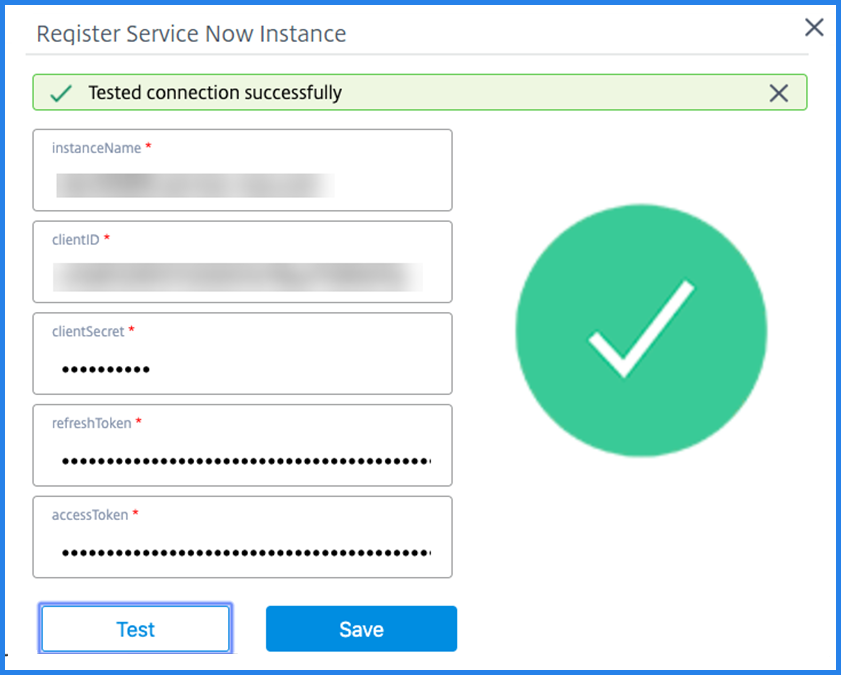 The ServiceNow instance is now connected to the ITSM Adapter service.
 -
After testing the connection successfully, click Save to add a ServiceNow instance.
Step 4 - Test auto-generation of ServiceNow tickets in ADM
-
Log in to NetScaler ADM.
-
Navigate to Account > Notifications and select ServiceNow.
-
Select the ServiceNow profile from the list.
-
Click Test to auto-generate a ServiceNow ticket and verify the configuration.If you want to view ServiceNow tickets in the NetScaler ADM GUI, select ServiceNow Tickets.
Set ServiceNow notifications in ADM
After the ServiceNow instance is registered on the ITSM adapter, you can set up ServiceNow notifications for the following events in the NetScaler ADM GUI:
Important
This feature is supported on ServiceNow Cloud.
-
NetScaler events: NetScaler ADM can generate the ServiceNow incidents for the selected set of NetScaler events from selected managed NetScaler instances.To send ServiceNow notifications for NetScaler events from the managed instances, you must configure an event rule and assign the rule action as Send ServiceNow Notifications.Create an event rule on the ADM by navigating to Infrastructure > Events > Rules. For more information, see Send ServiceNow notifications.
-
Application Analytics: NetScaler ADM can generate ServiceNow incidents for the applications that breach the specified threshold.
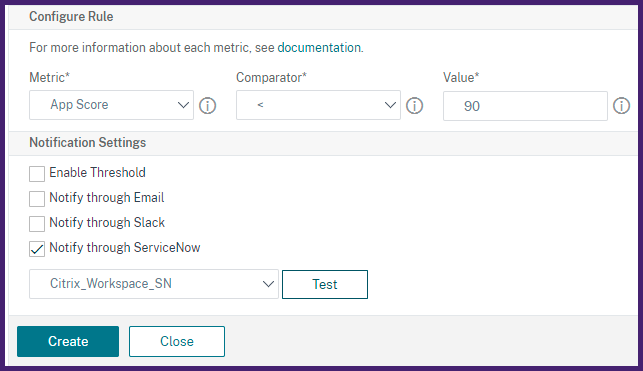 In this example, a ServiceNow incident is generated when the App score of applications falls under 90.
 -
The SSL certificate and ADM license events: NetScaler ADM can generate the ServiceNow incidents for the SSL certificate expiry and ADM license expiry events.To send ServiceNow notifications for an SSL certificate expiry, see The SSL certificate expiry.To send ServiceNow notifications for an ADM license expiry, see The NetScaler ADM license expiry.