
Monitor globally distributed sites
As a network administrator, you might have to monitor and manage network instances deployed across geographical locations. However, it is not easy to gauge the requirements of the network when managing network instances in geographically distributed data centers.
Geomaps in NetScaler® Application Delivery Management (ADM) provides you with a graphical representation of your sites and breaks down your network monitoring experience by geography. With geomaps, you can visualize your network instance distribution by location and monitor network issues.
The following section explains how you can monitor data centers in NetScaler ADM.
NetScaler ADM site is a logical grouping of Citrix Application Delivery Controller (ADC) instances in a specific geographical location. For example, while one site is assigned to Amazon Web Services (AWS) and another site might be assigned to Azure. Still another site is hosted on the premises of the tenant. NetScaler ADM manages and monitors all NetScaler instances connected to all sites. You can use NetScaler ADM to monitor and collect syslog, AppFlow, SNMP, and any such data originating from the managed instances.
Geomaps in NetScaler ADM provides you with a graphical representation of your sites. Geomaps also breaks down your network monitoring experience by geography. With geomaps, you can visualize your network instance distribution by location and monitor all network issues. You can navigate to Infrastructure > Instances page for a visual representation of the sites created on the world map.
Related information
Use case
A leading mobile carrier company, ExampleCompany, was relying on private service providers for hosting their resources and applications. The company already had two sites - one at Minneapolis in the United States and another in Alice Springs in Australia. In this image, you can see that two markers represent the two existing sites.
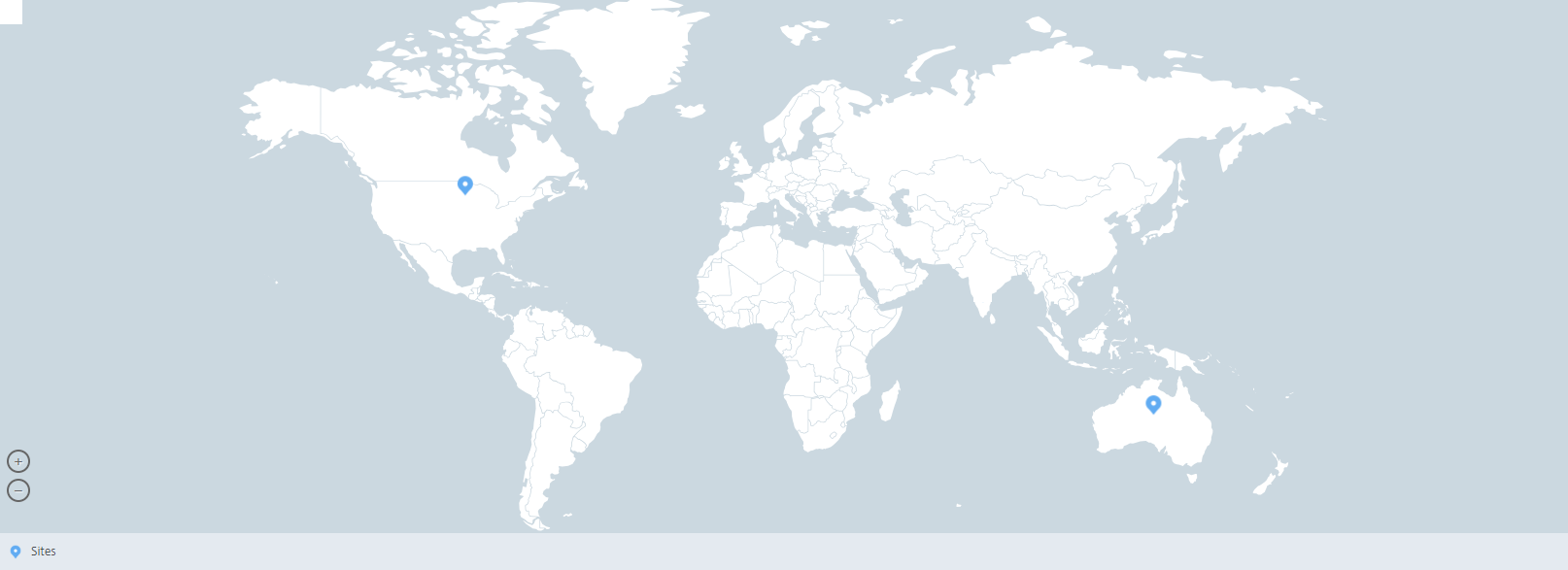
The markers also display a number, which shows the number of applications in each site. You can click these markers for more information about each site.
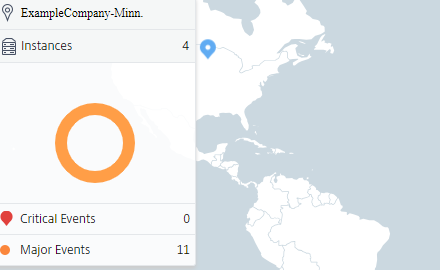
Click the tabs to view more information:
-
Instances tab: View the following in this tab:
-
IP address of each network instance
-
Type of the instance
-
Number of critical events on them
-
Significant events and all events raised on a NetScaler instance.
-
-
Events tab: View a list of critical and significant events raised on the instances.
-
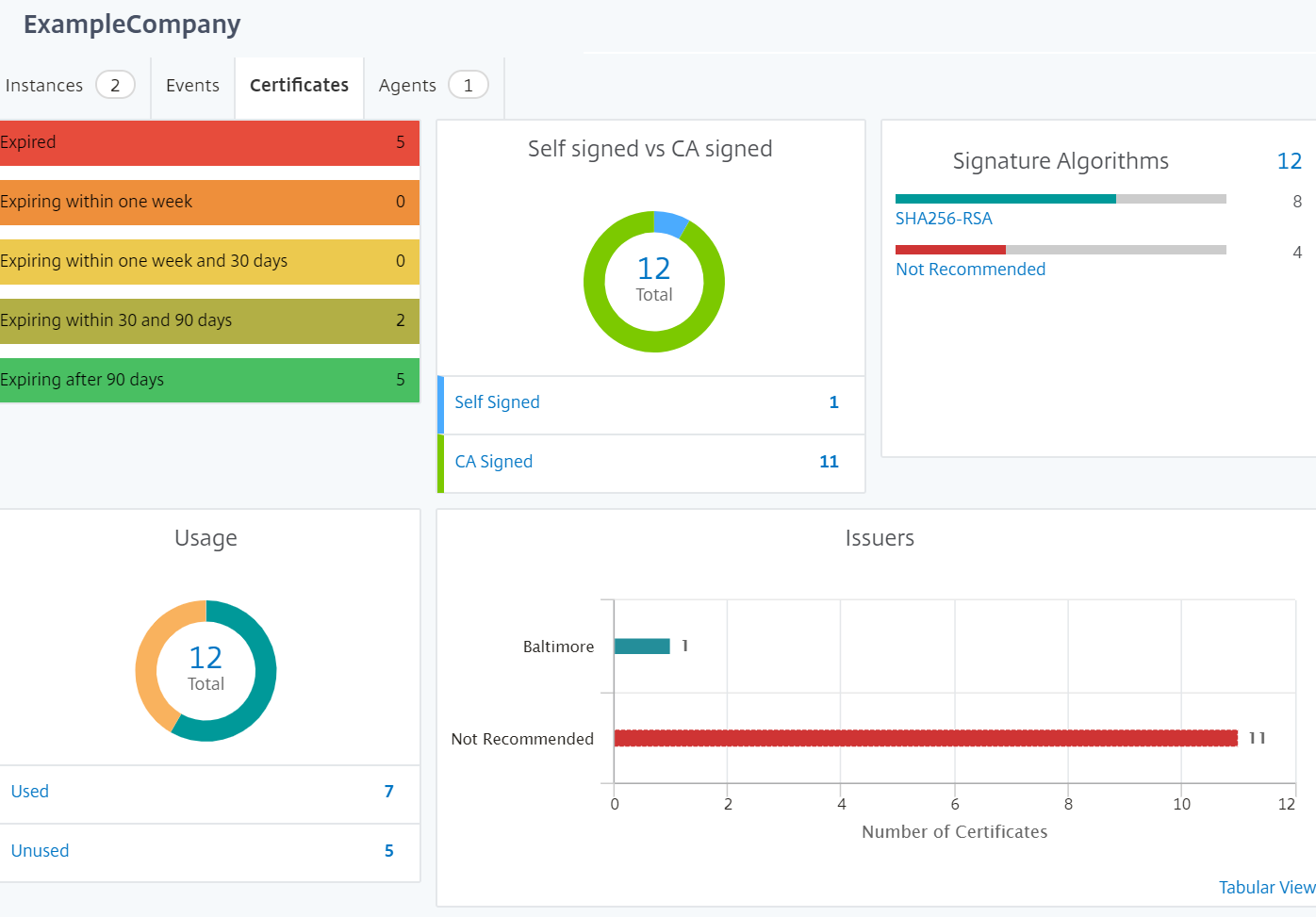
Certificates tab: View the following in this tab:
-
List of certificates of all the instances
-
Expiration status
-
Vital information and the top 10 instances by many certificates in use.
-
-
Agents tab: View a list of agents to which the instances are bound.
Configuring Geomaps
ExampleCompany decided to create a third site in Bangalore, India. The company wanted to test the cloud by offloading some of their less-critical, internal IT applications to the Bangalore office. The company decided to use the AWS cloud computing services.
As an administrator, you must first create a site, and next add the NetScaler instances in NetScaler ADM. You must also add the instance to the site, add an agent, and bind the agent to the site. NetScaler ADM then recognizes the site that the NetScaler instance and the agent belong.
For more information on adding NetScaler instances, see Adding Instances.
To create sites:
Create sites before you add instances in NetScaler ADM. Providing location information allows you to locate the site precisely.
Navigate to Infrastucture > Instances > Sites, and then click Add.
-
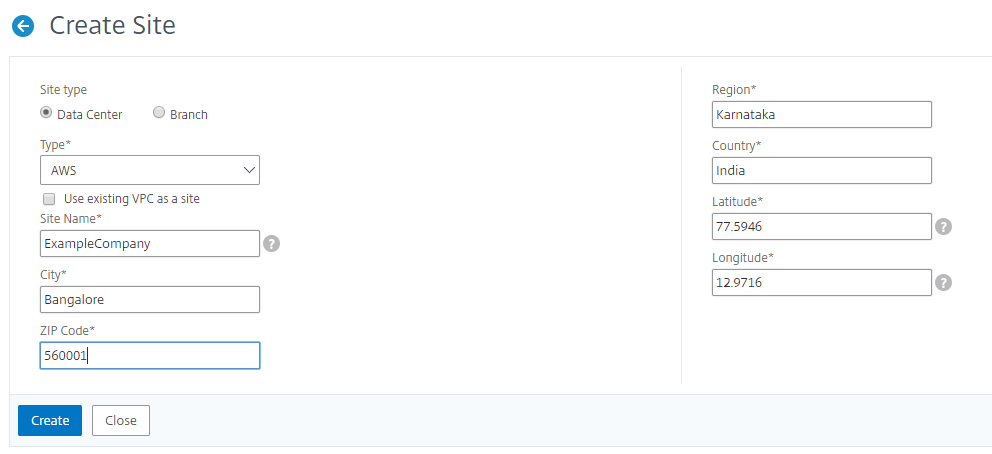
In the Create Site page, specify the following information:
-
Site Type: Select Data Center.NoteThe site can function as the primary data center or as a branch. Choose accordingly.
-
Type: Select AWS as the cloud provider from the list.NoteCheck the Use existing VPC as a site box accordingly.
-
Site Name: Type the name of the site.
-
City: Type the city.
-
Zip Code: Type the Zip Code.
-
Region: Type the Region.
-
Country: Type the Country
-
Latitude: Type the latitude of the location.
-
Longitude: Type the longitude of the location.
-
-
Click Create.
To add instances and select sites:
After creating sites, you must add instances in NetScaler ADM. You can select the previously created site, or you can also create a site and associate the instance.
After creating sites, you must add instances in NetScaler ADM. You can select the previously created site, or you can also create a site and associate the instance.
-
In NetScaler ADM, navigate to Infrastructure > Instances.
-
Select the type of instance you want to create, and click Add.
-
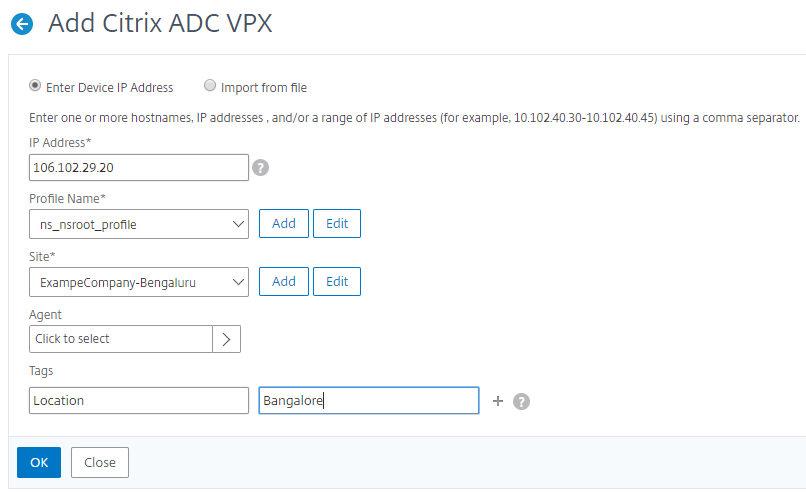
On the Add NetScaler VPX page, type the IP address and select the profile from the list.
-
Select the site from the list. You can click the + sign next to Site field to create a site or click the edit icon to change the details of the default site.
-
Click the right arrow and select the agent from the list that displays.
-
After choosing the agent, you must associate the agent with the site. This step allows the agent to be bound to the site. Select the agent and click Attach Site.
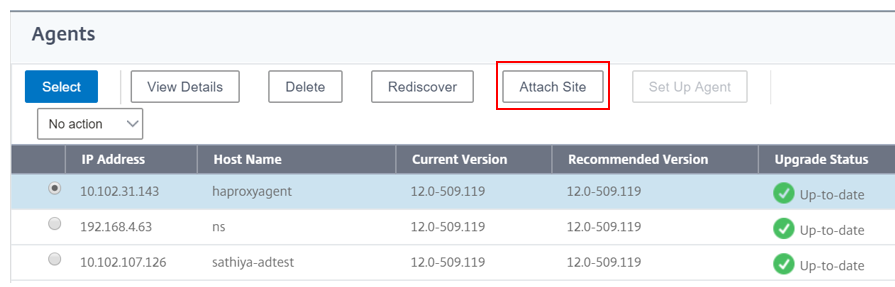
1. Select the site from the list and click Save.
1. Click OK.
You can also attach an agent to a site by navigating to Infrastructure > Instances > Agents.
To associate a NetScaler agent with the site:
-
In NetScaler ADM, navigate to Infrastructure > Instances > Agents.
-
Select the agent, and click Attach Site.
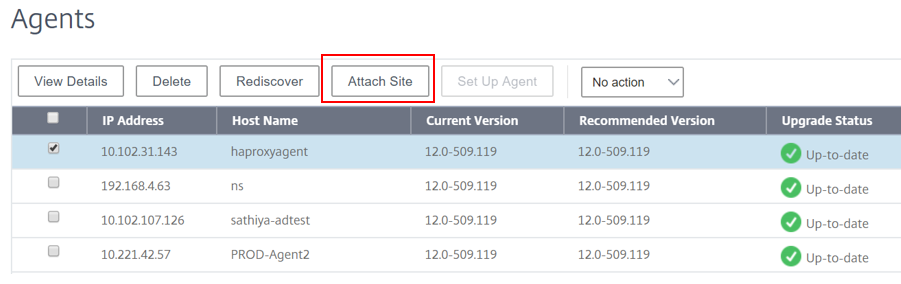
1. You can associate the site and click Save.
NetScaler ADM starts monitoring the NetScaler instances added in Bangalore site along with the instances at the other two sites as well.