
Configure thresholds in service graph
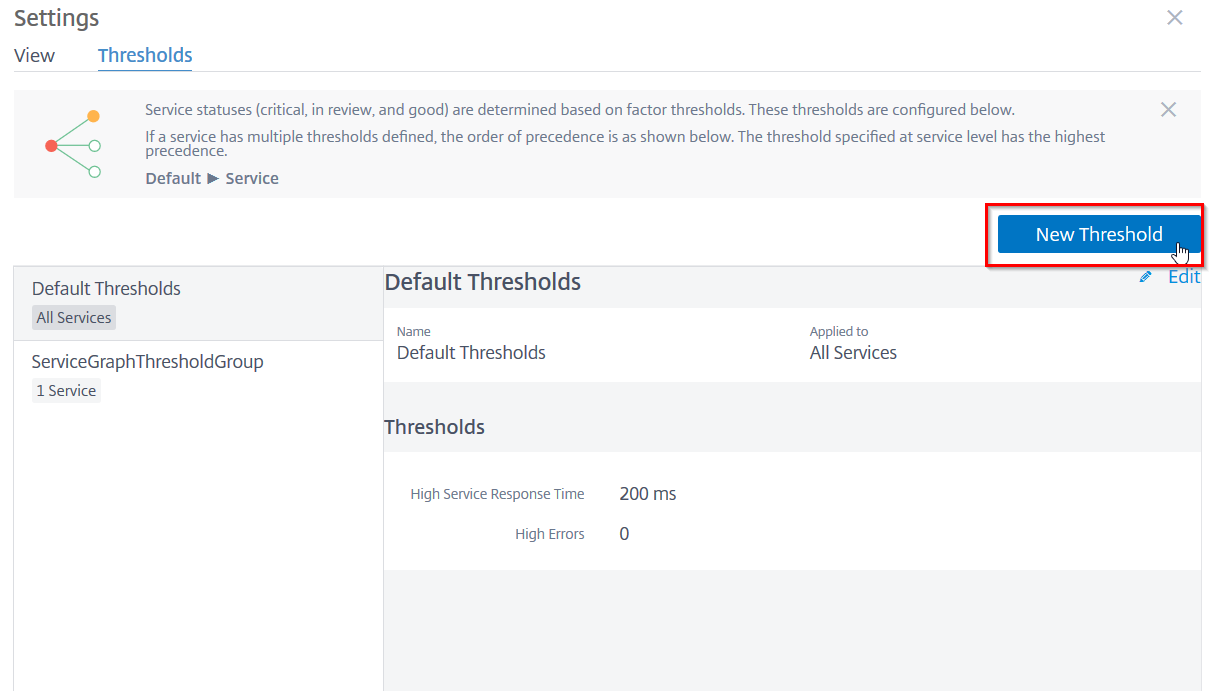
As an administrator, you can configure thresholds for Kubernetes services. NetScaler® ADM displays the service status (Critical, Review, and Good) based on the service response time and error count. By default, you can view the Default Threshold (service response time = 200 ms and error count = 0) applied to all services.
Note
You cannot delete the Default Threshold.
To configure a new threshold:
In service graph:
-
Click the settings icon and select the Thresholds tab.
-
Click New Threshold to configure a new threshold.
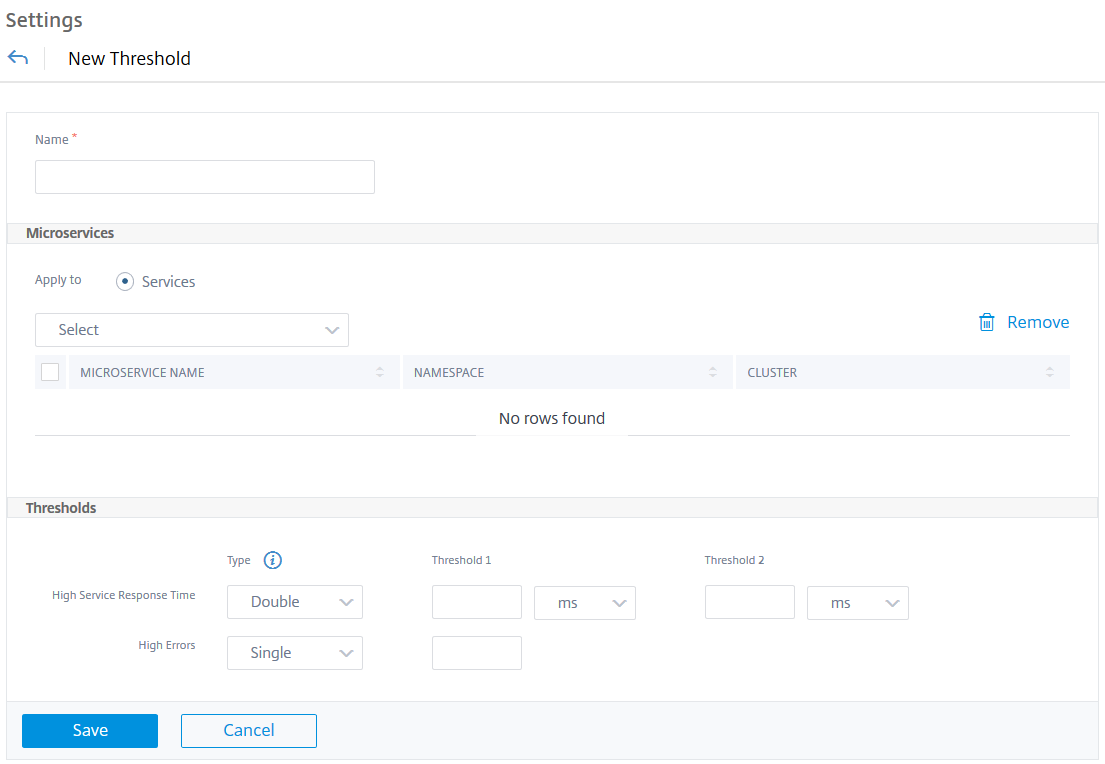
 The New Threshold page is displayed.
 -
Configure the following parameters:
-
Name – Specify a name for the threshold.
-
Under Microservices, select the services that you want to apply the threshold
-
Under Thresholds, select Single or Double for High Response Time and High Errors
-
Specify the threshold values.NoteIf you select double threshold, ensure:
-
Threshold 1 value is lesser than Threshold 2 value. For example, if you configure Threshold 1 as 250 ms, Threshold 2 must be 251 ms or higher.
-
Threshold 1 value must not be the same as Threshold 2 value.
-
-
-
Click Save.
 The threshold is successfully created. You can view the threshold details in the Thresholds page.
Related information
Single threshold
When you configure single threshold, NetScaler ADM:
-
Compares the current values with the configured threshold values
-
Calculates the total penalty based on the exceeded thresholds
-
Displays the service score and service status based on the penalty calculation
Double threshold
When you configure double threshold, NetScaler ADM:
-
Compares the current values with the configured threshold values
-
Checks if the current values are:
-
Lesser than threshold 1
-
Between threshold 1 and threshold 2
-
Greater than threshold 2
-
-
Calculates the total penalty based on the exceeded thresholds
-
Displays the service score and service status based on the penalty calculation