
Suppress events
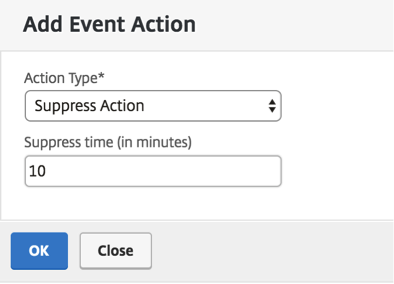
When you choose the Suppress Action event action, you can configure a time period, in minutes, for which an event is suppressed or dropped. You can suppress the event for a minimum of 1 minute.
Note:
You can also configure the suppress time as 0 minutes and it means infinite time. If you do not specify any time duration, then NetScaler® ADM considers the suppress time as zero and it never expires.
To suppress events by using NetScaler ADM:
-
In NetScaler Application Delivery Management (ADM), navigate to Infrastructure > Events > Rules. Click Add.
-
Specify all the parameters required to create a rule.
-
Under Event Rule Actions, click Add Action to assign notification actions for the event.
-
On the Add Event Action page, select Suppress Action from the Action Type drop-down list and specify the time period, in minutes, for which an event must be suppressed.
-
Click OK.
Related information