
Migrate NetScaler® ADM single-server deployment to a high availability deployment
You can upgrade your NetScaler ADM single server to a high availability deployment of two NetScaler ADM servers. A high availability pair of NetScaler ADM servers is in active-passive mode, and both the servers have the same configuration. In this type of active-passive deployment, one NetScaler ADM server is configured as the primary node and the other as the secondary node. If for any reason, the primary node goes down, the secondary node takes over.
To migrate a NetScaler ADM single server to a high availability pair, you need to provision a new NetScaler ADM server node, configure it as the second NetScaler ADM single server, and deploy both the NetScaler ADM servers as a high availability pair.
Migrating a NetScaler ADM single server to a high availability mode involves the following steps:
-
Modifying the existing server node
-
Provisioning the second server node
-
Deploying the two nodes in HA mode
-
Configuring the high availability pair
Related information
Modify the existing NetScaler ADM server node
To migrate the NetScaler ADM from single server to high availability mode, you have to change the initial deployment type of the server node to high availability mode.
-
On a workstation or laptop, open the console of the existing NetScaler ADM server node. For example, consider that you have deployed a NetScaler ADM with IP address as 10.106.171.17 as a standalone server.
-
Log on to NetScaler ADM. The default credentials are
nsrootandnsroot. -
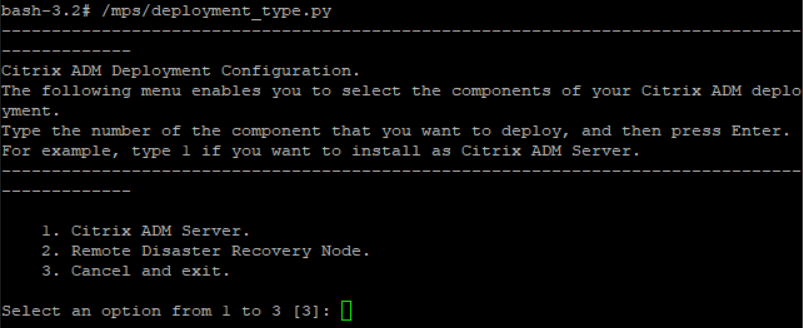
In the shell prompt, type
/mps/deployment_type.py, and press Enter. -
Select the deployment type as NetScaler ADM server. If you do not select any option, by default, it is deployed as a server.
-
The deployment console prompts you to select the server deployment (as standalone). Type No to confirm the deployment as high availability pair.
-
The console prompts you to select the (first server node). Enter Yes to confirm the node as the first server node.
-
The console prompts you to restart the server.
-
Type Yes to restart.

Provision the second server node
You have to provision the second server on your hypervisor. Use the same image file that you used to install the first server, or obtain an image file of the same version from the NetScaler site.
-
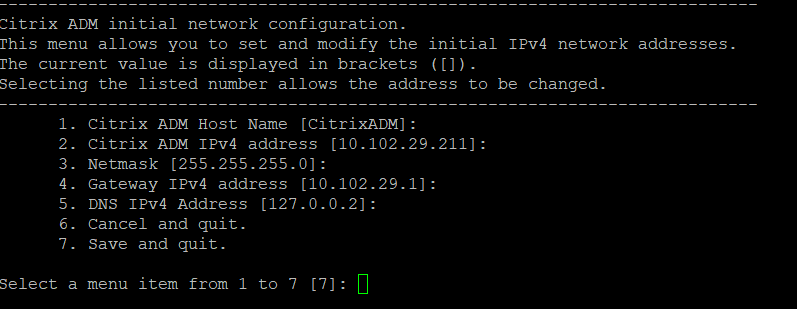
Import the image file to your hypervisor, and then from the Console tab configure the initial network configuration options as explained on the following screen:
-
After specifying the required IP addresses, in the shell prompt, type /mps/deployment_type.py, and press enter.
-
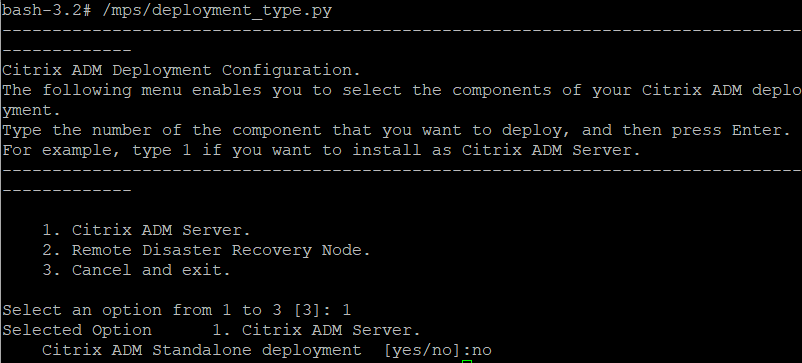
Select the deployment type as NetScaler ADM server.
-
The deployment console prompts you to select the server deployment (as standalone). Type No to confirm the deployment as high availability pair.
-
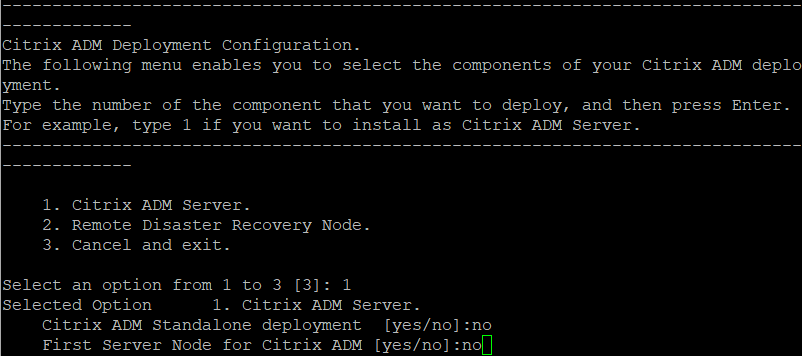
The console then prompts you to select the (first server node). Type No to confirm the node as the second server node.
-
Enter the first server's IP address and password.
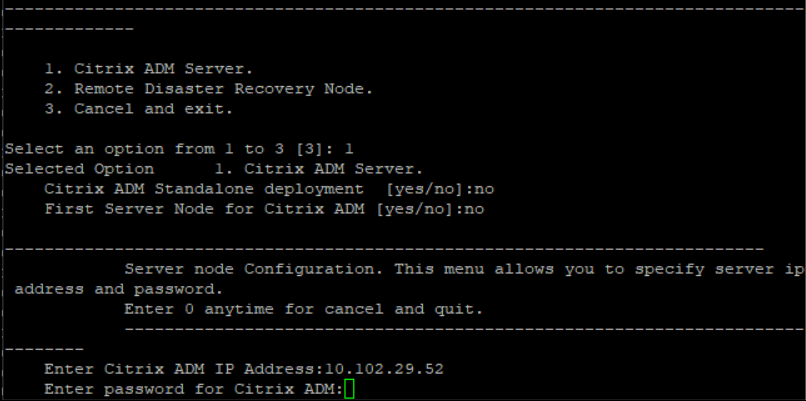
-
Enter the floating IP address of the first node.
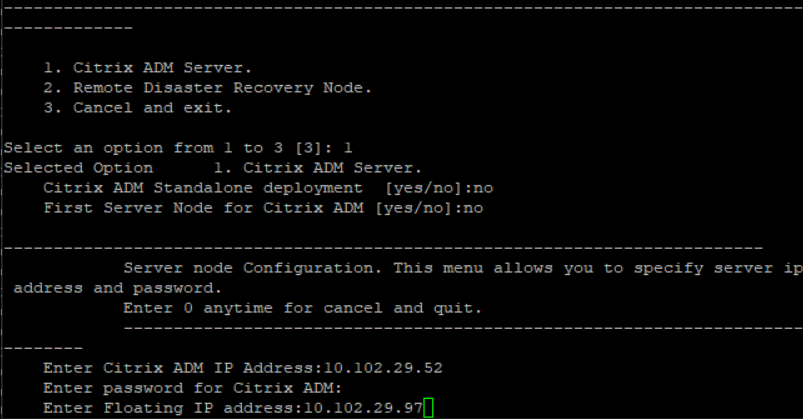
-
The console prompts you to restart the system. Enter Yes to restart.
Deploy the two servers in a high availability mode
To complete the installation process of the two server nodes as a high availability pair, you have to deploy these nodes from the GUI of the previously existing NetScaler ADM server node. Internal communication between the two servers starts when you deploy the two server nodes.
Important
Before deploying high-availability nodes, ensure to change the default password.
-
In a web browser, type the IP address of the previously existing NetScaler ADM server node.
-
In the User Name and Password fields, enter the administrator credentials.
-
On the System tab, navigate to Deployment and click Deploy.
-
A confirmation message appears. Click Yes.NoteAfter you deploy NetScaler ADM in high availability, you can either access the primary node or the floating IP address. You cannot access the secondary node from 12.1 release onwards.
-
Though you have entered the floating IP while configuring the second server node, you have an option to update the FIP on the Systems page. Click HA Settings > Configure Floating IP Address for High Availability Mode. You can view the floating IP address you configured earlier. You can enter a new IP address and click OK.