
Audit configuration changes across instances
You want to make sure that certain configurations are running on specific instances for optimal performance of your network. You also want to monitor configuration changes across managed Citrix Application Delivery Controller™ (ADC) instances, troubleshoot configuration errors, and recover unsaved configurations after a sudden system shutdown. You can create audit templates with specific configurations you want to run on certain instances. The NetScaler Application Delivery Management (NetScaler ADM) compares these instances with the audit template and reports if there is a mismatch in configuration. This enables you to troubleshoot and rectify the errors.
You can automate the running of the audit template by scheduling the time at which the template has to run. You can also set the frequency at which NetScaler® ADM must run the template. You can run the template daily, on a specific day in a week, or on a specific date in a month. You also have the option to send the diff report generated by NetScaler ADM to specified email addresses that you can configure. By this option, your user receives the report as a mail attachment and there is no need for the user to log on to NetScaler ADM to check the reports manually.
To create audit templates:
-
Navigate to Infrasturcture > Configuration Audit > Audit Templates, and click Add.
-
On the Create Template page, and in the Audit Commands tab, specify the template name and its description.
-
In the Configuration Editor, type in your commands and save the commands as a configuration template. You can also drag an existing template from the left pane on the editor.
-
Select the values that you want to convert to a variable, and then click Convert to Variable. For example, select the IP address of the load balancing server
ipaddress, and click Convert to Variable as shown in the image below.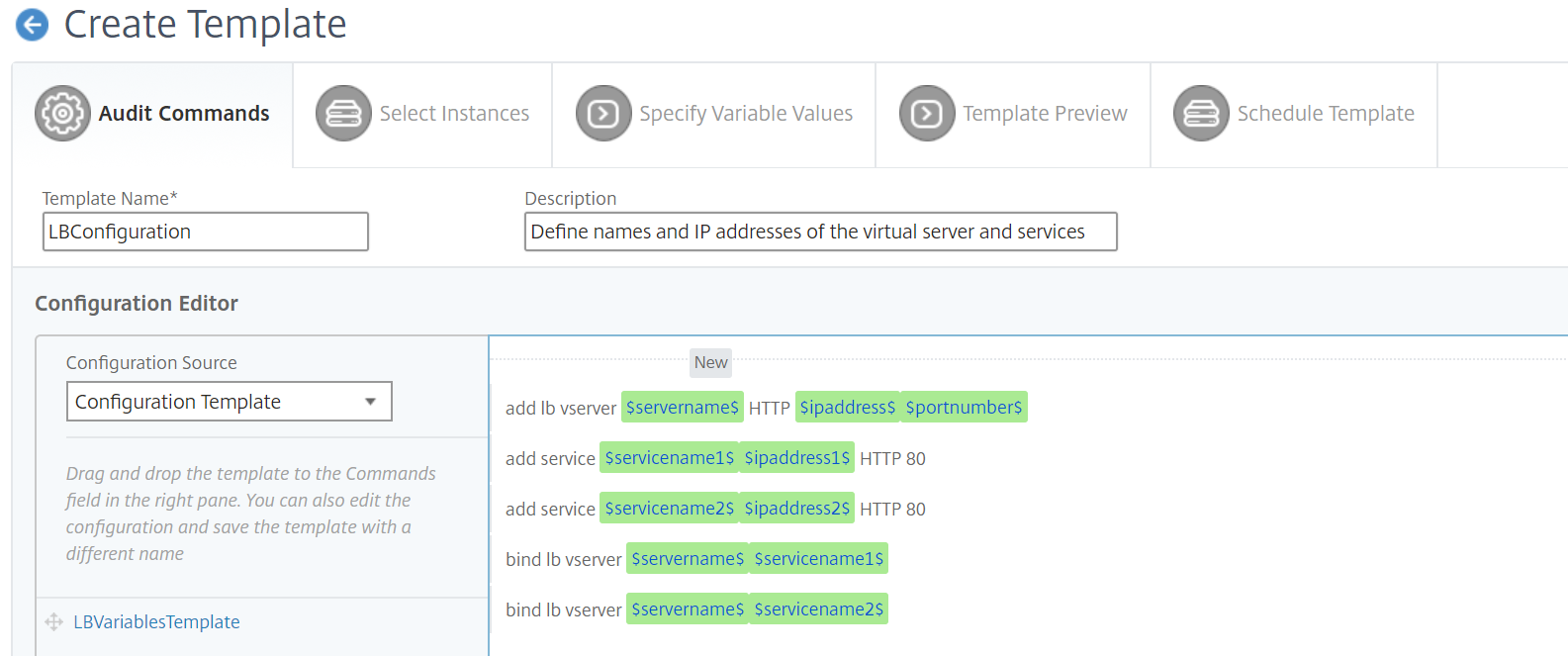 Click the Advanced option if you want to further specify a default value for your variable.You can also save the commands as a configuration template.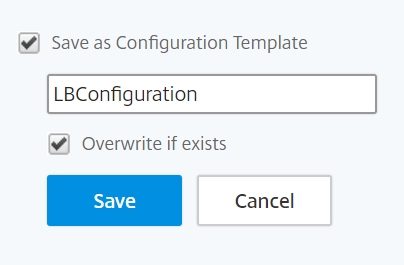
-
Click Save and then, click Next.
-
In the Select Instances tab, select the instances you want to run the configuration audit on.
-
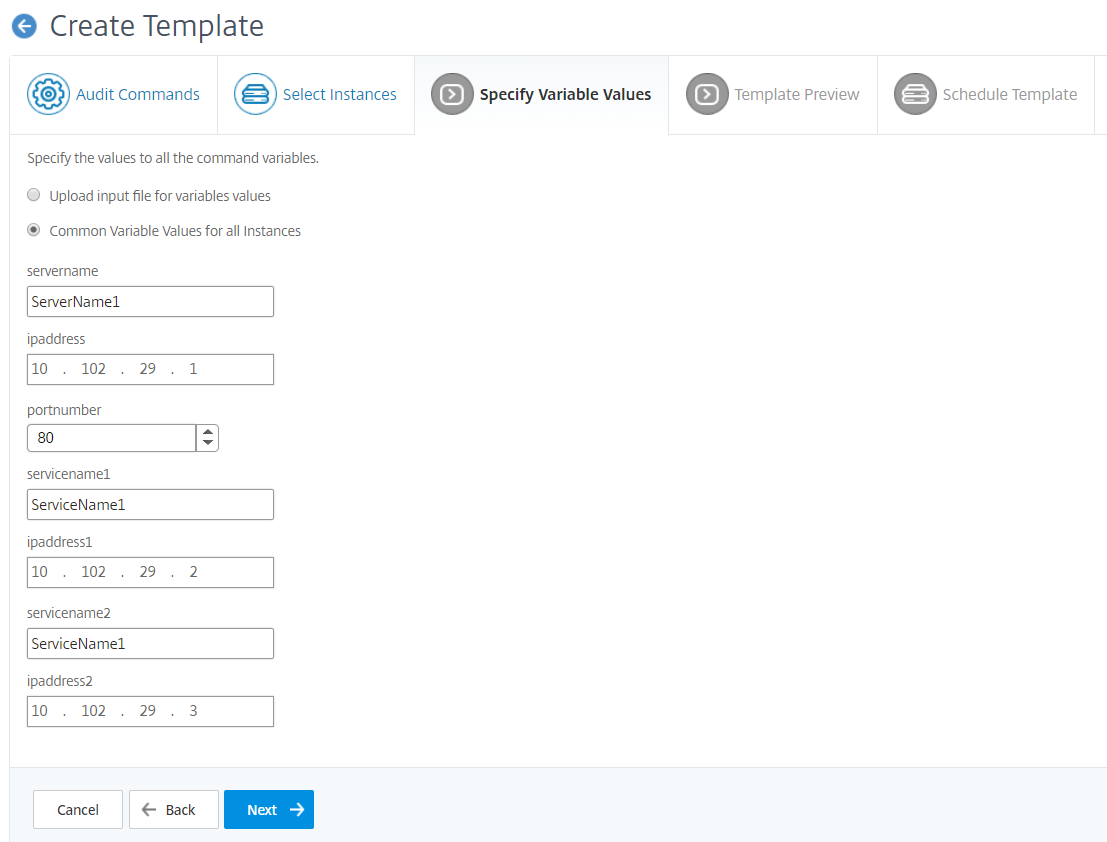
In the Specify Variable Values tab, you have two options:
-
Download the input file to enter the values for the variables that you have defined in your commands, and then upload the file to the NetScaler ADM server
-
Enter common values for the variables that you have defined for all instances
-
-
Click Next.
-
In the Template Preview tab, you can evaluate and verify the commands to be run on each instance or instance group. Click Next.
-
In the Schedule Template tab, you have three options to automate the running of the template and the mail address to send the diff report.
-
Use global polling interval. Select this option to run the template on the instances at a time configured globally on NetScaler ADM
-
Customize template schedule. Use this option to configure the time and the frequency at which the templates need to be run
-
Send report through email. use this option to configure the mail profile to which the diff report has to be sent as a mail attachment.
-
-
Click Finish.
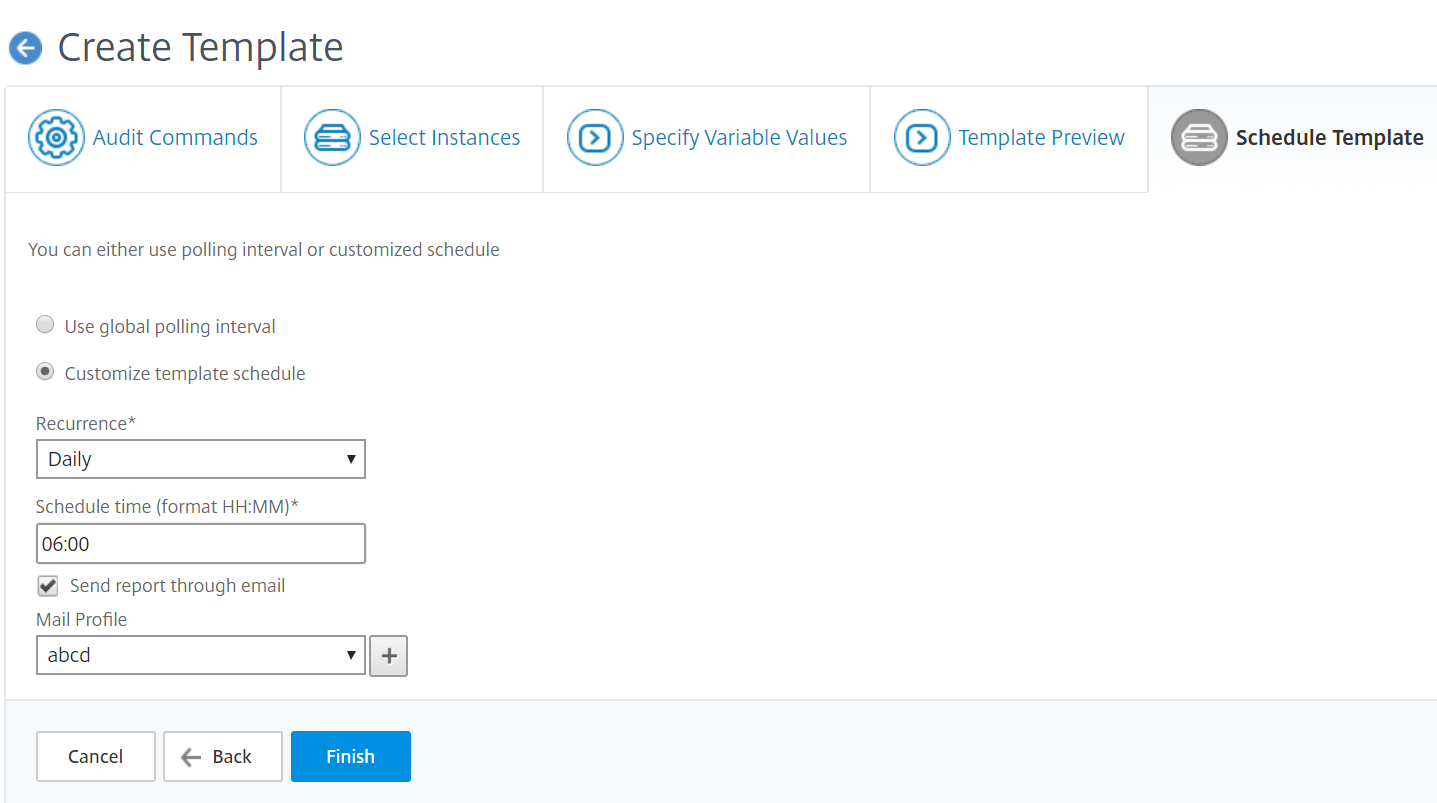
The audit template appears in the Audit Templates list and is run at the scheduled time against the configurations in the specified instances.
Related information
Viewing details of configuration changes
You can also use the Configuration Audit dashboard to view high-level details about configuration changes such as:
-
The top ten instances by configuration change
-
The number of saved and unsaved configurations
-
The file added, removed, or modified in the
nsconfigfolder
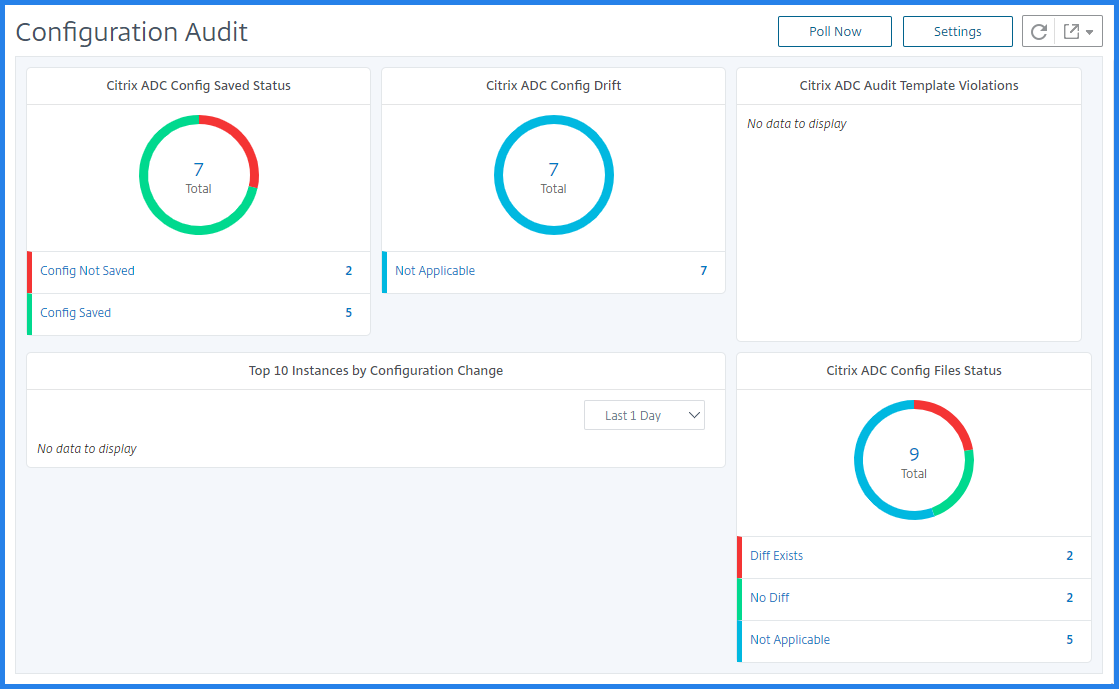
NetScaler ADM also allows you to poll configuration audits manually and adds all the configuration audits of the instances immediately to the NetScaler ADM. To do so, navigate to Infrastructure > Configuration Audit, click Poll Now, the pop-up page Poll Now provides you an option to poll all NetScaler instances in the network, or poll the selected instances.
You can also force an audit on an instance. To do so, click any of the following charts:
-
NetScaler Config Saved Status
-
NetScaler Config Drift
On the Audit Reports page, select the instance and, in the Action list, select Poll Now.

The NetScaler Config File Status chart provides you the status of the NetScaler files present in the
nsconfig folder. The NetScaler ADM records and compares changes in files within the nsconfig folder and displays the differences. See, View the file status audit reports.
Set configuration audit notifications
-
Navigate to Infrastructure > Configuration Audit.
-
On the Configuration Audit page, click Settings.
-
On the Notification Settings page, click the Edit icon, to enable the notification settings.
-
Select the Enabled check box and then, choose an email distribution list from the drop-down list. You can also create an email distribution list by clicking the + icon and specifying email server details.