
Oracle e-business StyleBook
Oracle E-Business Suite is the most comprehensive suite of integrated, global business applications. This suite enables organizations to make better decisions, reduce costs, and increase performance and consists of the following applications.
-
Enterprise resource planning (ERP)
-
Customer relationship management (CRM)
-
Supply-chain management (SCM)
These computer applications are either developed or acquired by Oracle. The Oracle E-Business Suite 12.2 StyleBook allows you to deploy the configuration on the selected NetScaler instances.
This StyleBook creates a load balancing configuration that comprises a load balancing virtual server, a service group, and a list of services. It also binds the services to the service group and binds the service group to the virtual server. You can choose encrypted communication by selecting SSL and providing the SSL files and key files from your local system.
Related information
To create a configuration for Oracle E-Business Suite 12.2
-
In NetScaler Application Delivery Management (ADM), navigate to Applications > Configuration > StyleBooks. The StyleBooks page displays all the StyleBooks that are available in your NetScaler ADM. Scroll down and select Oracle E-Business Suite 12.2. You can also use the search option to search the StyleBook.
-
Click Create Configuration in the StyleBook panel.
-
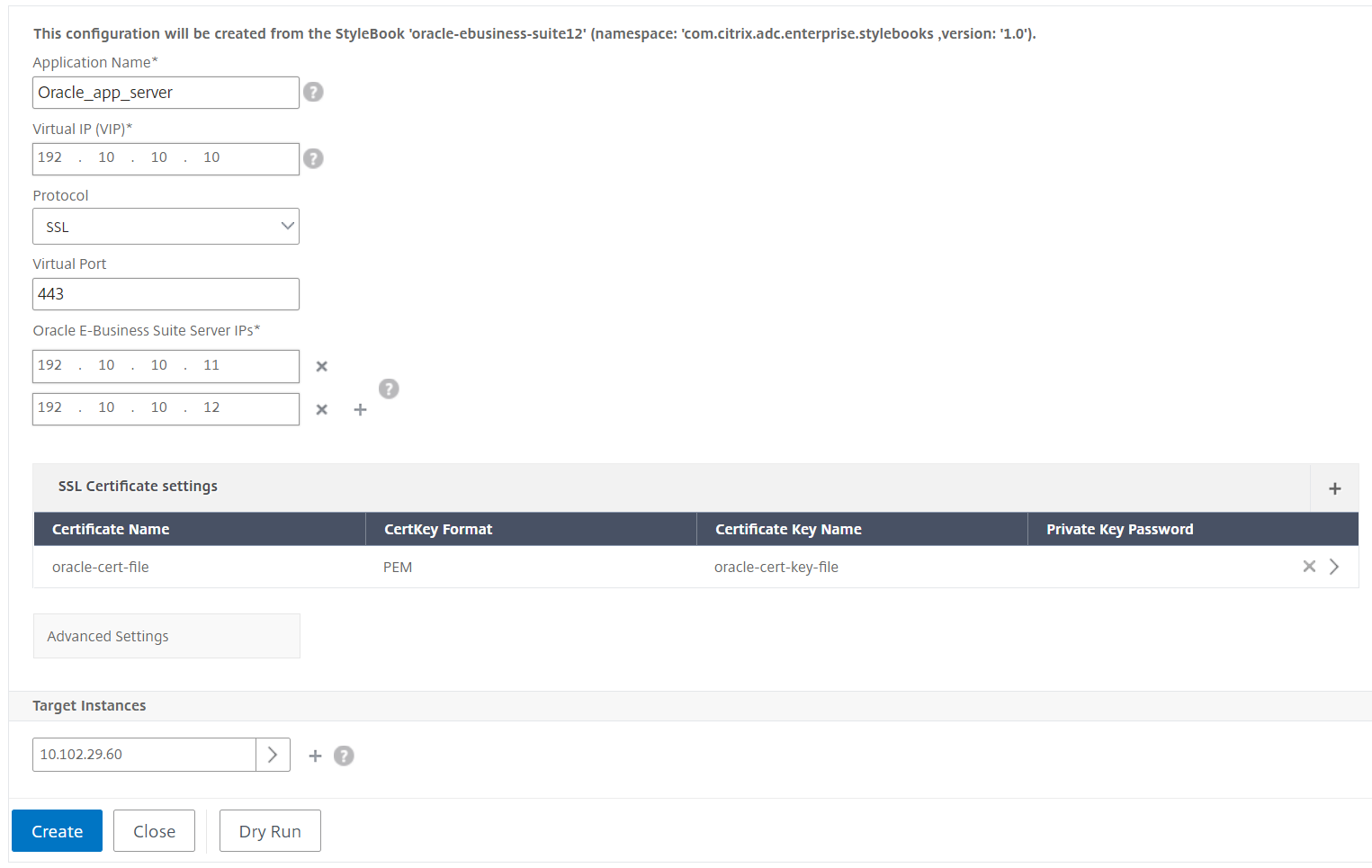
Type the name of the load balancer application and the virtual IP address in the load balancer settings section.
-
Select the required protocol. You have two options here - HTTP and HTTPS/SSL. You can also type the port number.
-
Type the IP addresses of all the Oracle E-Business Suite application servers in the network that are to be load balanced. Click + to add more server IP addresses.
-
In SSL Certificates Settings section, select the respective files from your local storage. You can also enable Advanced Certificate Settings check box. Here, you can configure more details such as certificate expiry notification period. You can also enable or disable the certificate expiry monitor.Select the target NetScaler instance on which the configuration must be created, and click Create.
 TipYou can also click the refresh icon to add recently discovered NetScaler instances in NetScaler ADM to the available list of instances in this window. The refresh icon is currently available only on NetScaler ADM.