
Use API to delete custom StyleBooks
You can delete the custom StyleBook by providing the following StyleBooks REST API:
DELETE

 https://<MAS_IP>/stylebook/nitro/v1/config/stylebooks/<NAMESPACE>/<VERSION>/<NAME>?dependencies=true
If the dependencies query parameter in the URL is not provided or its value is set to false, then the StyleBook dependencies are not deleted (only the StyleBook itself is deleted).
When you receive an HTTP response status code of 200, that means the custom StyleBook (and its dependencies) is successfully removed from NetScaler® ADM.
Note
You cannot delete a custom StyleBook that has other StyleBooks in MA Service that depend on it.
For example, assume that you had created a StyleBook named "lb-virtual-ssl-extended" in NetScaler ADM. You later decided to delete that StyleBook.
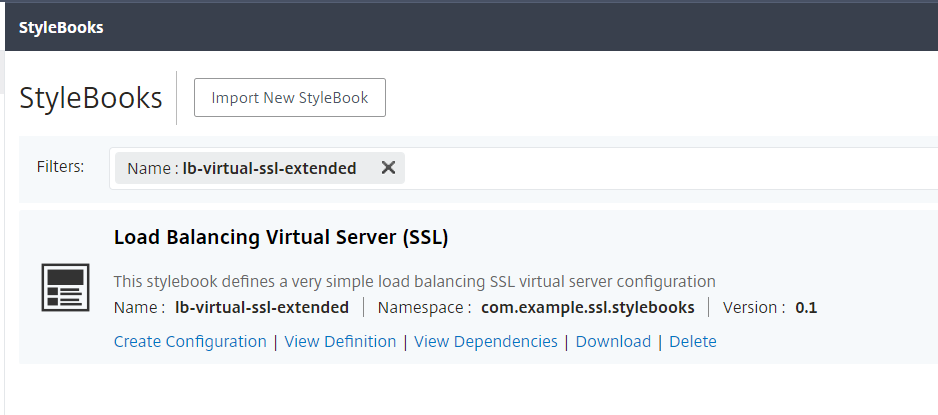
You can run the API in any tool such as the curl command line tool or the Postman chrome browser extension after making modifications to the IP address, name, version, and namespace fields.
DELETE
<https://10.102.29.55/stylebook/nitro/v1/config/stylebooks/com.example.ssl.stylebooks/0.1/lb-virtual-ssl-extended?dependencies=false>
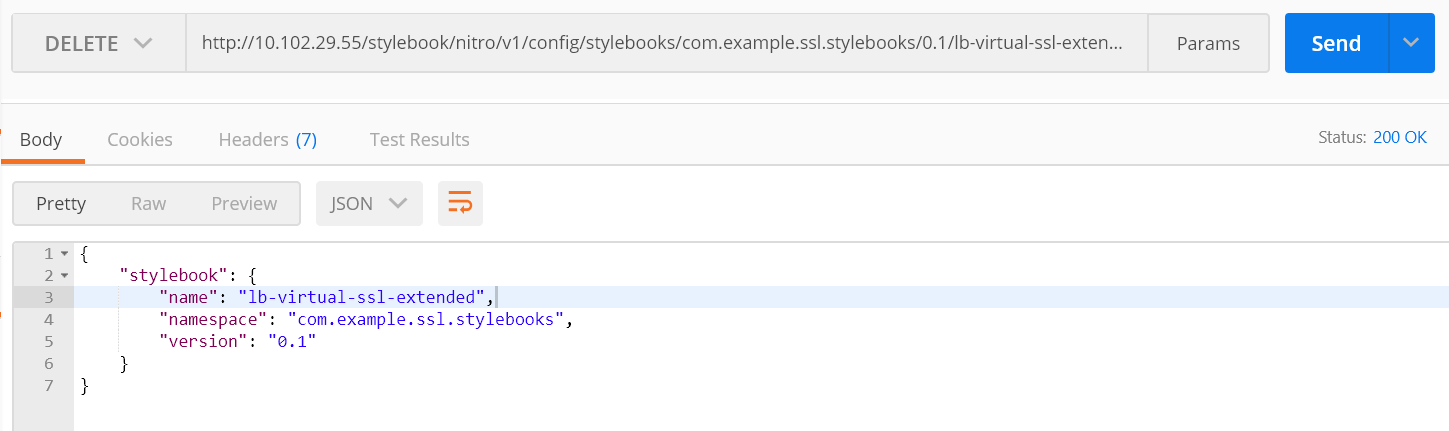
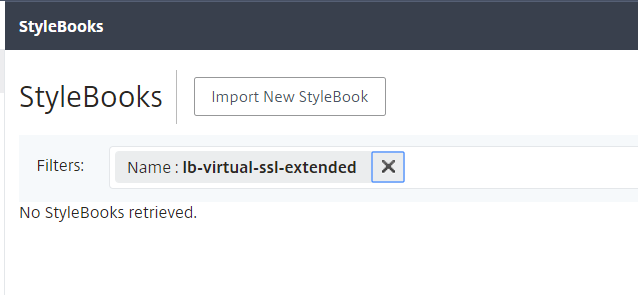
The StyleBook gets deleted from NetScaler ADM.
Related information