Modes of telemetry collection
Related information
Automated telemetry collection mode
This mode is enabled by default after you upgrade to NetScaler Console on-prem 14.1-25.53 / 13.1-53.22 or later build.
Prerequisites for the automated telemetry collection mode:
-
Ensure that you have an internet connection or have a proxy server configured in NetScaler Console on-prem for Citrix Cloud™ accessibility.
-
Ensure that the following endpoint URLs are reachable:
-
Download Service URL:
https://download.citrixnetworkapi.net -
Service URL:
https://adm.cloud.com(required only in 13.1-57.x or earlier build). -
Auto-enabled channel:
https://safehaven.adm.cloud.com
-
-
Ensure that the following port is open:
Port Type Details Direct of communication 5140 UDP Port to receive NetScaler Gateway telemetry data NetScaler to NetScaler Console
After you upgrade to 14.1-25.53 or 13.1-53.22 build and navigate to the NetScaler Telemetry page, click Next in the following pop-up window:
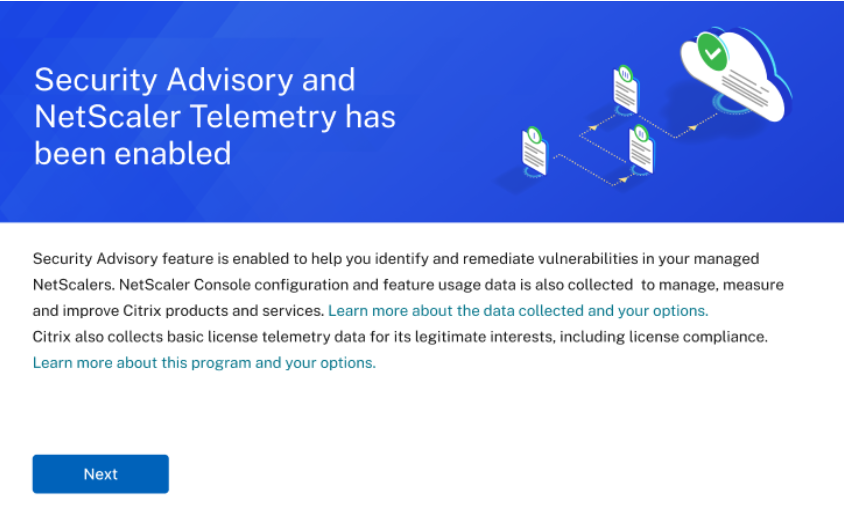
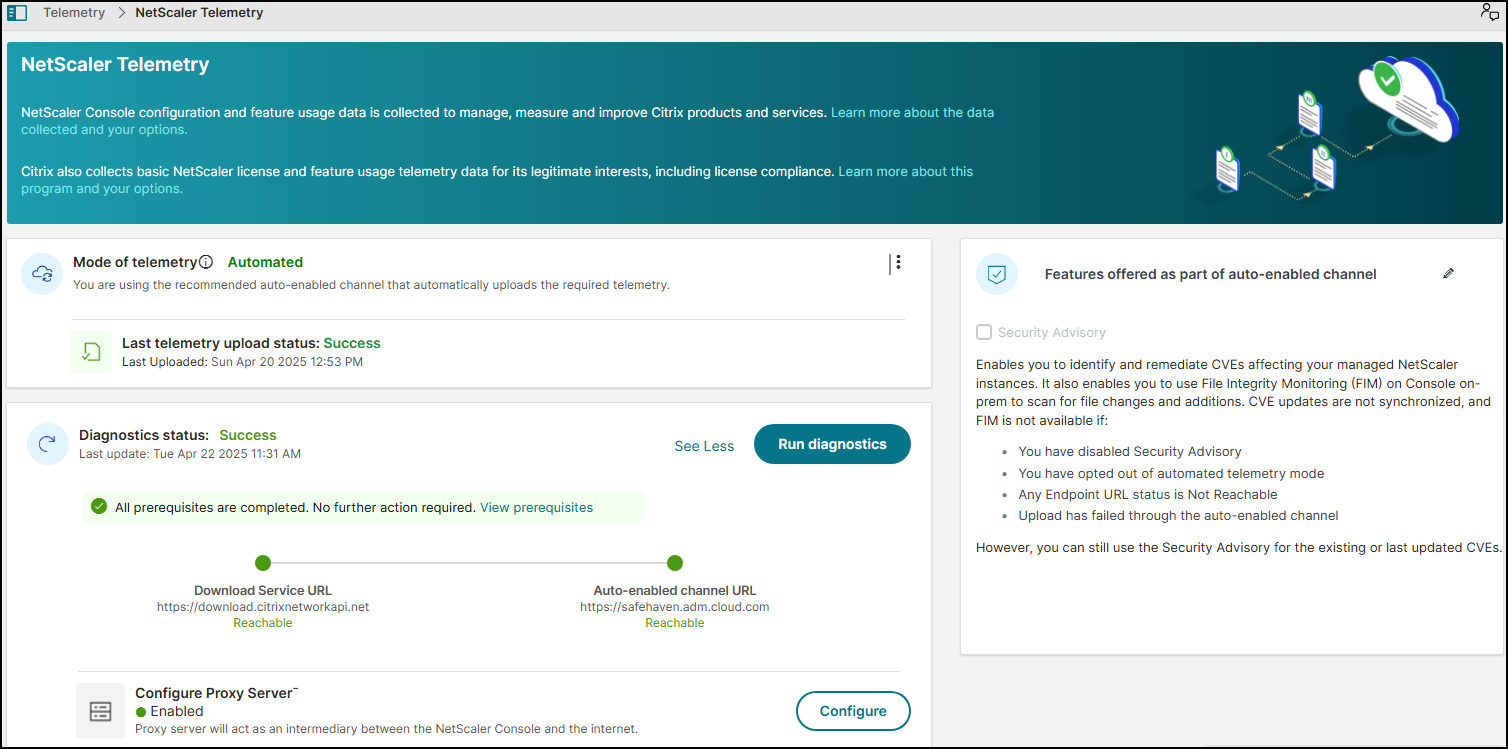
The diagnostic helps to examine the outbound connectivity to these endpoint URLs and lets you know if they are in reachable status.
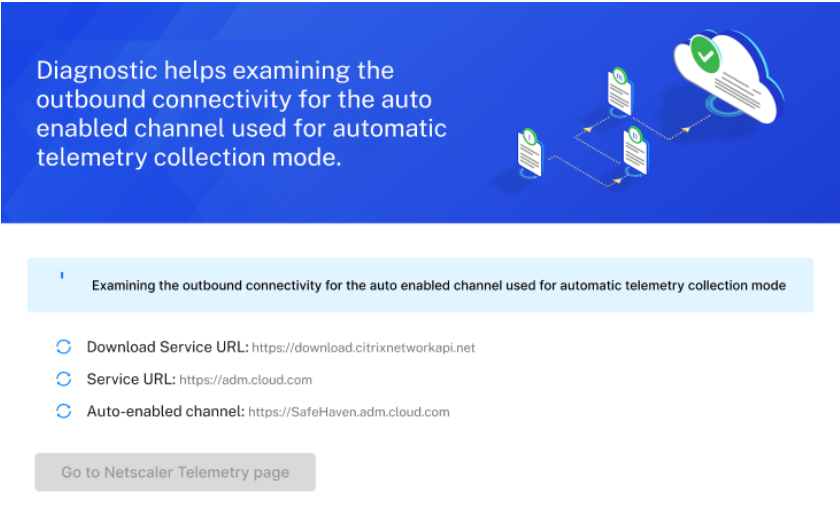
After you see the endpoint URLs in reachable status, click Go to NetScaler® Telemetry page.
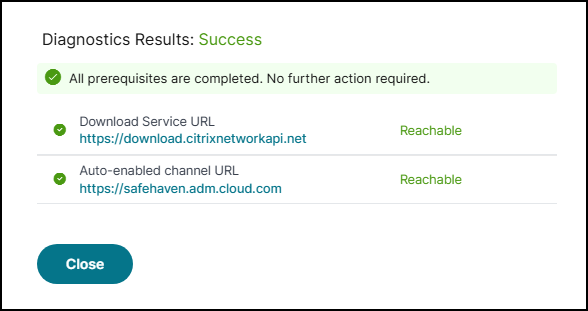
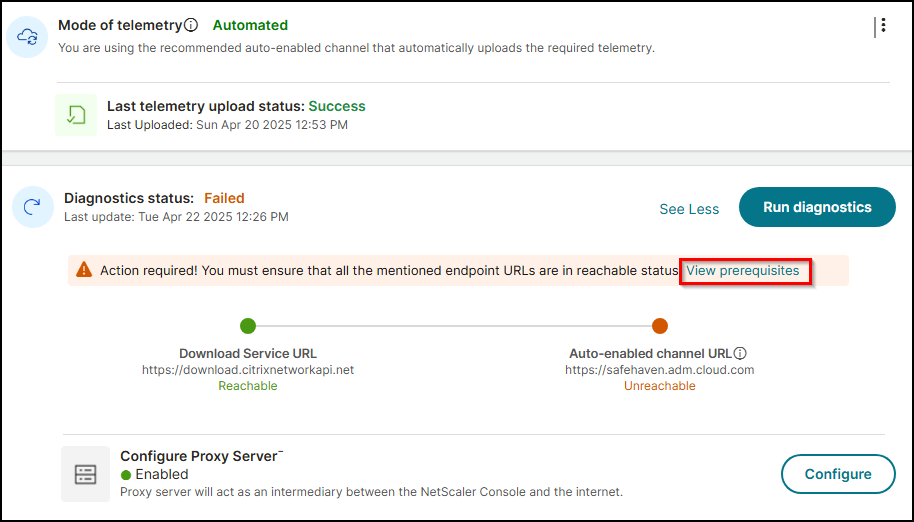
If any prerequisites fail, the diagnostic check displays the endpoints that are not reachable and you must ensure that the URLs reachable. Click view pre-requisites to view details.
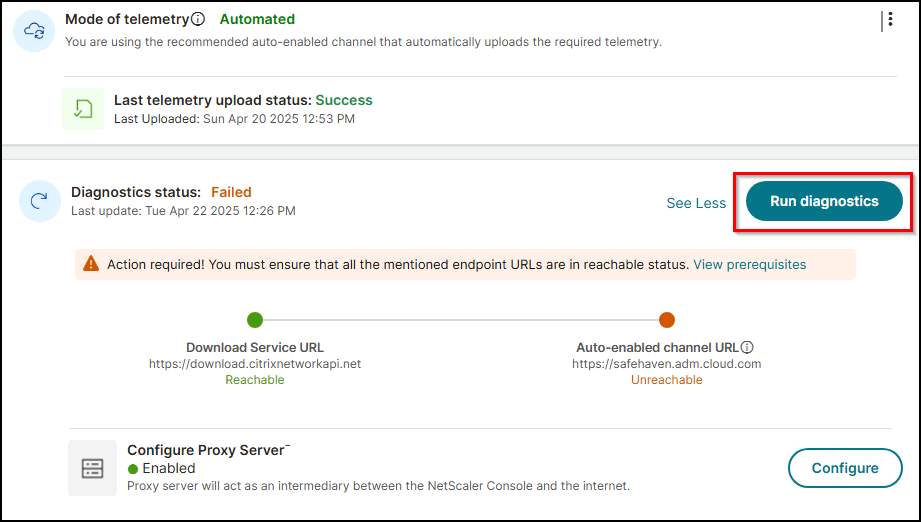
You can run diagnosis by clicking Run diagnosis to confirm if the endpoint URLs are reachable.
If no action is taken, your NetScaler Console on-prem might be non-compliant with the NetScaler telemetry program.
As part of the auto-enabled channel, you can use the Security Advisory feature with latest CVE updates in NetScaler Console on-prem. The Security Advisory feature enables you to identify the CVEs putting your NetScaler instances at risk and recommends remediations. You can view the latest CVE details that are impacting your NetScaler instances in Security Advisory. For more information, see Security Advisory.
Note:
You can also disable Security Advisory. If you disable Security Advisory, or opt-out of automated telemetry mode, or any prerequisites fail, the new CVE updates are not available and you can only use the Security Advisory with the existing or the last updated CVEs.
After the automated telemetry collection is enabled successfully, the first upload happens within 24 hours. The subsequent uploads happen every 24 hours automatically. The status changes to Success after the upload is complete.
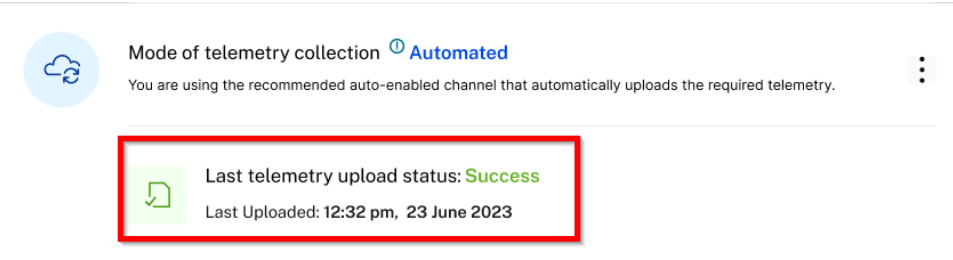
If the upload fails, ensure that the endpoint URLs are reachable. If the status indicates reachable and still the upload fails, contact Customer Care.
Manual telemetry collection mode
To use the manual telemetry collection mode, you must first disable Security Advisory and then click the vertical ellipse and select Disable.
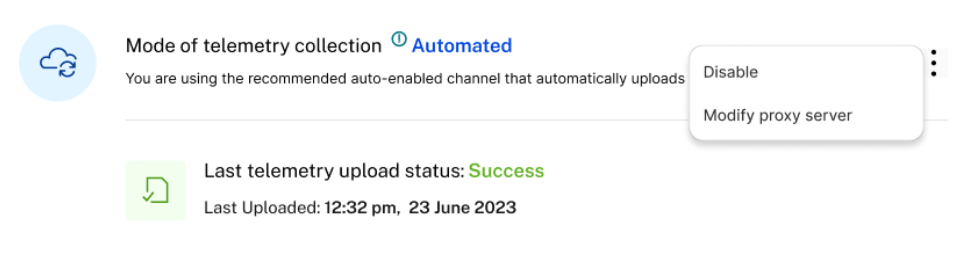
In the pop-up window, click I agree to upload the data manually to disable the automated telemetry collection. The mode of telemetry collection is automatically changed to Manual. In the Manual telemetry mode, the new CVE updates are not available and you can only use the Security Advisory with the existing or the last updated CVEs.
After you opt for manual mode, you must download the telemetry and complete the first upload in NetScaler Console service within 30 days. The subsequent uploads are to be done every 90 days thereafter.
Note:
A maximum of 2 GB NetScaler Console disk space is utilized to save the 90 days of telemetry data.
From the NetScaler Telemetry homepage, click Download Telemetry to download the bundle (.tgz) file that comprises the required telemetry data.

After you download the telemetry file, you must upload it to the NetScaler Console service. To upload in NetScaler Console service:
-
Log on to Citrix Cloud (citrix.cloud.com). If you do not have a Citrix Cloud account, sign up for a new account. For more information, see Create a Citrix Cloud account.
-
Select an account.
-
Under NetScaler Console Service, click Manage.
-
Set up a Console service account.
-
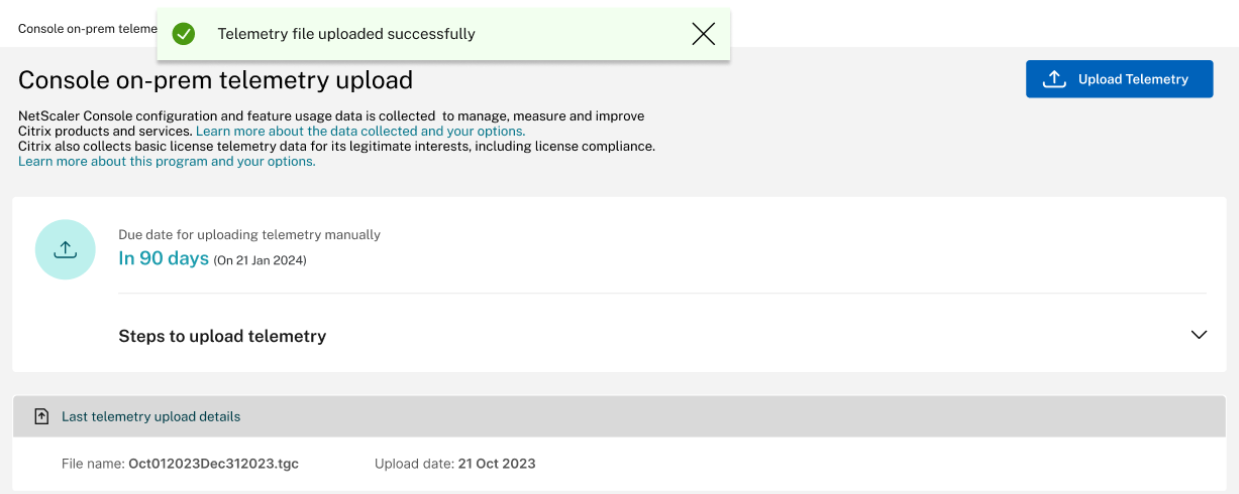
In NetScaler Console service, navigate to Settings > Console on-prem telemetry upload.
-
Click Upload Telemetry and select the downloaded (.tgz) file to complete the upload process.
-
Complete the first upload within 30 days of selecting manual mode. Repeat the same procedure and upload the telemetry file every 90 days thereafter.
 Notes:
-
The upload fails if the file is not in a valid (.tgz) format or the file does not pass the integrity checks. The recommendation is to download again and retry to upload. If the issue persists, contact Customer Care.
-
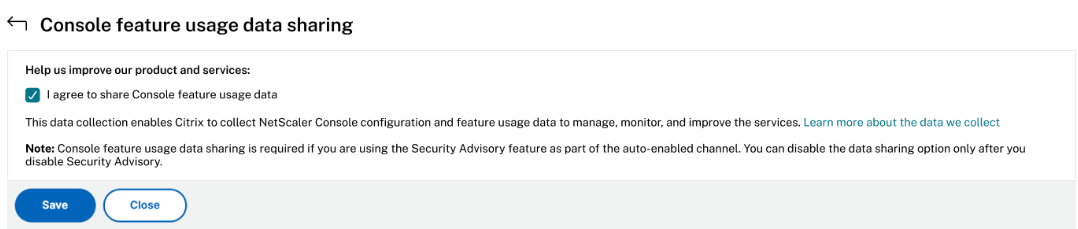
You can disable uploading the optional telemetry data. To disable, you must first disable Security Advisory in the NetScaler Telemetry page, then navigate to Settings > Administration > Enable or disable the Console feature data sharing, and clear the I agree to share Console feature usage data checkbox.
-
In your NetScaler Console on-prem, a reminder banner appears 7 days before the upload due date.
-
Notifications for telemetry uploads
By default, email notifications are enabled for telemetry uploads. The prerequisite to receive email notification is to configure an email distribution list. For more information, see Configure notification settings As an administrator, you receive email notifications for the following scenarios:
-
Upload failure through automated mode - Email notification is received every 24 hours until the issue is resolved.
-
Upcoming deadline for manual upload (only if enabled manual mode) - One email notification is received during the event and another email after the upload is complete.
-
Exceeded deadline for manual upload (only if enabled manual mode) - One email notification is received during the event and another email after the upload is complete.
You can disable the email notification. To disable:
-
Navigate to Settings > Administration > Configure Event Notification and Digest.
-
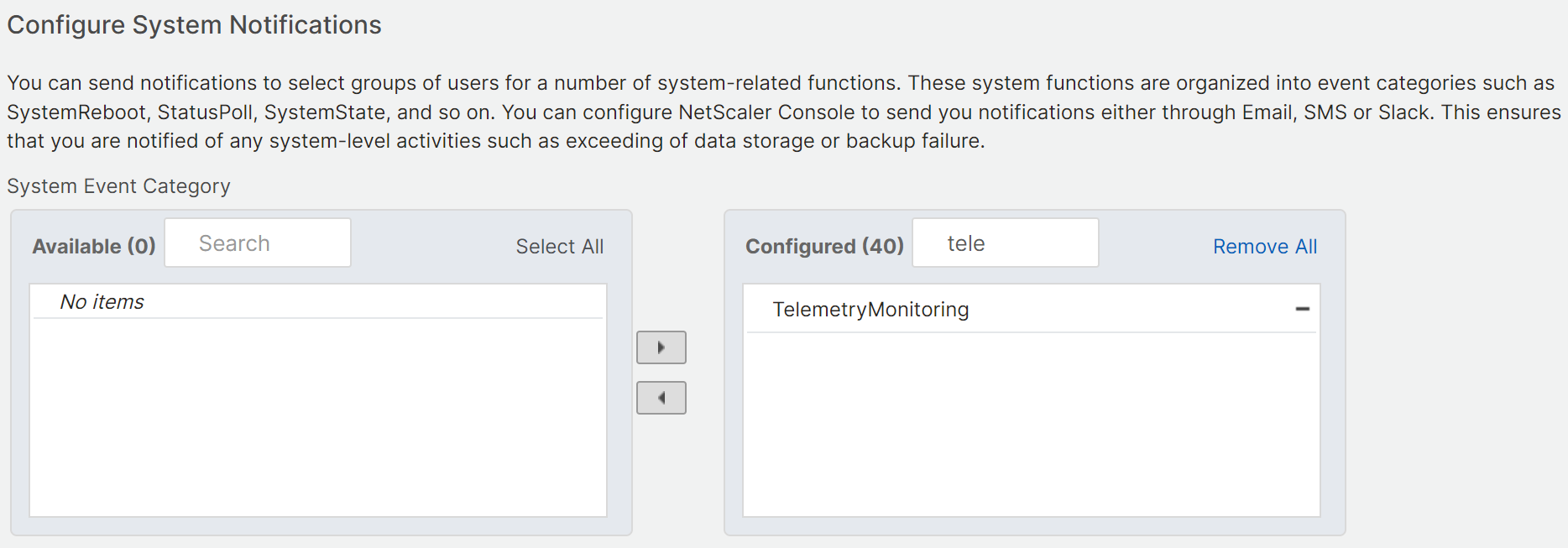
In Event Notification > Configure System Notifications, search for TelemetryMonitoring, remove this notification, and click Save.