Disable URL data collection
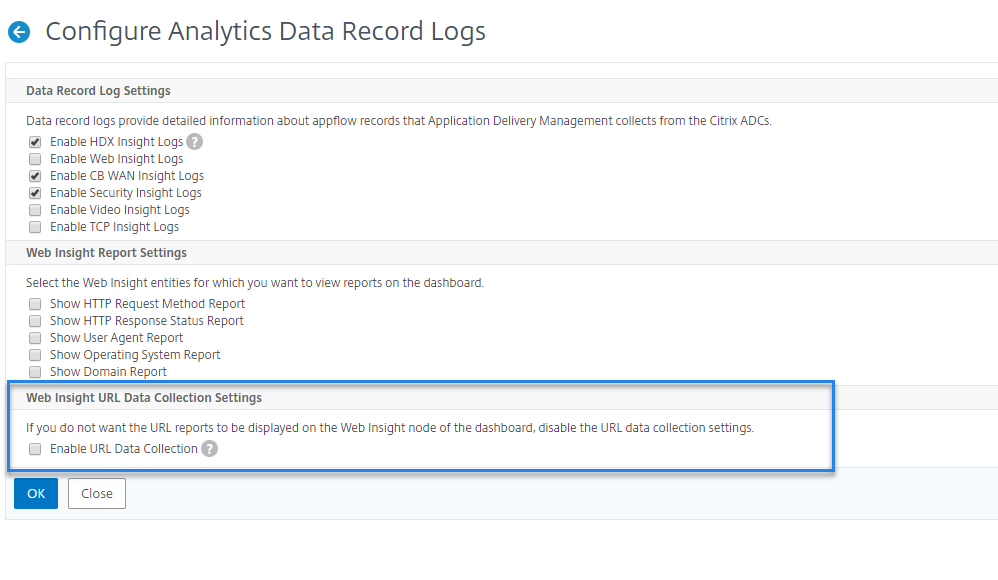
You can disable URL data collection if you do not want URL reports to be displayed on the Web Insight node of the dashboard in NetScaler® ADM.
Related information
To disable URL data collection from NetScaler ADM
-
Navigate to System \> Analytics Settings, and then click Configure Data Record Settings.
-
In the Web Insight URL Data Collection Settings section, if the Enable URL Data Collection option is checked, clear the check box.
-
Click OK.