
GSLB 同期のステータスと概要の表示
GSLB 構成が GSLB サイト間で同期された後、詳細なステータスと最後の GSLB 同期操作の概要を表示できます。これは、手動およびリアルタイムのGSLB同期の両方に適用されます。
Related information
CLI を使用して GSLB 同期ステータスまたはサマリーを表示するには
コマンドプロンプトで入力します。
show gslb sync status
または
show gslb syncStatus -summary
GSLB手動同期のサンプル構成出力
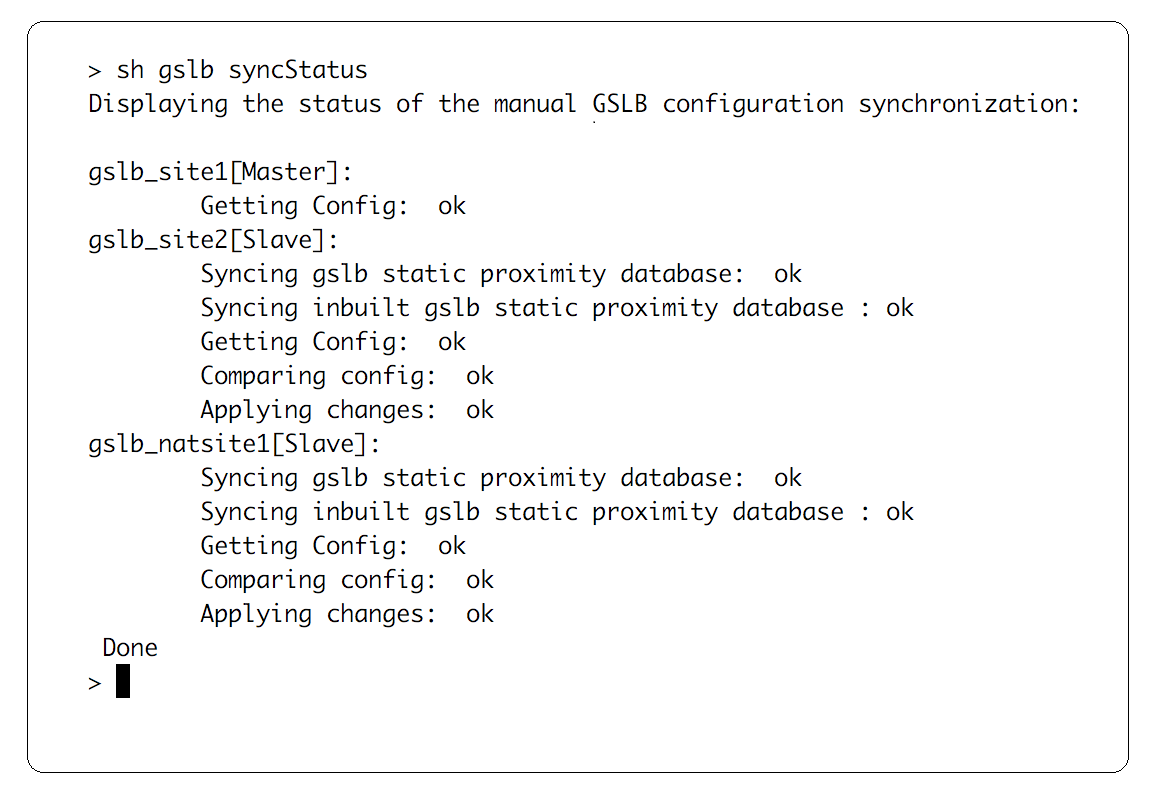
次の出力は、GSLB構成の手動同期のステータスを示しています。
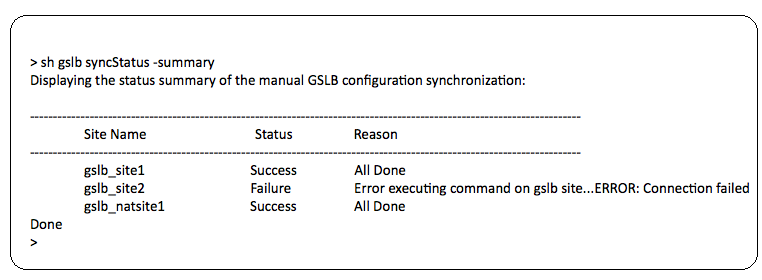
次の出力は、GSLB構成の手動同期のステータスの概要を示しています。
GSLBリアルタイム同期のサンプル構成出力
次の出力は、マスターサイトのリアルタイムGSLB構成同期のステータスを示しています。
> sh gslb syncStatus
 Displaying the status of the real time GSLB configuration synchronization as master node:

 site2[Master]:
                 New GSLB configuration detected at Fri Jan 23 20:54:24 2020
                 Fetching current configuration: Done
                 Updating default.conf file: Done
 site1[Slave]:
                 Syncing gslb static proximity database to node site1: Done
                 Syncing inbuilt GSLB static proximity database to node site1: Done
                 Syncing ssl certificates, keys and CRLS to node site1: Done
                 Syncing current configuration to site1: Done
                 Pulling status files from site1: Status file not available yet(Sync in progress)
                 Pulling status files from site1: Done
                 site1 received new configuration from 10.102.217.205 in file 2JNSzClRHK5+pdek6szQ3g-default-10.102.217.210.conf
                 Firing set gslb parameter -startConfigSync ENABLED command: Done
                 Fetching running GSLB Config: Done
                 Comparing config: Done
                 Applying changes: Done
                 Firing set gslb parameter -startConfigSync DISABLED command: Done
                 Updating default.conf file: Done
 Done
次の出力は、スレーブサイトのリアルタイムGSLB構成同期のステータスを示しています。
> sh gslb syncStatus
 Displaying the status of the real time GSLB configuration synchronization as slave node:

                 site1 received new configuration from 10.102.217.205 in file 2JNSzClRHK5+pdek6szQ3g-default-10.102.217.210.conf
                 Firing set gslb parameter -startConfigSync ENABLED command: Done
                 Fetching running GSLB Config: Done
                 Comparing config: Done
                 Applying changes: Done
                 Firing set gslb parameter -startConfigSync DISABLED command: Done
                 Updating default.conf file: Done
 Done
次の出力は、マスターサイトのリアルタイムGSLB構成同期のステータスの概要を示しています。
> sh gslb syncStatus -summary
 Displaying the status summary of the real time GSLB configuration synchronization as master node:

 -------------------------------------------------------------------------------------------------------
                 Site Name                                Status             Reason
 -------------------------------------------------------------------------------------------------------
                 site2                                    Success            All Done
                 site1                                    Success            All Done

 Done
次の出力は、スレーブサイトのリアルタイムGSLB構成同期のステータスの概要を示しています。
> sh gslb syncStatus –summary
 Displaying the status summary of the real time GSLB configuration synchronization as slave node:

 ----------------------------------------------------------------------------------------------------------
                 Site Name                                Status             Reason
 ----------------------------------------------------------------------------------------------------------
                 site1                                    Success            All Done

 Done
GUI を使用して GSLB 同期のステータスまたはサマリーを表示するには
-
\[ 構成 \] > \[ トラフィック管理 \] > \[ GSLB \] > \[ **ダッシュボード\]**に移動します。
-
必要に応じて、\[同期サマリー****の表示\] または \[同期ステータスの 表示\] をクリックします。