
最初の要素で電子メール ID(またはユーザー名)入力ベースのグループ抽出を構成して、次の要素認証フローを決定します
従業員、パートナー、ベンダーの3つの部門(グループ)を持つ組織を考えてみましょう。NetScalerアプライアンスは、第1段階のログオンフォームでユーザーが入力したメールIDまたはADユーザー名に基づいてユーザーのグループを抽出するように構成できます。NetScalerは、ユーザーが属するグループに基づいて、次の表を例として認証方法(LDAP、SAML、OAuthなど)を提示します。
| グループ名 | 要素 |
|---|---|
| 従業員 | 単一認証 (ユーザー名/パスワード) |
| パートナー | OAuth (別の IdP にリダイレクトする) |
| ベンダー | SAML (別の IdP にリダイレクト) |
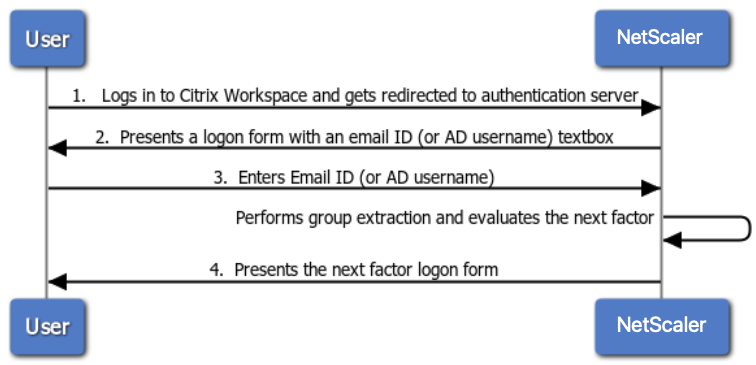
次の図は、前述のユースケースにおけるユーザーとNetScalerアプライアンスの間の高レベルの相互作用を示しています。
-
ユーザーはCitrix Workspaceにログインし、認証仮想サーバーにリダイレクトされます。
-
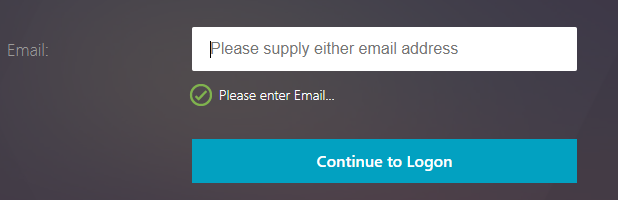
NetScalerは、メールID(またはユーザー名)を入力するためのログオンフォームを表示します。
-
ユーザーは、電子メール ID(またはユーザー名)を入力します。
-
NetScalerは、提供されたメールID(またはユーザー名)を使用して抽出されたグループに基づいてログオンフォームを表示します。
Related information
最初の要素で電子メール ID(またはユーザー名)入力ベースのグループ抽出を設定し、CLI を使用して次の要素認証を決定する
前提条件
負荷分散仮想サーバーは、認証を有効にして構成されています。
電子メールベースのグループ抽出用の認証仮想サーバーを構成する
注
この場合、 OnlyUsername.xml スキーマを変更して、カスタマイズされたログインスキーマ (emailOnlyLSchema) を作成できます。
前の手順で作成した電子メールログインスキーマを使用してログインスキーマポリシーを作成し、認証仮想サーバーにバインドします
add authentication loginSchema lschema_only_email -authenticationSchema "/nsconfig/loginschema/only_email.xml"

 add authentication loginSchemaPolicy lschema_only_email_pol -rule true -action lschema_only_email

 bind authentication vserver abs_sp_auth_vs -policy lschema_only_email_pol -priority 100 -gotoPriorityExpression END
グループ抽出用の LDAP 認証ポリシーを作成する
注:
ldapLoginName は電子メール ID ベースのログインの場合は「メール」ですが、-ldapLoginName はユーザー名ベースのログインの場合は「samAccountName」です。
add authentication ldapAction aaa_local_grp_extraction -serverIP 90.1.187.40 -ldapBase "OU=ABSOU,dc=aaa,dc=local" -ldapBindDn administrator@aaa.local -ldapBindDnPassword xxxx -ldapLoginName mail -groupAttrName memberOf -subAttributeName CN -secType TLS -authentication DISABLED

 add authentication Policy aaa_local_grp_extraction_pol -rule true -action aaa_local_grp_extraction
抽出されたグループベースのポリシー構成
ポリシーラベルを使用して、従業員、パートナー、ベンダーグループの次の要素を作成する
add authentication loginSchema lschema_noschema -authenticationSchema noschema
 add authentication policylabel plabel_noauth_Employee_Partner_Vendor -loginSchema lschema_noschema

 add authentication Policy noauth_Employee_pol -rule "AAA.USER.IS_MEMBER_OF(\"Employee\")" -action NO_AUTHN
 add authentication Policy noauth_Partner_pol -rule "AAA.USER.IS_MEMBER_OF(\"Partner\")" -action NO_AUTHN
 add authentication Policy noauth_Vendor_pol -rule "AAA.USER.IS_MEMBER_OF(\"Vendor\")" -action NO_AUTHN
単一の認証ポリシーファクタを作成する(この設定の例として LDAP を使用)
add authentication loginSchema lschema_singleauth_Employee -authenticationSchema "/nsconfig/loginschema/LoginSchema/SingleAuth.xml"

 add authentication policylabel plabel_singleauth_Employee -loginSchema lschema_singleauth_Employee

 add authentication ldapAction aaa_local_pwd_act -serverIP 90.196.17.40 -ldapBase "OU=ABSOU,dc=aaa,dc=local" -ldapBindDn administrator@aaa.local -ldapBindDnPassword xxxx -ldapLoginName samAccountName -groupAttrName memberOf -subAttributeName CN -secType TLS -ssoNameAttribute userPrincipalName -passwdChange ENABLED -nestedGroupExtraction ON -maxNestingLevel 7 -groupNameIdentifier sAMAccountName -groupSearchAttribute memberOf -groupSearchSubAttribute CN -defaultAuthenticationGroup ldapDefaultAuthGroup -Attribute1 userPrincipalName -Attribute2 mail

 add authentication Policy aaa_local_pwd_pol -rule true -action aaa_local_pwd_act

 bind authentication policylabel plabel_singleauth_Employee -policyName aaa_local_pwd_pol -priority 100 -gotoPriorityExpression NEXT
OAuth IdP にリダイレクトするための OAuth ポリシーを作成する
add authentication policylabel plabel_oauth_Partner

 add authentication OAuthAction oauth_sp_act -authorizationEndpoint <authorization-endpoint> -tokenEndpoint <token-endpoint> -clientID <client-id> -clientSecret <client-secret> -CertEndpoint <cert-endpoint> -userNameField <user-name>

 add authentication Policy oauth_sp_pol -rule true -action oauth_sp_act

 bind authentication policylabel plabel_oauth_Partner -policyName oauth_sp_pol -priority 100 -gotoPriorityExpression NEXT
SAML IdP にリダイレクトするための SAML ポリシーの作成
add authentication policylabel plabel_saml_Vendor

 add authentication samlAction saml_sp_act -samlIdPCertName <IDP-CertKeyName> -samlRedirectUrl <Redirect-url> -samlIssuerName <Issuer-Name>

 add authentication Policy saml_sp_pol -rule true -action saml_sp_act

 bind authentication policylabel plabel_saml_Vendor -policyName saml_sp_pol -priority 100 -gotoPriorityExpression NEXT
3つのポリシー要素すべてをPlabel_NoAuth_employee_Partner_Vendorにバインドする
bind authentication policylabel plabel_noauth_Employee_Partner_Vendor -policyName noauth_Employee_pol -priority 100 -gotoPriorityExpression NEXT -nextFactor plabel_singleauth_Employee

 bind authentication policylabel plabel_noauth_Employee_Partner_Vendor -policyName noauth_Partner_pol -priority 110 -gotoPriorityExpression NEXT -nextFactor plabel_oauth_Partner

 bind authentication policylabel plabel_noauth_Employee_Partner_Vendor -policyName noauth_Vendor_pol -priority 120 -gotoPriorityExpression NEXT -nextFactor plabel_saml_Vendor
グループ抽出認証ポリシーの NextFactor としてグループベースのポリシーラベルをバインドする
bind authentication vserver abs_sp_auth_vs -policy aaa_local_grp_extraction_pol -priority 100 -nextFactor plabel_noauth_Employee_Partner_Vendor -gotoPriorityExpression NEXT
nFactor ビジュアライザーを使用して次のファクター認証を決定するために、最初のファクターで電子メール ID(またはユーザー名)入力ベースのグループ抽出を構成します
-
-
をクリックして nFactor フローを追加します。
-
-
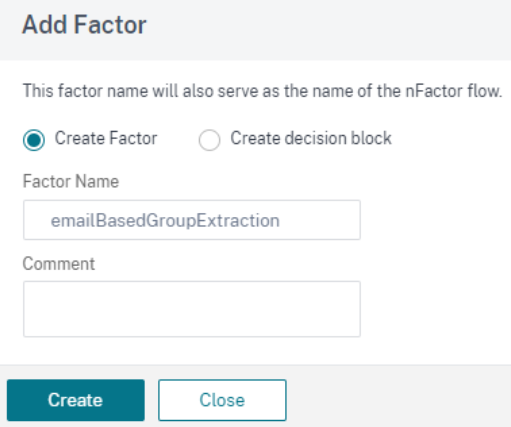
EmailOnlyLoginSchemaを使用して、LDAP グループ抽出ポリシーを使用してグループ抽出の要素を追加します。入力する名前は nFactor フローの名前です。**[作成]**をクリックします。
-
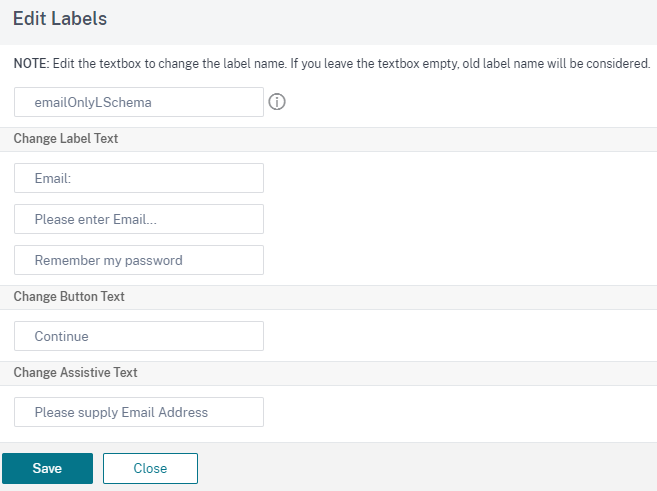
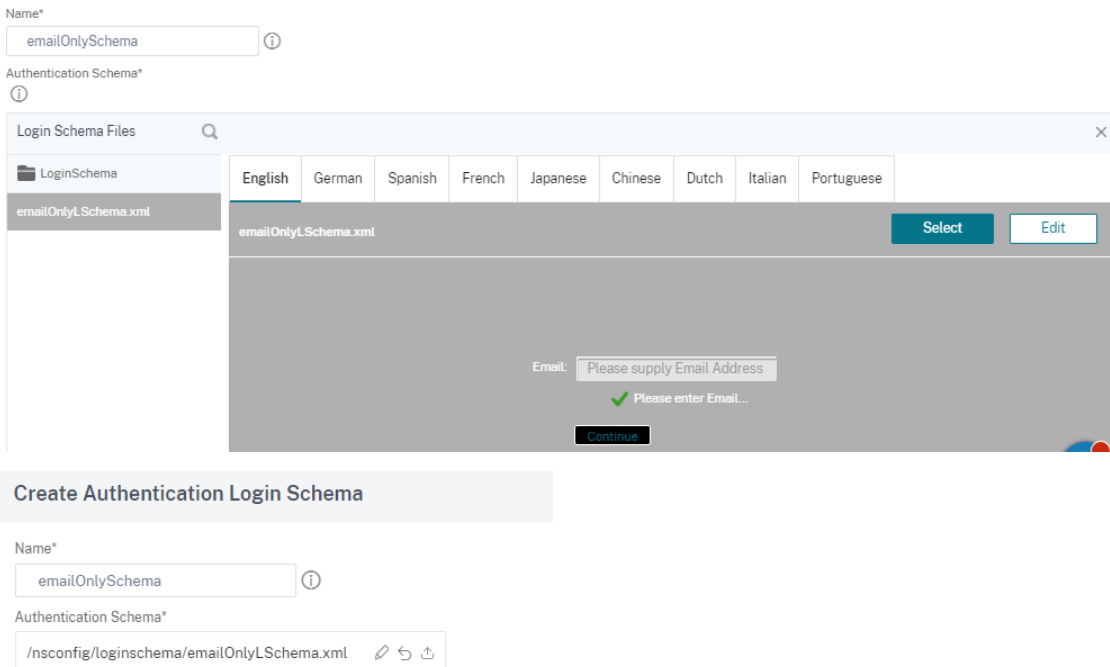
nFactor ブロックの をクリックします。カスタマイズされたログインスキーマ (この場合は EmailOnlyLSchema) を作成するには、組み込みの OnlyUsername.xml スキーマを編集します。
-
作成したログインスキーマファイルを使用して、認証ログインスキーマを作成します。
-
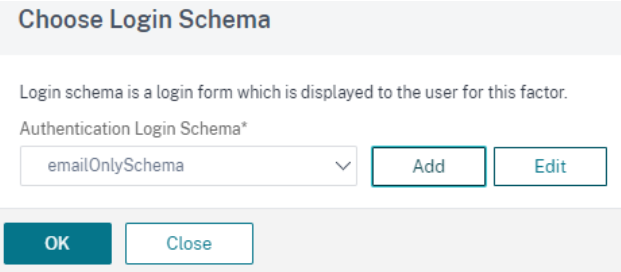
[ 認証ログインスキーマ]リストからログインスキーマを選択し 、[ **OK]**をクリックします。
-
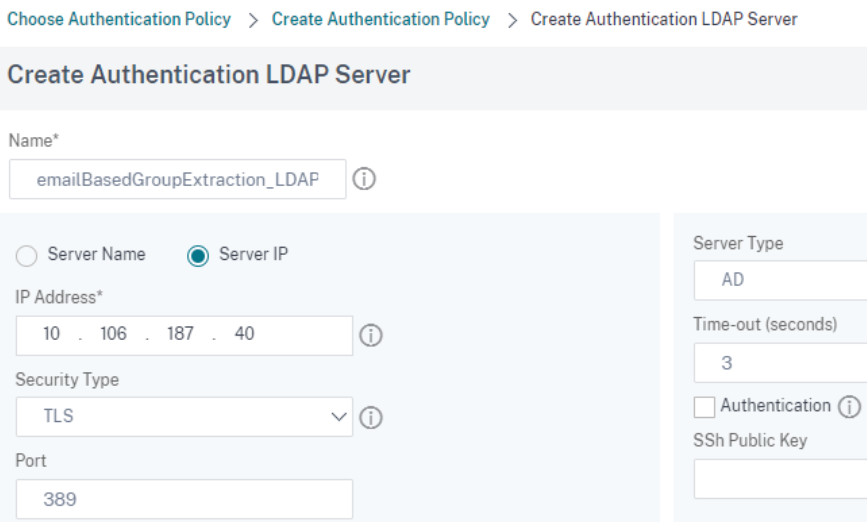
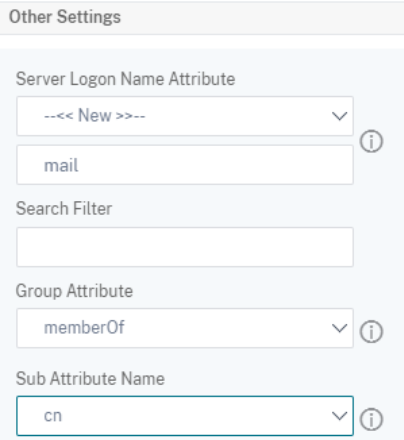
認証ポリシーの作成に使用する認証を無効にしたグループ抽出用の LDAP サーバを作成します。LDAP 認証の作成の詳細については、「LDAP 認証の設定」を参照してください。
-
-
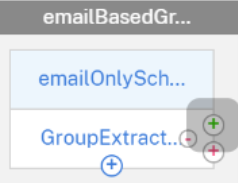
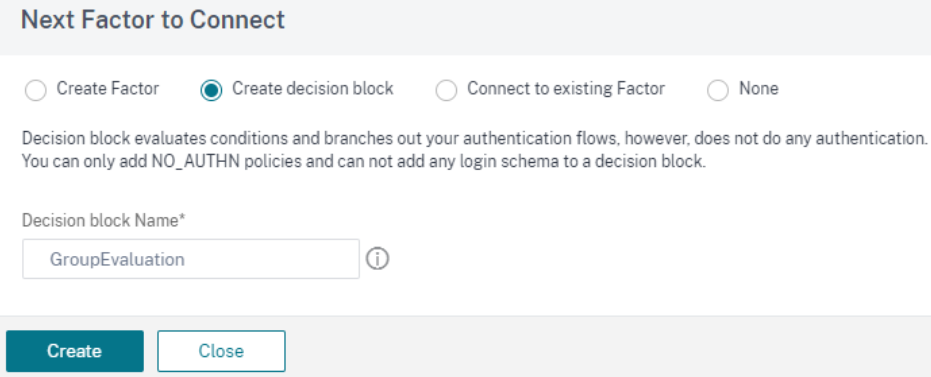
EmailBasedGroupExtraction ブロックの緑の + 記号をクリックして、次の要素のデシジョンブロックを作成します。
-
-
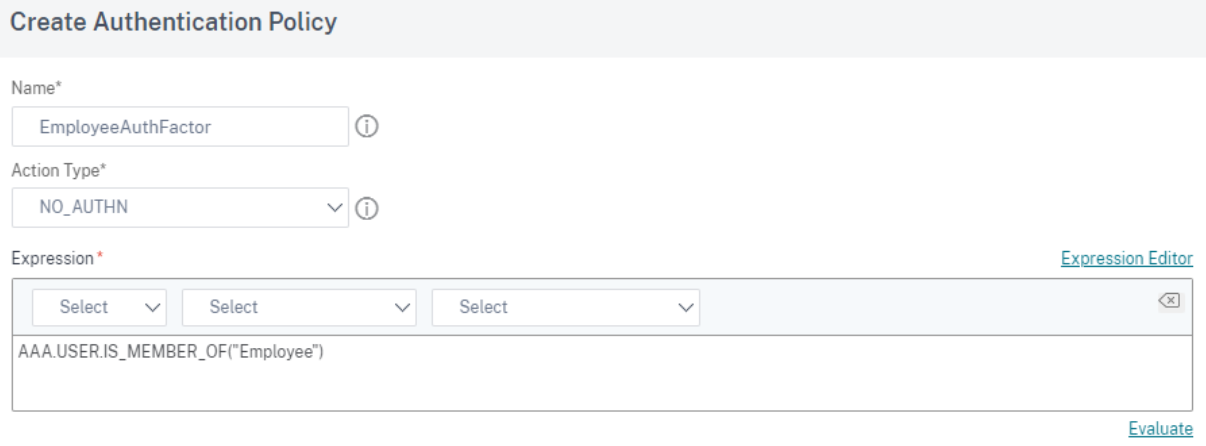
それぞれのデシジョンブロックについて、宛先グループごとに認証ポリシーを作成します。たとえば、AD グループ「従業員」のグループベースの認証ファクターなどです。
-
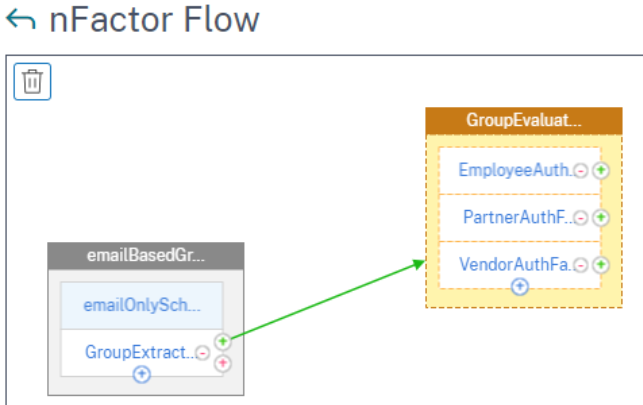
次の図は、すべてのデシジョンブロックが作成された後の nFactor フローを示しています。
-
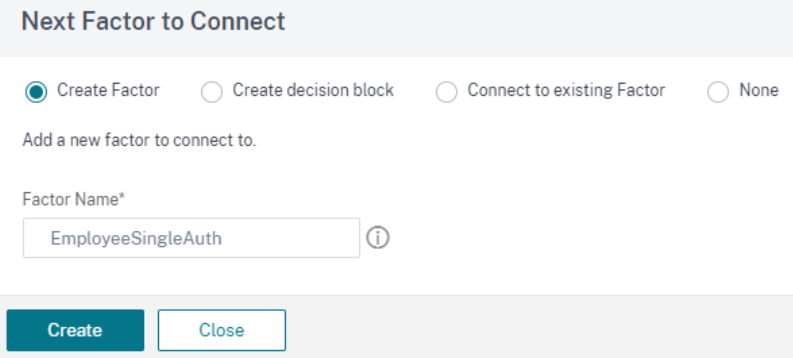
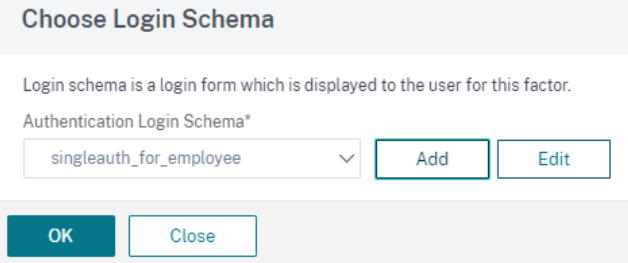
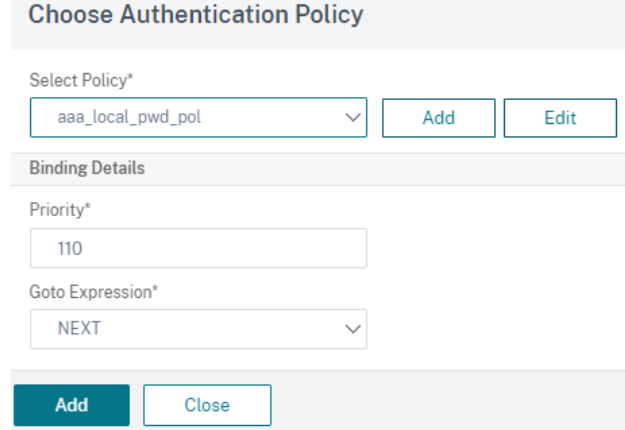
すべてのデシジョンブロックが作成されたら、すべてのグループベースのデシジョンブロックをそれぞれの認証要素にバインドします。たとえば、Employee グループには、ユーザー名とパスワード認証係数を設定できます。
-
-
-
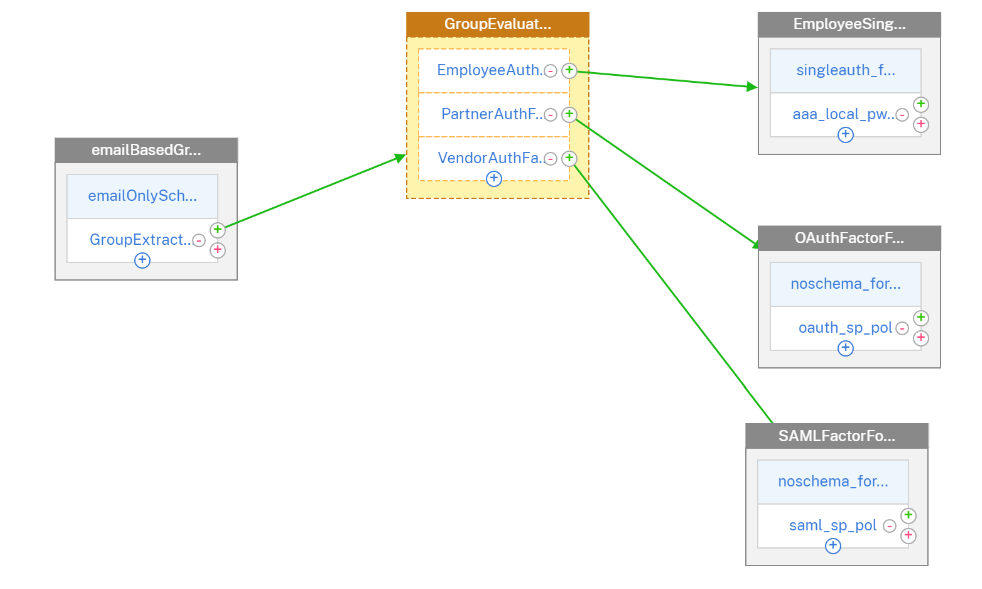
すべてのグループベースのデシジョンブロックが認証ポリシーを要素として構成すると、nFactor フローは次の図のようになります。
-
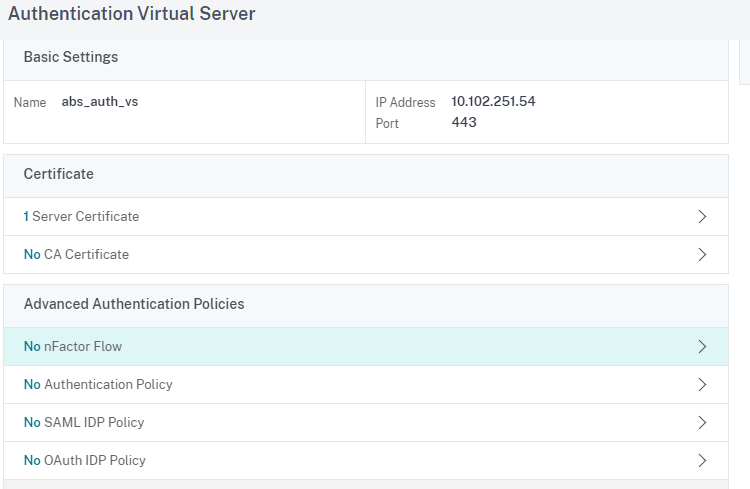
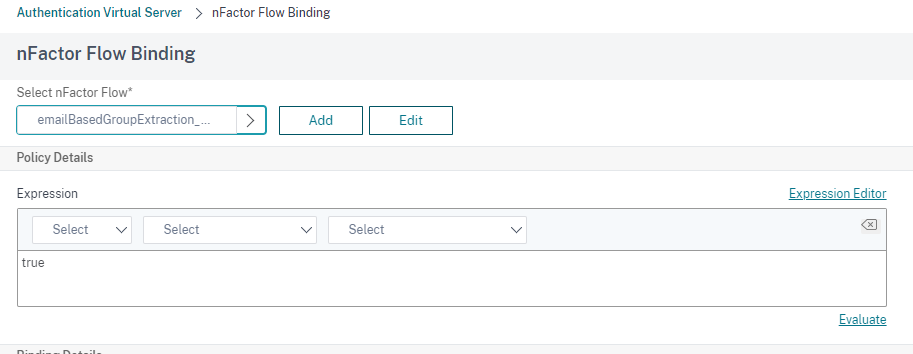
認証仮想サーバーを選択し、nFactor Flow をクリックします。
-
-
このフローを認証、認可、および監査仮想サーバーにバインドします。