
Configure NetScaler Gateway to support HDX Insight
HDX Insight provides end-to-end visibility for HDX traffic to virtual apps and desktops passing through NetScaler. It also enables administrators to view real-time client and network latency metrics, historical reports, end-to-end performance data, and troubleshoot performance issues.
To configure NetScaler Gateway to support HDX Insight using GUI
-
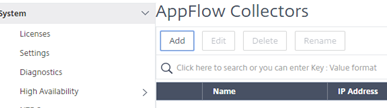
On the Configuration tab navigate to System> AppFlow®>Collectors, and click Add.
-
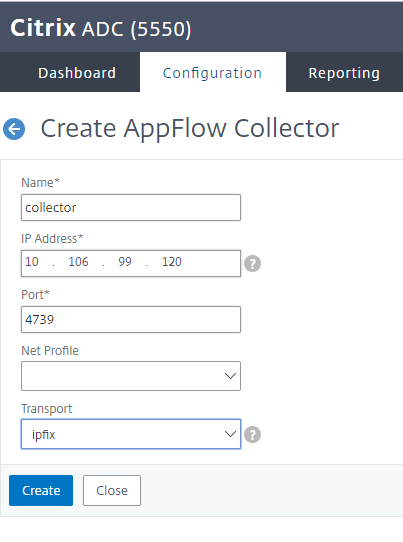
On the Create AppFlow Collector page, populate the following fields, and click Create.
-
Name: Name for the collector
-
IP address: IPv4 address of the collector
-
Port: Port on which the collector listens
-
Net Profile: Net profile to associate with the collector. The IP address defined in the profile is used as the source IP address for AppFlow traffic for this collector. If you do not set this parameter, the NetScaler IP (NSIP) address is used as the source IP address.
-
Transport: Transport type of collector.
-
-
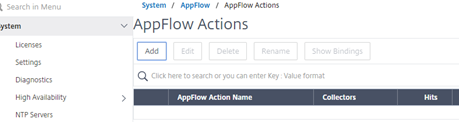
Navigate to System > AppFlow > Actions, click Add.
-
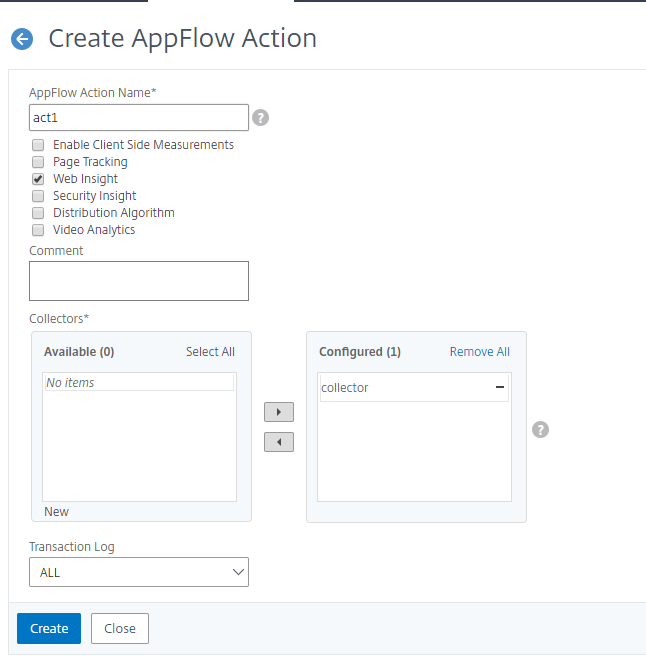
On the Create AppFlow Action page, populate the following fields, and click Create.
-
AppFlow Action Name: Name for the action
-
Comment: Any comment about the action
-
Collector: Select the names of collectors to be associated with the AppFlow action.
-
Transaction Log: Transactions type to be logged.
-
-
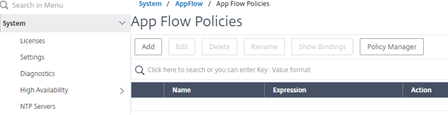
Navigate to System> AppFlow>Policies, click Add.
-
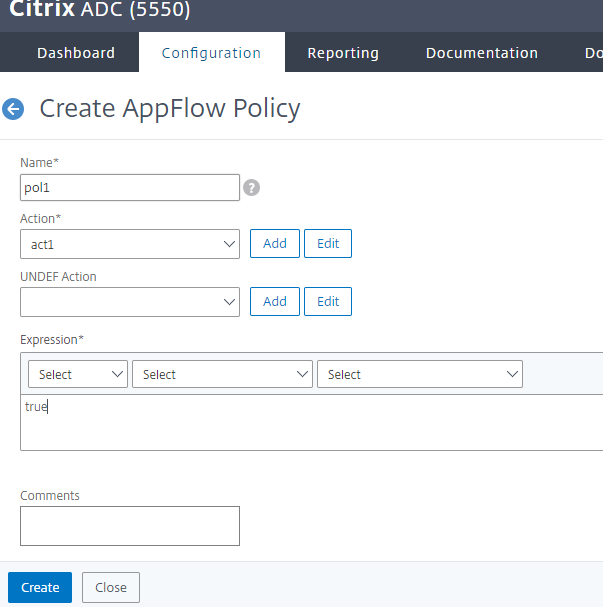
On the Create AppFlow Policy page, populate the following fields, and click Create.
-
Name: Name for the policy.
-
Action: Name of the action to be associated with the policy.
-
UNDEF: Name of the AppFlow action to be associated with this policy when an undefined event occurs.
-
Expression: Expression or other value against which the traffic is evaluated. Must be a Boolean expression.
-
Comments: Any comments about this policy.
-
-
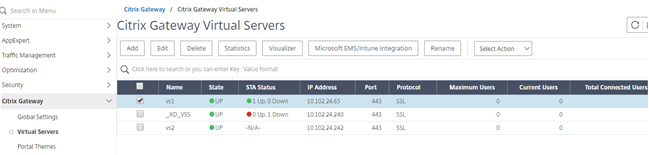
Navigate to NetScaler Gateway>Virtual Servers, select the virtual server and click Edit.
-
Scroll down the VPN Virtual Server page and under the Policies section, click +.

-
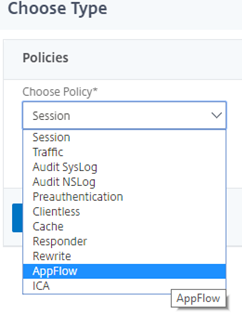
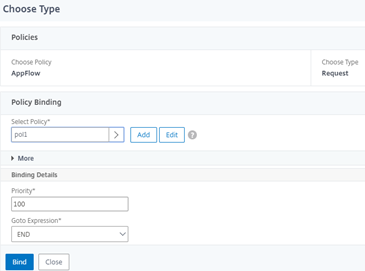
On the Choose Type screen, in the Choose Policy drop-down menu, select AppFlow. In the Choose Type drop-down menu, choose Request or ICA® Request and click Continue.
-
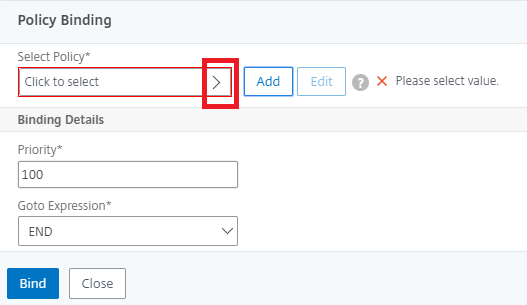
Click the highlighted arrow under Select Policy.
-
Select the AppFlow policy and click Select.

-
Finally click Bind.
To configure NetScaler Gateway to support HDX Insight using CLI
At the command prompt, type:
add appflow collector col3 -IPAddress<ip_mas>
 add appflow action act1 <action_name>
 add appflow policy <policy_name> true <action_name>
 bind vpn Vserver <vserver_name>  -pol <policy_name> - priority101 END -type <ICA_Request>
Disable HDX Insight for non-NetScaler® AppFlow (NSAP) HDX session
In a NetScaler appliance, you can now disable HDX Insight for the non-NSAP HDX sessions.
At the command prompt, type:
set ica parameter HDXInsightNonNSAP (YES | NO )
By default, HDX™ Insight for non-NSAP session is enabled.