
Configure settings on the virtual servers on the NetScaler Gateway Proxy
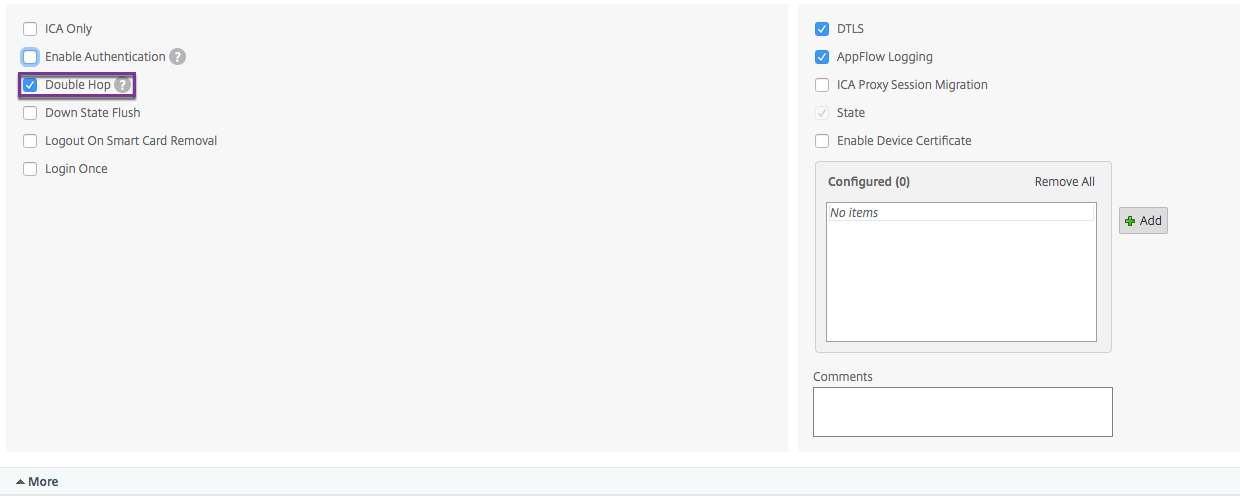
To allow connections to pass between the NetScaler Gateway appliances, you enable double-hop in the virtual server on the NetScaler Gateway proxy.
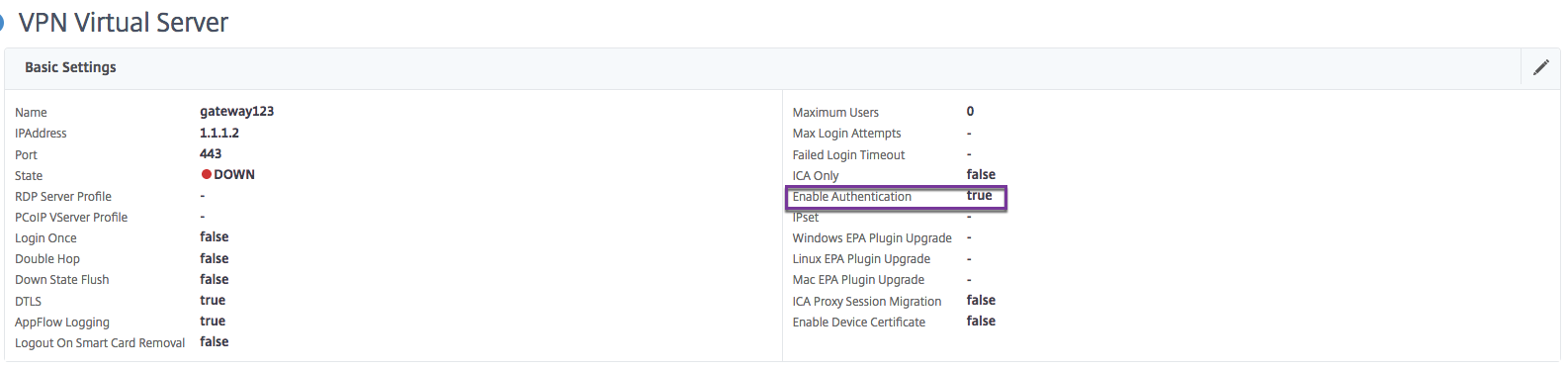
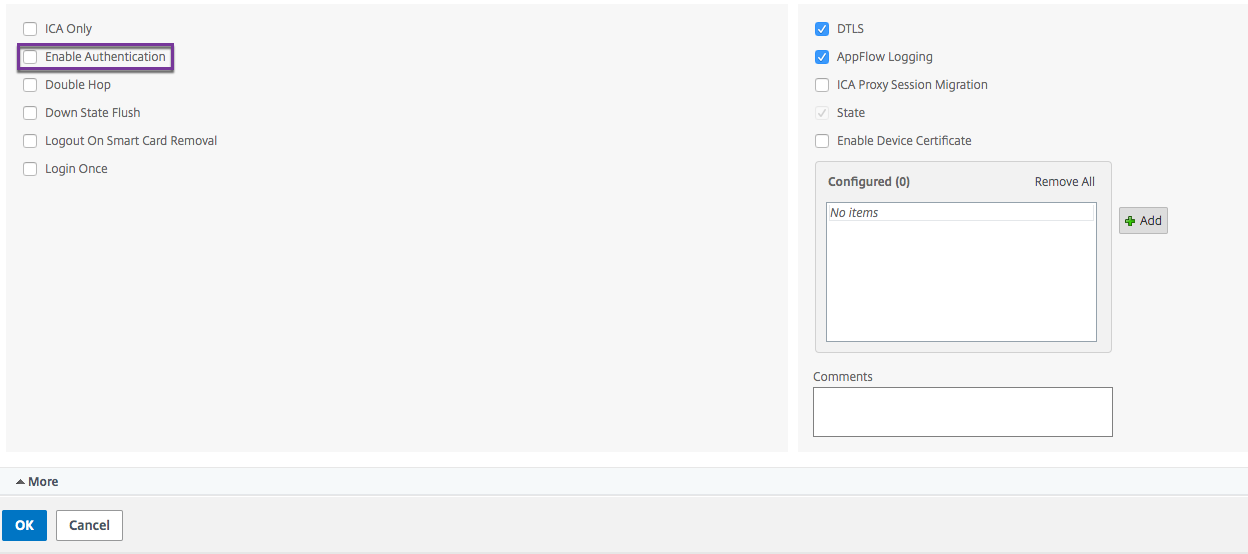
When users connect, the NetScaler Gateway appliance authenticates users and then proxies the connection to the proxy appliance. On the NetScaler Gateway in the first DMZ, configure the virtual server to communicate with NetScaler Gateway in the second DMZ. Do not configure authentication or policies on the NetScaler Gateway proxy. Citrix recommends disabling authentication on the virtual server.
To enable double hop on the virtual server on the NetScaler Gateway proxy by using the GUI
-
Navigate to Configuration > NetScaler Gateway > Virtual Servers.
-
Select a virtual server and click Edit.
-
In the Basic Settings section, click the edit icon and then click More.
-
Select Double Hop.
-
Click OK.
To disable authentication on the virtual server on the NetScaler Gateway proxy by using the GUI
-
Navigate to Configuration > NetScaler Gateway > Virtual Servers.
-
Select a virtual server and click Edit.
-
In the Basic Settings section, click the edit icon and then click More.
-
Clear the Enable Authentication check box.
-
Click OK.