Configure a NetScaler VPX instance to use PCI passthrough network interfaces
After you have installed and configured a NetScaler VPX instance on the Linux-KVM platform, you can use the Virtual Machine Manager to configure the virtual appliance to use PCI passthrough network interfaces.
Prerequisites
-
The firmware version of the Intel XL710 NIC (NIC) on the KVM Host is 5.04.
-
The KVM Host supports input–output memory management unit (IOMMU) and Intel VT-d, and they are enabled in the BIOS of the KVM Host. On the KVM Host, to enable IOMMU, add the following entry to the /boot/grub2/grub.cfg file: intel\_iommu=1
-
Run the following command and reboot the KVM Host: Grub2-mkconfig –o /boot/grub2/grub.cfg
To configure NetScaler VPX instances to use PCI passthrough network interfaces by using the Virtual Machine Manager:
-
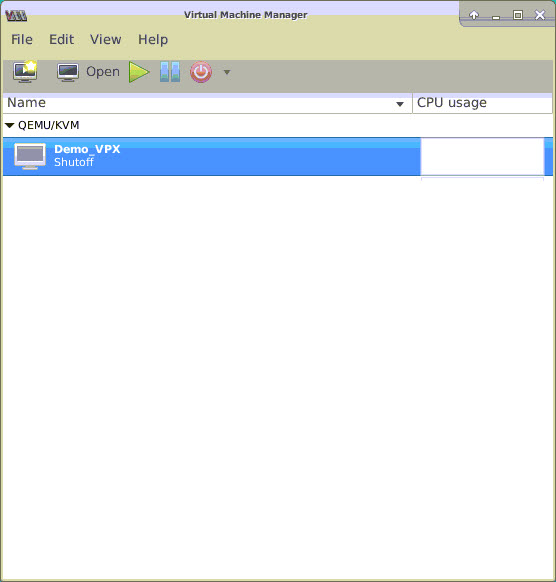
Power off the NetScaler VPX instance.
-
Select the NetScaler VPX instance and click Open.
-
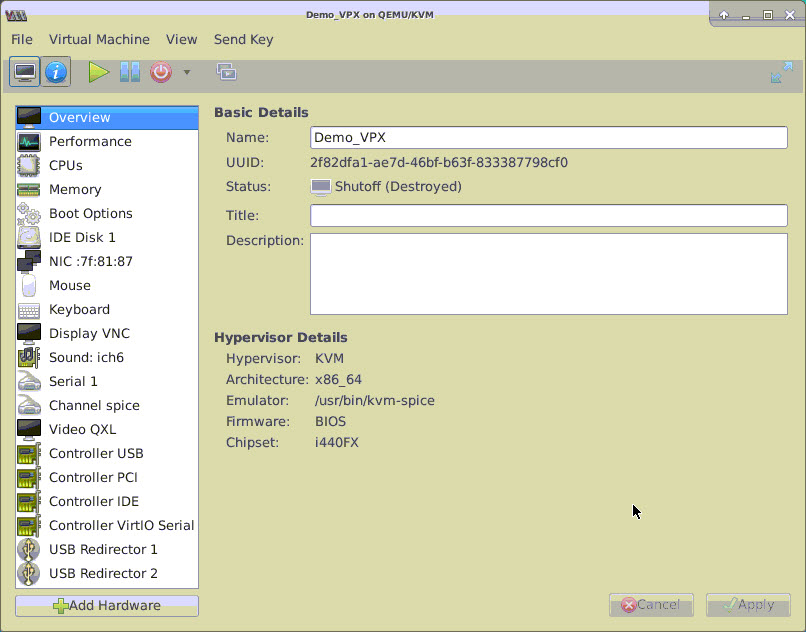
In the virtual_machine on KVM> window, click the i icon.
-
Click Add Hardware.
-
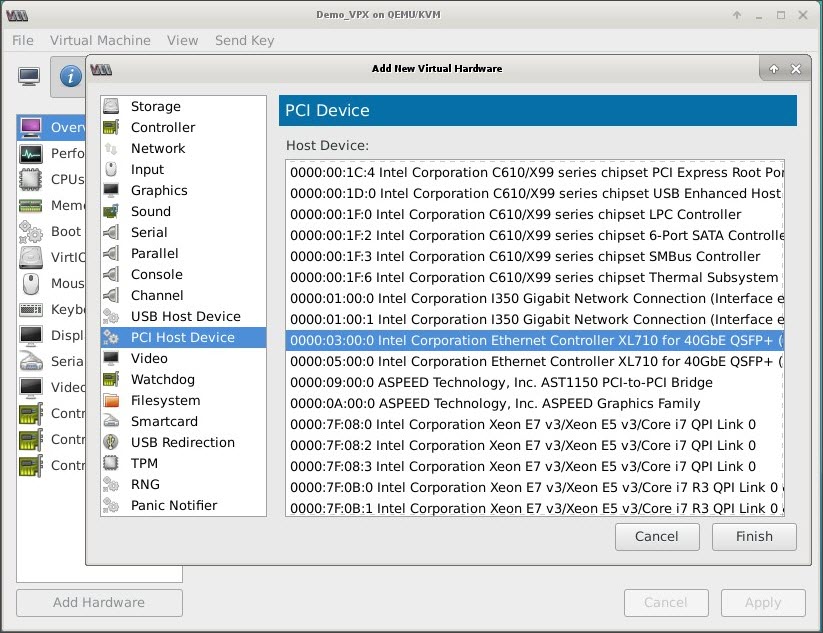
In the Add New Virtual Hardware dialog box, do the following:a. Select PCI Host Device.b. In the Host Device section, select the Intel XL710 physical function.c. Click Finish.
-
Repeat steps 4 and 5 to add any additional Intel XL710 physical functions.
-
Power on the NetScaler VPX instance.
-
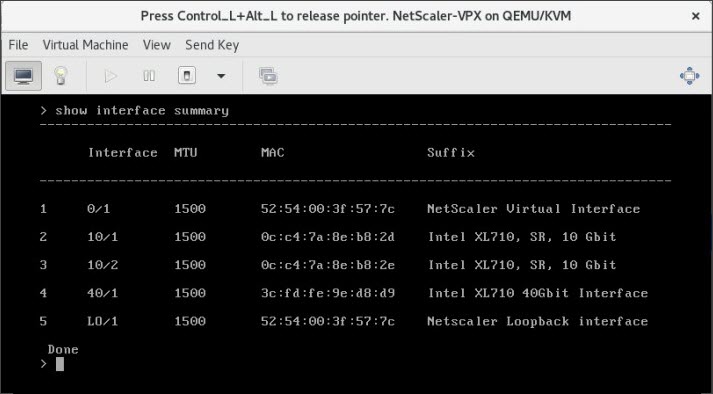
Once the NetScaler VPX instance powers on, you can use the following command to verify the configuration:
 The output must show all the interfaces that you configured: