
Configure an extra Management CPU core on NetScaler VPX
NetScaler VPX appliances typically use a single CPU core for management tasks, such as configuration, monitoring, and control operations. In environments with significant management demands, this default configuration leads to performance bottlenecks, resulting in slower response times and potential delays in management operations.
This feature allows administrators to allocate an additional CPU core specifically for management functions. This enhancement enables a more efficient allocation of resources, leading to improved management operations without compromising data traffic processing capability. Users benefit from increased responsiveness and better management performance, particularly in environments with high management workload requirements.
Important considerations:
-
This feature is supported only on NetScaler VPX instances with at least 4 vCPUs and more than two packet engines.
-
Activating this feature decreases the CPU cores allocated for data traffic processing.
-
Schedule this configuration change during a maintenance window, as the appliance must be rebooted for the changes to take effect.
Configure an extra Management CPU core by using the CLI
To enable the extra Management CPU core, use the following command:
enable extramgmtcpu
To disable the extra Management CPU core, use the following command:
disable extramgmtcpu
Note:
A reboot is required for the configuration changes to take effect.
To verify whether the extra management CPU core feature is enabled or disabled, use the following command:
show extramgmtcpu

 ConfiguredState: DISABLED
 EffectiveState: DISABLED
This command returns the configured and effective states of the extra management CPU core. This command helps administrators to quickly assess its operational status and determine if any further actions are needed to enable or disable it.
Configure an extra Management CPU core by using the GUI
-
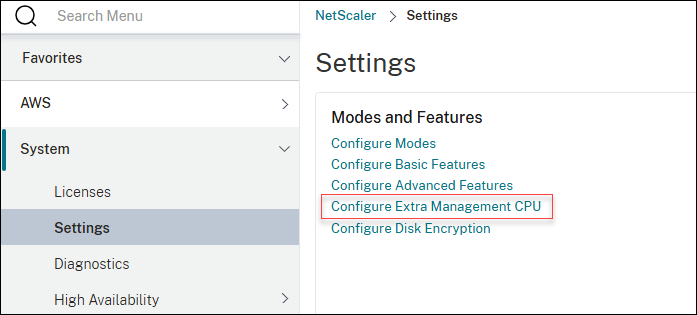
Navigate to Configuration > System > Settings.
-
Click Configure Extra Management CPU.
-
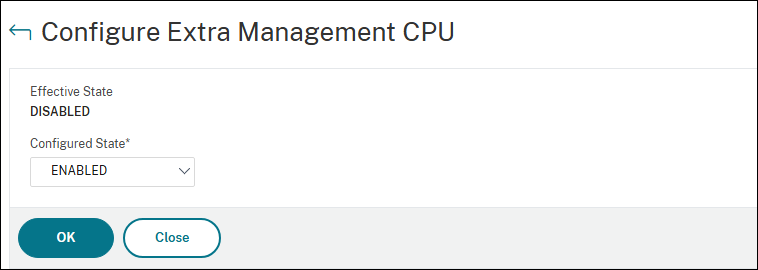
In the Configured State drop-down menu, select ENABLED, and then click OK.
-
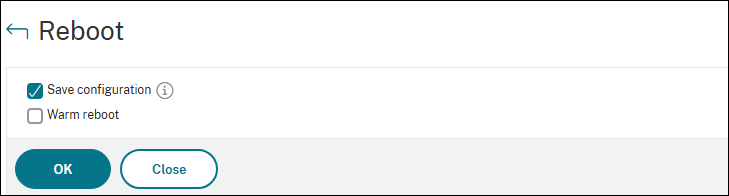
To apply the changes, go back to Configuration > System and click Reboot. Confirm the action by clicking OK.
Note:
-
To disable the feature, select DISABLED in the Configured State drop-down menu.
-
In a High Availability deployment, the extra management CPU must be enabled independently on each node.
Statistics and monitoring
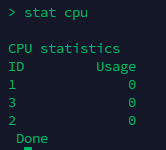
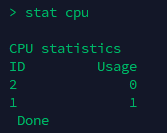
The following examples demonstrate the changes in the
stat cpu command output before and after allocating an additional management CPU on a 4 vCPU system.
Before enabling the extra management CPU:
After enabling the extra management CPU:
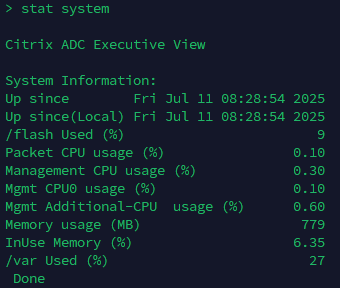
Extra management CPU usage can be monitored using the counters in the
stat system output.
Troubleshooting extra Management CPU
If the prerequisites of a minimum of 4 vCPUs and at least two packet engines are not met, you see an error message when running CLI commands. For example, if only one packet engine is operational, the system displays:
"Warning: Operation not permitted. PE pool is not enough to enable additional management CPU".
By default, NetScaler VPX assigns CPU core 0 for management functions. You can verify it using the following shell commands:
-
sysctl netscaler.additional_mgmt_cpunetscaler.additional_mgmt_cpu = 0indicates that no extra management CPU is configured. -
sysctl netscaler.cpus_in_mgmt_poolnetscaler.cpus_in_mgmt_pool : CPU(s) 0confirms that core 0 is set as the default management CPU.
If an extra management CPU, such as CPU core 3, is configured, the output of these commands might differ as follows:
-
sysctl netscaler.additional_mgmt_cpushows1, signifying that an extra management CPU is active. -
sysctl netscaler.cpus_in_mgmt_pooldisplaysCPU(s) 0,3, indicating that both CPU core 0 and core 3 are allocated