
Configure address pools intranet IP for a NetScaler Gateway appliance
In some situations, users who connect with the NetScaler Gateway Plug-in need a unique IP address for a NetScaler Gateway appliance. When you enable address pools (also known as IP pooling) for a group, the NetScaler Gateway appliance can assign a unique IP address alias to each user. You configure address pools by using intranet IP (IIP) addresses.
You can configure address pools on a NetScaler Gateway appliance deployed on Azure by following this 2-step procedure:
-
Registering the private IP addresses that are used in the address pool, in Azure
-
Configuring address pools in the NetScaler Gateway appliance
Register a private IP address in the Azure portal
In Azure, you can deploy a NetScaler VPX instance with multiple IP addresses. You can add IP addresses to a VPX instance in two ways:
a. While provisioning a VPX instance
For more information about how to add multiple IP addresses while provisioning a VPX instance, see Configure multiple IP addresses for a NetScaler standalone instance. To add IP addresses by using PowerShell commands while provisioning a VPX instance, see Configure multiple IP addresses for a NetScaler VPX instance in standalone mode by using PowerShell commands.
b. After provisioning a VPX instance
After you've provisioned a VPX instance, follow these steps to register a private IP address in the Azure portal, which you configure as an address pool in the NetScaler Gateway appliance.
-
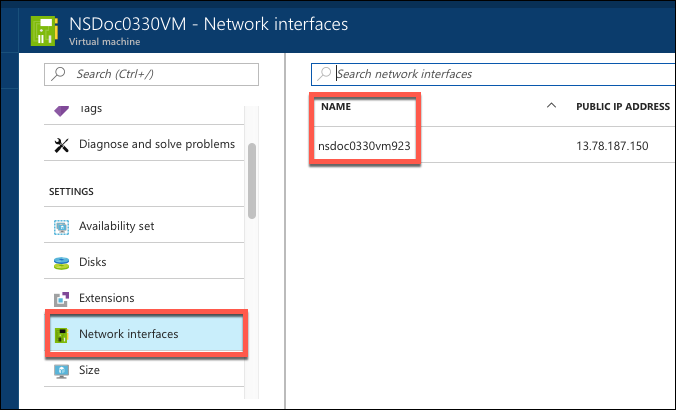
From Azure Resource Manager (ARM), go to the already created NetScaler VPX instance > Network interfaces. Choose the network interface which is bound to a subnet to which the IIP that you want to register belongs.
-
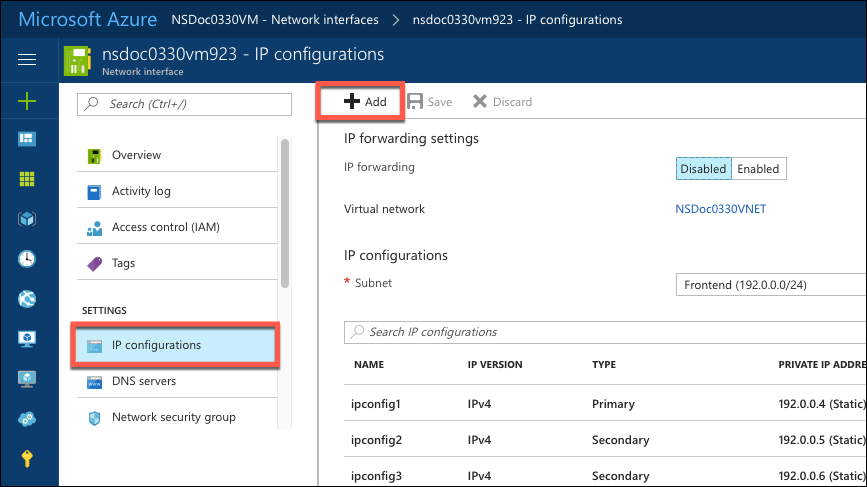
Click IP Configurations, and then click Add.
-
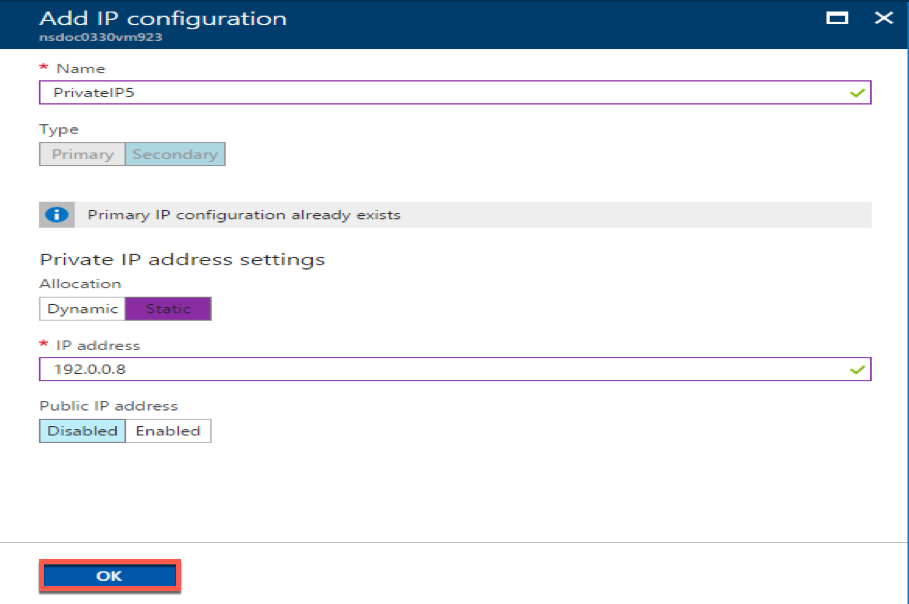
Provide the required details as shown in the example below and click OK.
Configure address pools in the NetScaler Gateway appliance
For more information about how to configure address pools on the NetScaler Gateway, see Configuring Address Pools.
Limitation:
You cannot bind a range of IIP addresses to users. Every IIP address that is used in an address pool must be registered.