
RAKP topology on NetScaler appliances
Remote Authenticated Key-Exchange Protocol (RAKP) is used with the IPMI tool for remote authentication. On NetScaler appliances that support RAKP, it is disabled by default. You can enable or disable it using one of the following methods:
-
LOM GUI
-
ADC shell
Enable or disable RAKP using the LOM GUI
-
In a web browser, log on to the LOM GUI.
-
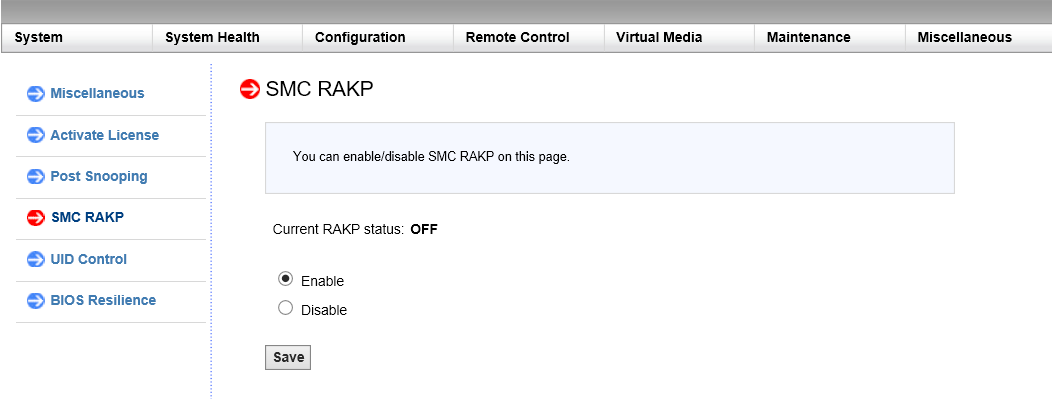
Navigate to Miscellaneous > SMC RAKP. The current RAKP status is displayed.
-
Select Enable or Disable.
-
Click Save.
Enable or disable RAKP using the ADC bash shell
-
To enable RAKP, type:
ipmitool raw 0x30 0x72 0x01 0x01 -
To disable RAKP, type:
ipmitool raw 0x30 0x72 0x01 0x00