
How to verify the file system integrity of your NetScaler MPX appliance
Complete the following procedure to verify the file system integrity of the NetScaler MPX appliance.
-
Connect a console cable to the serial console of the ADC appliance, which is 9600 baud, 8 bits, 1 stop bit, and No parity.
-
Restart the appliance.
-
Press
Ctrl+Ckeys simultaneously when you see the messageBooting [/ns-12.1-60.19] counting down from 2 to 1 second. At the OK prompt, type?to show available commands.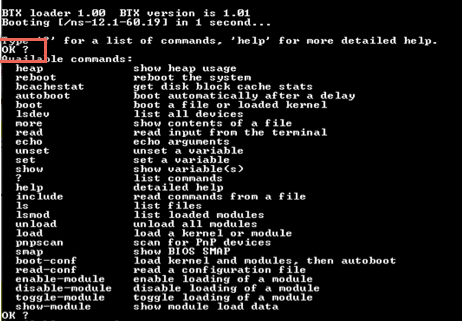
-
Type
boot -sto start the kernel in single user mode.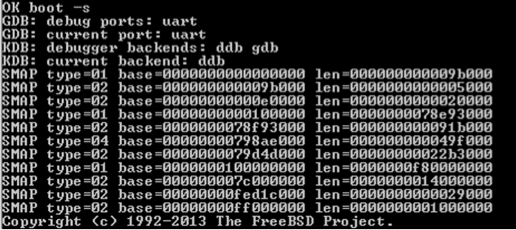
-
Press Enter after the following message is displayed:
Enter full pathname of shell or RETURN for /bin/sh.Note: The prompt of the appliance changes to\u@. -
Type
fsck_ufs -y /dev/ad0s1ato verify the disk consistency of the/flashpartition: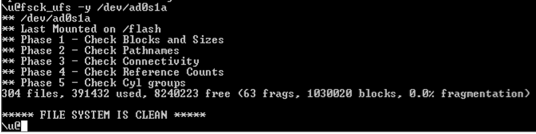
-
Type
dfto display the currently mounted partitions.
-
If the device name
s1ais not mounted, type/sbin/mount /dev/ad0s1a /flashto mount the disk names1aon the/flashpartition. Typedfto display the updated partitions.
-
Type
fsck_ufs -y /dev/ad0s1eto verify the disk consistency of the/varpartition.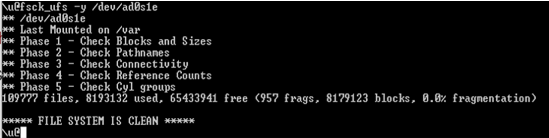
-
If the device name
s1eis not mounted, type/sbin/mount /dev/ad0s1e /varto mount the disk drive on the/varpartition. Typedfto display the mounted partitions.
If the output does not appear to be normal or an error is displayed, reset the hard disk drive, and repeat the procedure again. If the error is displayed again, contact NetScaler® support for further investigation.