Configuring NetScaler CPX
You can configure a NetScaler CPX instance by accessing the CLI prompt through the Linux Docker host, or by using the NetScaler NITRO APIs.
Configuring a NetScaler CPX Instance by Using the Command Line Interface
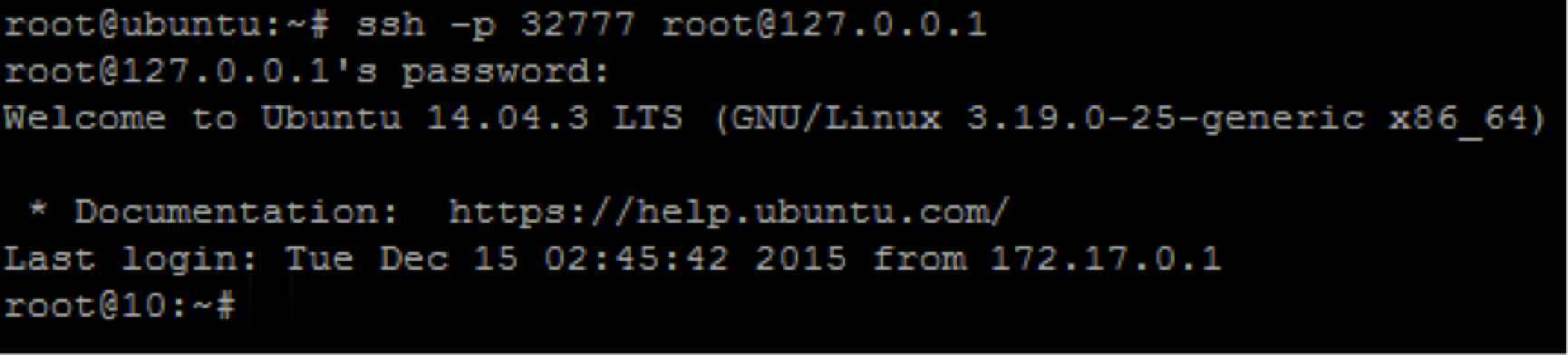
Access the Docker host and log on to the SSH prompt of the instance as shown in the following figure. The default administrator credentials to log on to a NetScaler CPX instance are root/linux.
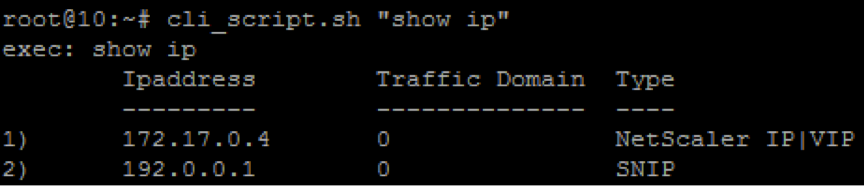
Type the following command to use the command line prompt of the instance to run CLI commands: cli\_script.sh “\<command\>”
Example:
To log out of the instance prompt, type logout.
Support for using a non-default password in NetScaler CPX
NetScaler CPX supports using a non-default password for the root account, that is
nsroot. A default password is generated and assigned to the user once NetScaler CPX has been deployed. This default password is also updated for SSH users: root and nsroot. You can change this default password manually. You can also reset the default SSH password for root and nsroot user accounts manually. Citrix recommends changing this password manually to preserve the security of the system.
Once you reset your password, the new password is used for NITRO API communications and
cli_script.sh executions. The default root account password is stored in plain text in the /var/deviceinfo/random_id file in the NetScaler CPX file system.
Use the following syntax for running
cli_script.sh with the credentials:
cli_script.sh "<command>" ":<user>:<password>"
For example, to run
cli_script.sh for displaying IP addresses with user nsroot and password Citrix123, use the following:
cli_script.sh "show ns ip" ":nsroot:Citrix123"
Configuring a NetScaler CPX Instance by Using the NITRO API
You can use the NetScaler NITRO API to configure NetScaler CPX instances.
To configure NetScaler CPX instances by using the Nitro API, in a web browser, type:
http://<host_IP_address>:<port>/nitro/v1/config/<resource-type\
To retrieve statistics by using the Nitro API, in a web browser, type:
http://<host\_IP\_address\>:\<port\>/nitro/v1/stat/\<resource-type\
For more information about using the NITRO API, see REST Web Services. For NetScaler CPX, use
CPX IP address:port where netscaler-ip-address is mentioned.
Configuring a NetScaler CPX Instance by Using Jobs
You can configure NetScaler CPX instances by creating and running jobs in NetScaler Console. You can use the configurations from configuration templates, extract configurations available on other devices, and use configurations saved in text files. You can also record configurations done by using the configuration utility of another instances. NetScaler Console then displays the corresponding CLI commands for you to use on your NetScaler CPX instance. After you select the configuration, you must then select NetScaler CPX instances on which you want to load the configuration, specify the variable values, and run the job.
To configure NetScaler CPX instances by using Jobs:
-
Log on to NetScaler Console by using the administrative credentials.
-
Navigate to Networks \> Configuration Jobs, and then click Create Job.
-
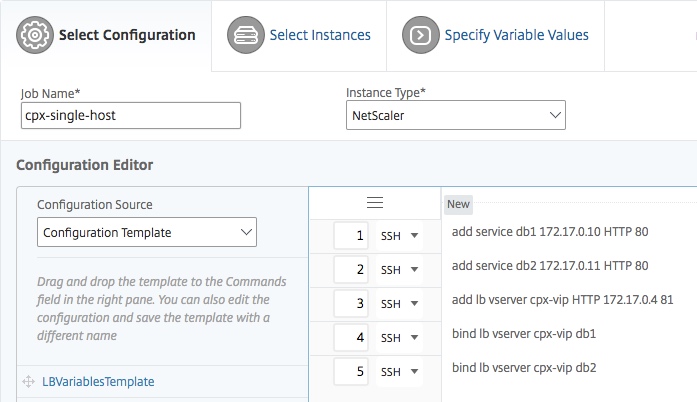
Specify the required values, and select the configuration source. You can also type the commands you want to run.
-
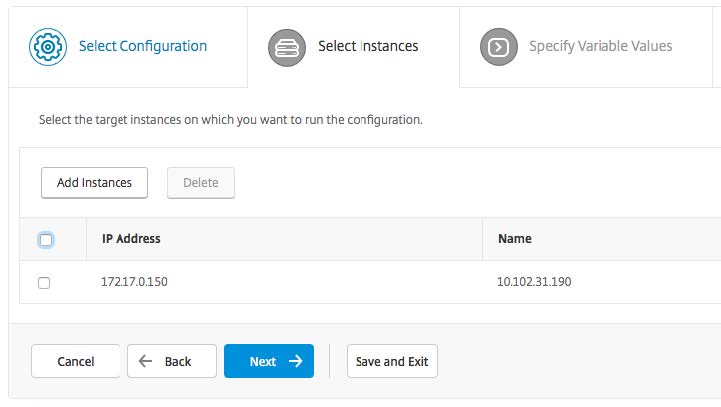
Select the NetScaler CPX instances on which you want to run the configuration and click Next.
-
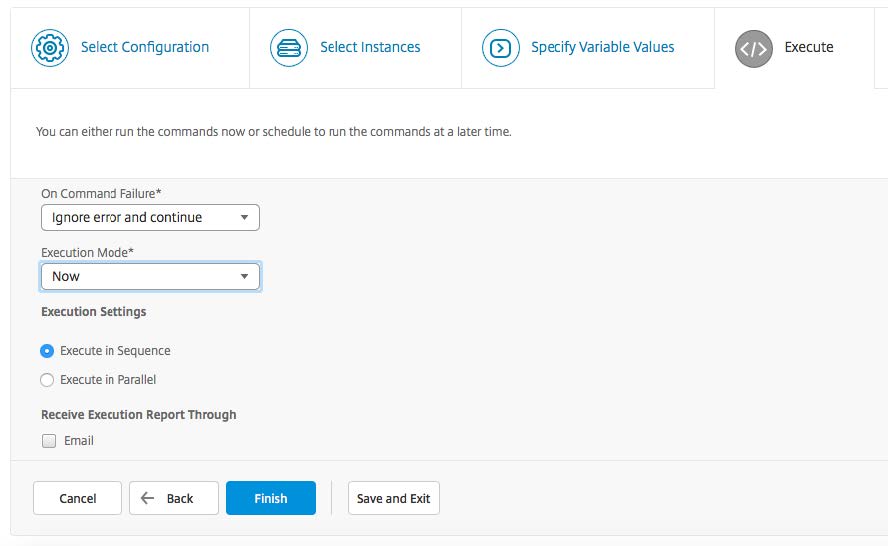
Specify the execution settings and click Finish to run the commands on the NetScaler CPX instance. If you want to save the configuration and run it later, click Save and Exit.